



🏈 How Can I Track Live Media Coverage During a Big Event?

Let’s say your brand is tied to a high-visibility moment, maybe you’re sponsoring the New York Giants, collaborating with an athlete, or launching a campaign during Sunday Night Football.
Here’s how to use Explore + Monitor together to make sure you catch the action as it happens!
🧭 Step 1: Set Up Your Game Day Search in Explore
Go to Explore from the left-hand navigation bar. Create a brand new search or prompt the AI Search Assistant to:
“Create a search for coverage of the new york giants vs. dallas cowboys game on social media and news. Include common player names and exclude fantasy football chatter.”
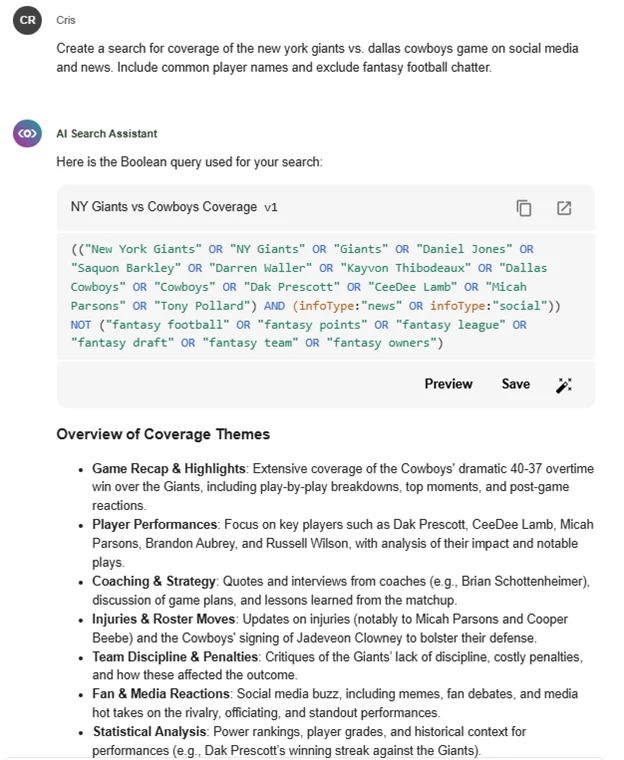
Click Save once the boolean or search is bringing the mentions you want to see.
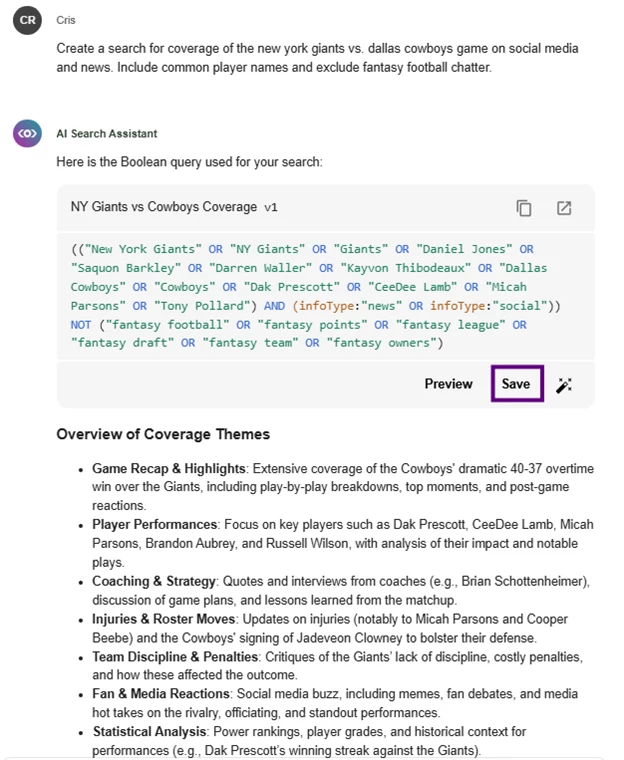
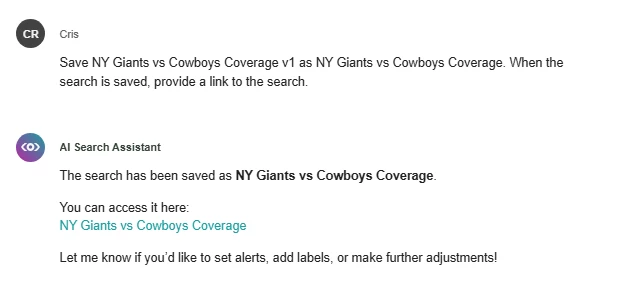
The search is now saved and ready to view in Monitor!
Step 2: Create a Real-Time Monitoring View
Once your search is saved, head over to Monitor.
Click Create new Monitor View

Now, click Select an input to surface the search you just created and give the stream a unique name like NY Giants v. Cowboys
Select Apply changes when you’re done. Now you're tracking everything as it happens — mentions, posts, and articles will stream in live during the game.
🛠️ Step 3: Customize Your Monitor View
Make it your own-
Change the date range to Today or Last 24 hours
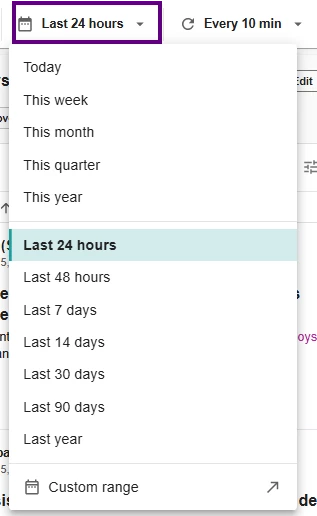
Keep Auto-Refresh turned on to get updates every 10 minutes (default setting)
Rename the view to something like “Giants Game Stream” by clicking Save

🎯 Pro Tip: If you need updates away from the screen, select Create alert to notify you on the go via Microsoft Teams, Slack, or email. Read this article to learn more about Setting up Alerts
Step 4: Use AI to Summarize Coverage
Too much coverage to skim through?
Click 🪄 AI Actions in the stream, then Create AI Insights to summarize the top 100 mentions so far. This is a great way to pull out talking points for execs or live coverage for social teams.
Read this post to Guide on AI Insights
What Can I Do with This?
Whether you're tracking a sponsorship, running a live campaign, or reporting after a big game- Monitor shows you what’s happening, as it happens. Use it to surface key mentions, flag trends, and keep your team aligned with a real-time view of media and social coverage.
🧠 Want more real-time tracking tips?
Join our next Getting Started with Alerts, Digest Reports, and Monitors workshop to build your own stream alongside an expert! See the calendar here.