



Step 3 - Setting Up Media Monitoring: Create a Search
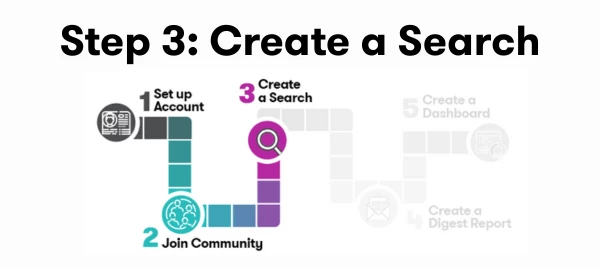
The first step in getting value from Meltwater is setting up a search—this is how you track what’s being said about your brand, organization, industry, competitors, or key topics across news and social media.
Without a search, you won’t receive alerts, generate reports, or access the insights that help you stay ahead. That’s why creating a Brand or Reputation Search is the foundation of effective media monitoring.
Training Available
- 📖 Enroll in Building Effective Searches Course (25 minutes)
- 🛠️ Join a Live Workshop
- Prefer hands-on learning? Register for one of our weekly Getting Started with Media Monitoring Workshop to learn with others and ask questions in real time.
- 📽️ Watch the Recording
- Don’t want to wait for the next workshop? Watch last month’s Getting Started with Media Monitoring Workshop.
Creating Your Media Monitoring Search
Follow these steps to quickly set up a basic search for your brand or organization:
Use our AI Search Assistant in Explore to help you build your first query.
- If you’re not sure what to ask the AI Search Assistant, check out our Brand & Reputation Management Playbook—a step-by-step guide to refining your search strategy.
- Ready to build your first search: Click here to use our in app tutorial.
- Check out the Boolean Library to understand all of the operators available to you.
Refining Your Search with Filters
Search building is iterative. This step is your quality check.
Preview your results and ask yourself:
- Are these mentions actually about my brand?
- Am I missing obvious coverage?
- Is there too much noise?
Then use AI, filters, or manually refine:
- 🎥 Watch: Use the AI Search Assistant to Adjust Queries
- 🎥 Watch: Filter to focus on particular sources, locations, languages, etc.
- 🎥 (Optional) Watch: Use Boolean to manually adjust keywords
Saving Your Search
Once you’re happy with your results, save your search so you can create reports, alerts, or newsletters.
🎥 Watch how to save your search.
Saving your search unlocks Meltwater’s full potential—including alerts, reports, and dashboards.
What’s Next
Now that you have a a saved search for your brand or company, with the appropriate filters applied, let's move on to setting up your daily digest: