Get resources & share product tips and best practices
Recently active
If you missed our special anniversary Product Workshop, 25 Meltwater Tips for 25 Years, we’ve got you covered! Watch the recording below as Cris shares 25 tips, shortcuts, and easily missed features across Meltwater designed to help you find information faster, stay informed, simplify your reporting, and make your everyday workflows a little easier. We Covered: Using the Meltwater Chrome Extension to quickly check if an article is being tracked, add mentions to searches, apply tags, and add content to newsletters without needing to be logged into Meltwater Connecting your Facebook and Instagram accounts through Social Connections to expand the content you can monitor across Meta Getting more out of your saved searches by combining competitors or topics into a single search and using saved filter sets to quickly focus on individual brands or areas of interest Using the AI Search Assistant to help build searches without starting from scratch Setting up alerts, executive daily dig
If you missed our 15th October Product Hour covering how you can get started with Alerts, Digest Reports and Monitors; don’t worry, we’ve got you covered! Watch the recording below to learn how you can set up automated alerts to keep you in the loop, compare your saved searches to your competitors using Monitor and create daily reports that are sent straight to your inbox! In this session we learned: How to set up smart alerts in the platform ensuring that if you experience an increase in mentions, a change in sentiment, or a spike in media coverage you’ll know immediately How to create Digest Reports that deliver your top mentions and coverage to your inbox whenever you need How to create a Monitor that enables you to promptly respond to and engage with the content emerging from your searches 🚀 Take part in this month’s Meltwater Launch mission: 1. Join the Meltwater Launch group2. Share a screenshot of the settings or alert you’ve set up for Mission #3 Watch the recording here:
If you missed our 15th October Getting Started with Media Relations; don’t worry, we’ve got you covered! Watch the recording below to learn all about our Media Relations tips and tricks for optimal use and the ideal workflow! In this session we covered: Best practices when searching for new journalist profiles and new product releases such, the new Homepage experience, and AI profile insights How to manage Media Lists (e.g., merging, comparisons, removing unsubscribes) Best practices when searching for new journalist profiles Advance use cases like reporting on the success of your press releases or media pitches. 🚀 Take part in this month’s Meltwater Launch mission: 1. Join the Meltwater Launch group2. Share a screenshot of the media list you built for Mission #5 Watch the recording here:
If you missed our October 15th Product Workshop covering how you can get started with Alerts, Digest Reports and Monitors; don’t worry we’ve got you covered! Watch the recording below to learn how you can set up automated alerts to keep you in the loop, compare your saved searches to your competitors using Monitor and create daily reports that are sent straight to your inbox! In this session we learned: How to set up smart alerts in the platform ensuring that if you experience an increase in mentions, a change in sentiment, or a spike in media coverage you’ll know immediately How to create Digest Reports that deliver your top mentions and coverage to your inbox whenever you need How to create a Monitor that enables you to promptly respond to and engage with the content emerging from your searches Join MeltwaterFest 25We're celebrating 25 years of Meltwater! Put what you learned in today's workshop into action by creating an Alert and just commenting a screenshot on this post to earn p
If you missed our October 13th Product Workshop covering how you can get started with building reports in Meltwater; don’t worry, we’ve got you covered! Watch the recording below to learn how you can use your existing saved searches to create custom reports, the details of our available reporting widgets, and how to build reports from scratch using our blank canvas report builder! In this session we learned: How to use searches to build the foundation for comprehensive reports How to create digest reports that automatically keep you in the loop and are delivered right to your inbox How to customize your reports to hone in on the data you need Join the Power User Group to get access to beta features and new updates Take part in this month’s Meltwater Launch mission:1. Join the Meltwater Launch group2. Post a PDF, PPT or Web Link of the dashboard you built for Mission #4 If you would like to view the sample report created on today’s call you can check it out below: Sour Patch Kids Sampl
If you missed our 13th October Product Hour covering how you can get started with Media Monitoring in Meltwater; don’t worry, we’ve got you covered! Watch the recording below to learn how you can create a brand search using the AI search assistant and empower to sort, filter and interpret the results to better drive your brand strategy. In this session we learned: How to create a search for your brand and use the AI Search Assistant to narrow or expand that search to better return the results you need. Check out our article on getting started with AI Search Assistant to learn more How to filter and sort your search results to only show the data that is relevant to your brand and campaign. Learn more about our filter and sort options in this article We also introduced the range of boolean operators available to you Check out this article for the complete library of Boolean operators. Watch the recording here:
If you missed our October 13th Product Workshop covering how you can get started with Media Monitoring in Meltwater; don’t worry, we’ve got you covered! Watch the recording below to learn how you can create a brand search using the AI search assistant and empower yourself to sort, filter and interpret the results to better drive your brand strategy. In this session we learned: How to create a search for your brand and use the AI Search Assistant to narrow or expand that search to better return the results you need. Check out our article on getting started with AI Search Assistant to learn more How to filter and sort your search results to only show the data that is relevant to your brand and campaign. Learn more about our filter and sort options in this article How to connect your social media accounts to monitor Learn more about connecting your socials in this article How to prompt Mira Studio to articulate the trends and impact you need to deliver Learn how to use Mira Studio
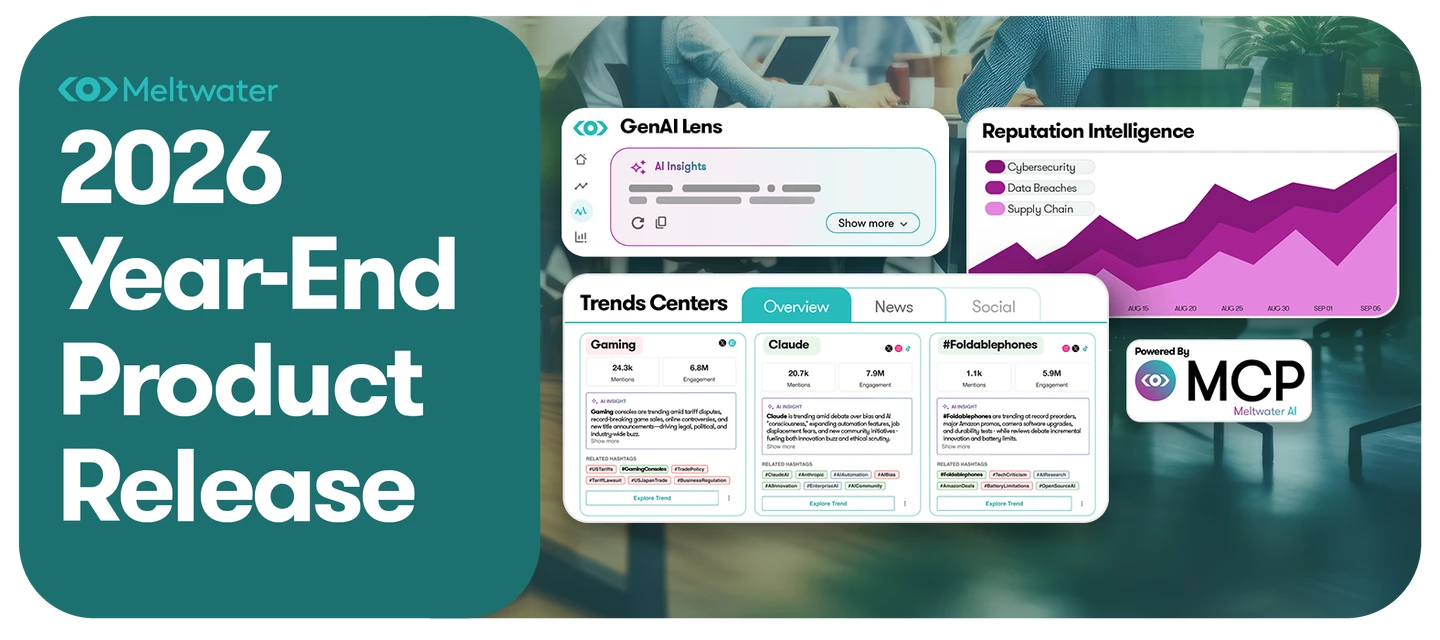
Your brand story isn’t written in one place anymore. It forms in the news, spreads across social, and gets reshaped by AI, and each one feeds the others. The teams who can see how those pieces connect are the ones who shape the conversation instead of chasing it. Join us for Meltwater’s Year-End Release 2026 to see how our latest innovations help PR, Communications, Marketing, Research, and Insights teams answer bigger questions with AI, media, and social data. Here’s what you’ll learn: ✅ How news, social, and AI shape each other. See how narratives form, travel, and reinforce one another across an increasingly connected information ecosystem.✅ Where and how to influence the conversation. Identify the reputation drivers that need your attention and find opportunities to act through content, earned media, journalists, and creators.✅ How to turn signals into business answers. Explore new ways to interrogate your media data, combine it with other business information, and follow the evide
If you missed our October 6th Product Workshop covering how you can get started with Alerts, Digest Reports and Monitors; don’t worry we’ve got you covered! Watch the recording below to learn how you can set up automated alerts to keep you in the loop, compare your saved searches to your competitors using Monitor and create daily reports that are sent straight to your inbox! In this session we learned: How to set up smart alerts in the platform ensuring that if you experience an increase in mentions, a change in sentiment, or a spike in media coverage you’ll know immediately How to create Digest Reports that deliver your top mentions and coverage to your inbox whenever you need How to create a Monitor that enables you to promptly respond to and engage with the content emerging from your searches Watch the recording here:
If you missed our workshop, Becoming the MVP of Brand Reputation with Real-Time Crisis Monitoring, we’ve got you covered! Watch the recording below as McKenna Kelley, External Communications Lead at Jabil, shares how her team uses media monitoring and social listening to spot potential issues earlier, better understand conversations around the brand, and make sure the right teams have the insights they need when an issue starts to emerge. We Covered: Building more effective searches by thinking beyond your official brand name and including local terminology, misspellings, former brand names, nicknames, and crisis-related keywords Using local knowledge and internal teams to uncover conversations you might otherwise miss, including discussions where your brand isn't mentioned by name Creating an always-on crisis search to proactively monitor for potential risks rather than waiting until an issue has already surfaced Using monitoring insights to bring Comms, HR, Legal, and other tea
If you missed our October 6th Product Workshop covering how you can get started with Media Monitoring in Meltwater; don’t worry, we’ve got you covered! Watch the recording below to learn how you can create a brand search using the AI search assistant and empower yourself to sort, filter and interpret the results to better drive your brand strategy. In this session we learned: How to create a search for your brand and use the AI Search Assistant to narrow or expand that search to better return the results you need. Check out our article on getting started with AI Search Assistant to learn more How to filter and sort your search results to only show the data that is relevant to your brand and campaign. Learn more about our filter and sort options in this article How to connect your social media accounts to monitor Learn more about connecting your socials in this article How to prompt Mira Studio to articulate the trends and impact you need to deliver Learn how to use Mira Studio i
If you missed our 6th October Product Hour covering how you can get started with Media Monitoring in Meltwater; don’t worry, we’ve got you covered! Watch the recording below to learn how you can create a brand search using the AI search assistant and empower to sort, filter and interpret the results to better drive your brand strategy. In this session we learned: How to create a search for your brand and use the AI Search Assistant to narrow or expand that search to better return the results you need. Check out our article on getting started with AI Search Assistant to learn more How to filter and sort your search results to only show the data that is relevant to your brand and campaign. Learn more about our filter and sort options in this article We also introduced the range of boolean operators available to you Check out this article for the complete library of Boolean operators. Watch the recording here:
If you missed our September 29th Product Workshop covering how you can get started with Media Monitoring in Meltwater; don’t worry, we’ve got you covered! Watch the recording below to learn how you can create a brand search using the AI search assistant and empower yourself to sort, filter and interpret the results to better drive your brand strategy. In this session we learned: How to create a search for your brand and use the AI Search Assistant to narrow or expand that search to better return the results you need. Check out our article on getting started with AI Search Assistant to learn more How to filter and sort your search results to only show the data that is relevant to your brand and campaign. Learn more about our filter and sort options in this article How to connect your social media accounts to monitor Learn more about connecting your socials in this article How to prompt Mira Studio to articulate the trends and impact you need to deliver Learn how to use Mira Studi
If you missed our 29th September Product Hour covering how you can get started with Media Monitoring in Meltwater; don’t worry, we’ve got you covered! Watch the recording below to learn how you can create a brand search using the AI search assistant and empower to sort, filter and interpret the results to better drive your brand strategy. In this session we learned: How to create a search for your brand and use the AI Search Assistant to narrow or expand that search to better return the results you need. Check out our article on getting started with AI Search Assistant to learn more How to filter and sort your search results to only show the data that is relevant to your brand and campaign. Learn more about our filter and sort options in this article We also introduced the range of boolean operators available to you Check out this article for the complete library of Boolean operators. Watch the recording here:
If you missed our September 28th Product Workshop covering how you can get started with building reports in Meltwater; don’t worry, we’ve got you covered! Watch the recording below to learn how you can use your existing saved searches to create custom reports, the details of our available reporting widgets, and how to build reports from scratch using our blank canvas report builder! In this session we learned: How to use searches to build the foundation for comprehensive reports How to create digest reports that automatically keep you in the loop and are delivered right to your inbox How to customize your reports to hone in on the data you need If you would like to view the sample report created on today’s call you can check it out below: Costco Sample Report Password: 123 Watch the recording here:
Incase you missed our 24th of September Product Hour covering how you can get started with building reports in Meltwater; don’t worry, we’ve got you covered! Watch the recording below to learn how you can use your existing saved searches to create custom reports in the upgraded Unified Dashboard experience! In this session we learned: How to use searches to build the foundation for comprehensive reports How to interact and filter the data in your dashboard. How to customize your reports to hone in on the data you need Watch the Recording Here:
In this September 24th Product Workshop, we introduced Mira Studio, Meltwater’s newest AI-powered teammate designed to simplify how you access brand, competitor, and market intelligence—no Boolean skills required. Mira does the heavy lifting, turning simple prompts into strategic insights in seconds. In this session we learned: A walkthrough of Mira Studio’s intuitive interface Real-world use cases and prompt examples Best practices to maximize Mira’s capabilities Using Mira Projects to tailor AI to your brand Reports from Call (PW: 123)Co Branded Web Report Linked Response Mira Tips & Tricks: If you type in # a drop-down will appear that will populate your saved searches and you can select it, instead of having to remember your search names. E.g. Can you tell me what the news was for #… from the last 30 days? Using a saved search when prompting Mira is optional. Use it when you want Mira to use a pre-defined dataset. When you’re researching and exploring topics we recommen
If you missed our APAC Advanced Product Workshop covering our favourite advanced boolean techniques don’t worry, we’ve got you covered! Watch the recording below to see how to utilize the AI Search Assistant, use advanced boolean operators, and set up custom categories! In this session we learned: When to move from using the AI Search Assistant to more advanced search techniques. How to conduct comprehensive brand searches to turn your data into valuable insights. How to integrate information from websites, social handles, and Facebook pages into your search strategies effortlessly. How to utilize advanced filters and created custom categories to tailor search outcomes to your specific needs. Watch the recording here:
If you missed our 22nd September Product Hour covering how you can get started with Media Monitoring in Meltwater; don’t worry, we’ve got you covered! Watch the recording below to learn how you can create a brand search using the AI search assistant and empower to sort, filter and interpret the results to better drive your brand strategy. In this session we learned: How to create a search for your brand and use the AI Search Assistant to narrow or expand that search to better return the results you need. Check out our article on getting started with AI Search Assistant to learn more How to filter and sort your search results to only show the data that is relevant to your brand and campaign. Learn more about our filter and sort options in this article We also introduced the range of boolean operators available to you Check out this article for the complete library of Boolean operators. Watch the recording here:
If you missed our September 22nd Product Workshop covering how you can get started with Media Monitoring in Meltwater; don’t worry, we’ve got you covered! Watch the recording below to learn how you can create a brand search using the AI search assistant and empower yourself to sort, filter and interpret the results to better drive your brand strategy. In this session we learned: How to create a search for your brand and use the AI Search Assistant to narrow or expand that search to better return the results you need. Check out our article on getting started with AI Search Assistant to learn more How to filter and sort your search results to only show the data that is relevant to your brand and campaign. Learn more about our filter and sort options in this article How to connect your social media accounts to monitor Learn more about connecting your socials in this article How to prompt Mira Studio to articulate the trends and impact you need to deliver Learn how to use Mira Studi
If you missed our September issue of What's New and What's Next with GenAI Lens, we've got you covered! Watch the recording below as Cody and Nate walk through the latest GenAI Lens releases, demonstrate new ways to analyze and share your AI visibility data, and give us a first look at what's coming next to the platform. We covered:New AI Insights powered by Mira Companion, helping you quickly interpret GenAI Lens widgets and identify recommended actions New alerts and expanded reporting, including visibility and entity mention rate alerts, larger data exports, and shareable web-based Executive Reports Meltwater MCP workflows for auditing LLM responses, optimizing prompts, analyzing brand narratives, and creating reports using Meltwater data in AI tools Upcoming Accuracy tracking and Source Analysis enhancements for identifying inaccurate brand claims and understanding which sources, journalists, creators, YouTube channels, and Reddit communities are influencing AI responses GenAI Len
In this September 21st Product Workshop, we introduced Mira Studio, Meltwater’s newest AI-powered teammate designed to simplify how you access brand, competitor, and market intelligence—no Boolean skills required. Mira does the heavy lifting, turning simple prompts into strategic insights in seconds. In this session we learned: A walkthrough of Mira Studio’s intuitive interface Real-world use cases and prompt examples Best practices to maximize Mira’s capabilities Using Mira Projects to tailor AI to your brand Mira Tips & Tricks: If you type in # a drop-down will appear that will populate your saved searches and you can select it, instead of having to remember your search names. E.g. Can you tell me what the news was for #… from the last 30 days? Using a saved search when prompting Mira is optional. Use it when you want Mira to use a pre-defined dataset. When you’re researching and exploring topics we recommend not using a saved search. Watch the Recording Here:
If you missed our September 17th Getting Started with Media Relations; don’t worry, we’ve got you covered! Watch the recording below to learn all about our Media Relations tips and tricks for optimal use and the ideal workflow! In this session we covered: Best practices when searching for new journalist profiles and new product releases such, the new Homepage experience, and AI profile insights How to manage Media Lists (e.g., merging, comparisons, removing unsubscribes) Best practices when searching for new journalist profiles Advance use cases like reporting on the success of your press releases or media pitches. Watch the recording here:
If you missed our Product Workshop, Using Meltwater to Build (and Adjust) Media Strategies That Actually Perform, we’ve got you covered! Watch the recording below as Samiha walks through a real campaign example to show how Meltwater can support your media strategy before, during, and after a campaign, helping you find the right journalists, monitor coverage in real time, and adjust your approach based on what’s actually working. We Covered:Using Explore, Media Relations, and monitoring together to build a more informed media strategy from start to finish Building targeted media lists based on journalist location, interests, and relevance to your campaign Monitoring coverage in real time to understand what’s gaining traction and identify opportunities to adjust your strategy Using campaign insights to pivot while a campaign is still active, rather than waiting until your final report to understand performance Practical pitching tips, including timing your outreach, creating less corpor
Don't be shy and let us know about your challenge.
Already have an account? Login
Enter your E-mail address. We'll send you an e-mail with instructions to reset your password.