




Step 4 - Setting up Daily Digest & Alerts
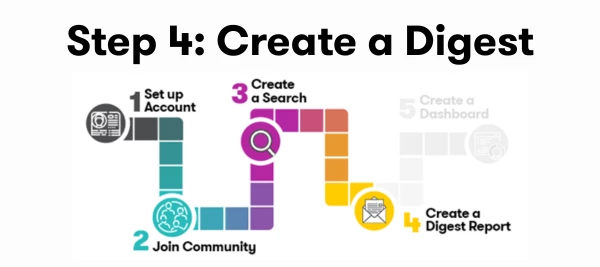
As PR, communications, and marketing professionals, staying ahead of the conversation is crucial. Once you've crafted a robust Monitoring Search using the AI Assistant in Explore, the real value comes from setting up alerts and daily digests. This post will cover:
Available Training
Ready to set up alerts and digest. Check out these Training options or follow the steps below:
- Register for the 25-min course Monitoring & Analyzing Your Results.
- Register for the Live Get Started with Alerts, Digests, and Monitor Workshop
- Watch a Get Started with Alerts, Digests, and Monitor Workshops recording
Setting up Alerts
Alerts help you monitor key events, trends, and mentions, ensuring your team is proactive rather than reactive. By keeping you informed in real-time, these alerts enable you to seize opportunities, mitigate crises, and enhance your overall strategy.
Here’s how to set a Smart Alert up:
-
Make sure you have a saved Explore Search.
-
Select Alerts from the left-hand navigation bar or follow this In App Guided Tour
-
Select Create Alert
-
Follow the How to Guide to learn about all Alert options available.
Watch here:
Setting up a Daily Digest
A daily digest will send you an email daily recapping all the content from the day. Here’s the how to:
- Click on this In App Guided Tour or follow the below.
- From Explore, open the saved search that you want to use for your Daily Digest
- Click on the mail icon in the top right-hand corner

- Select Create Digest
- Now, you will configure your daily digest email.
- Fill out the Subject Line of the email.
- You can leave everything else as-is
- Click the Save button at the bottom of the window.
- To learn more read the how to guide.
Every day at 8 a.m., you’ll receive a recap of all the news about your brand or company from the previous day.
Resources
Check out these helpful resources & Training:
- Alerts: Step by Step Guide
- Creating and Editing Digest Reports
- Daily Monitoring Playbook
- Adding Searches to your Digest
What’s Next
Now you are ready for reporting: