

Ad Detection and Filtering in ANZ Broadcast Content

Hello Australia Chapter, we have an exciting update for Ads filtering in your ANZ broadcast content.
What it is
Ad Detection technology for ANZ Broadcast accurately identifies and filters out commercial advertisements from TV and radio content in real-time.
This allows PR and broadcast professionals to focus on relevant editorial content, saving time and enhancing the accuracy of reporting and campaign tracking.
How it Works
You can use Boolean filters in Custom Categories to easily identify or exclude known advertisements in broadcast content. Follow these steps to do so:
1. Click Explore in the left-hand navigation bar
2. Open an existing search or create a search. Learn how to Create a Search.
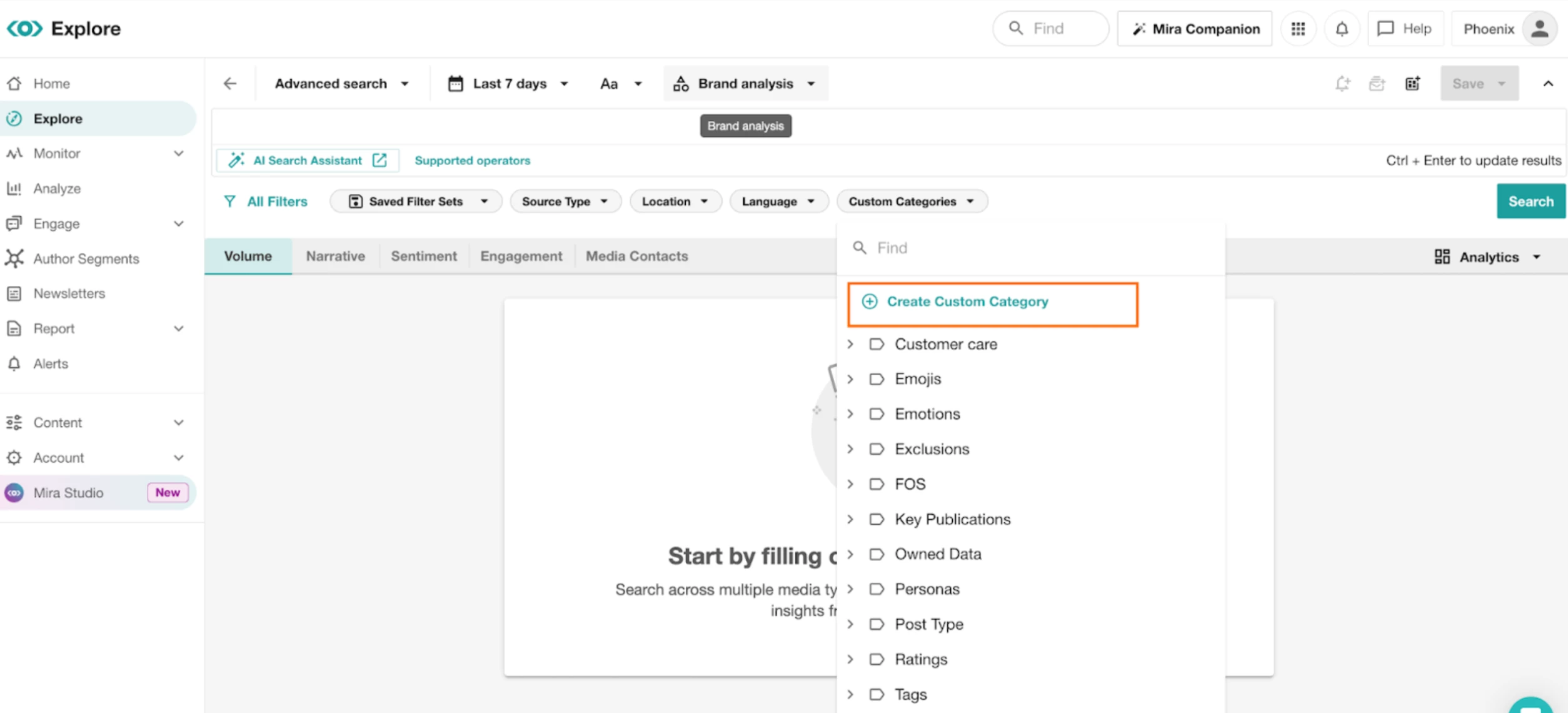
3. Click the Custom Categories drop-down in the Filter Bar
4. Select Create Custom Category
5. Name your category (e.g., “TV Ads”).
6. To create a filter that will include Ads in your search results use the following boolean code: infoType:broadcast AND promotional:true
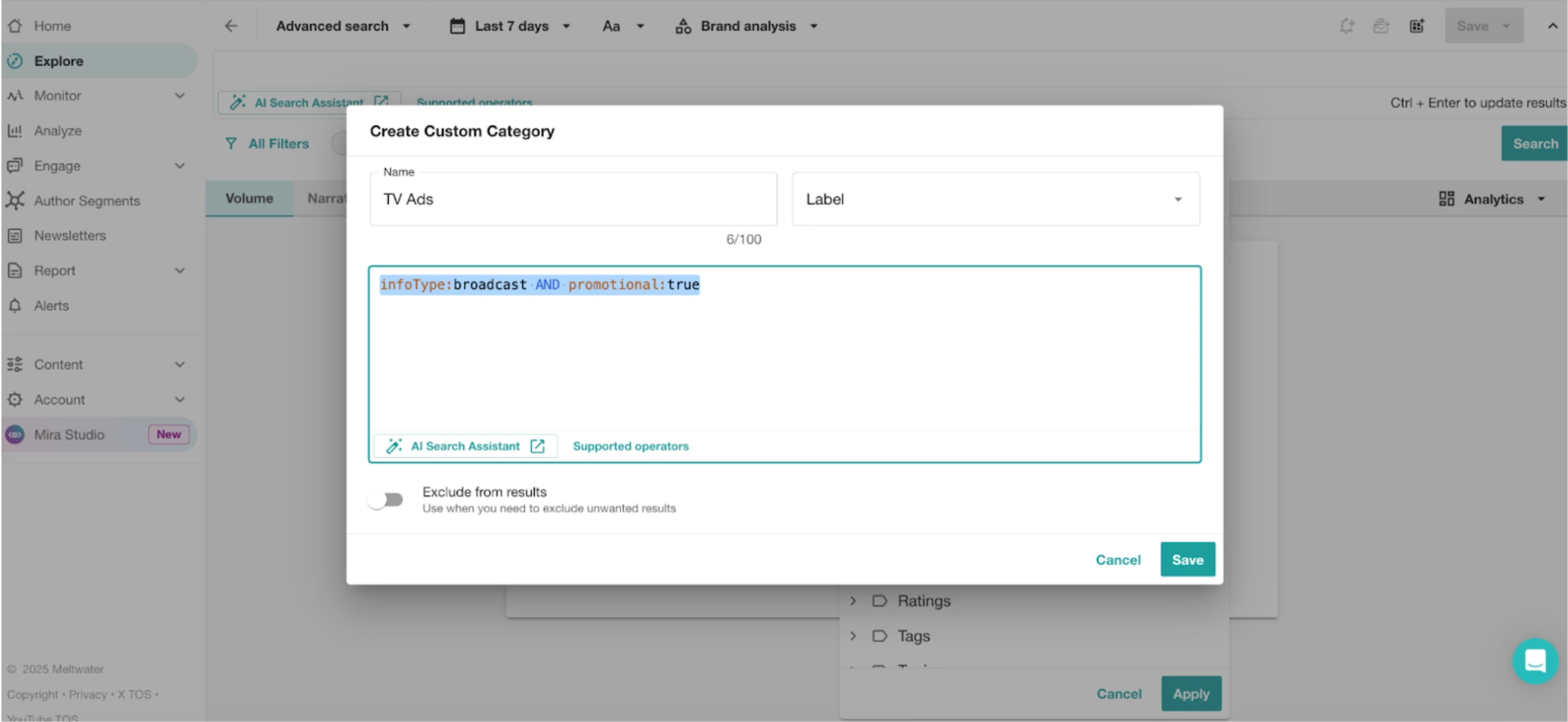
7. Click Save
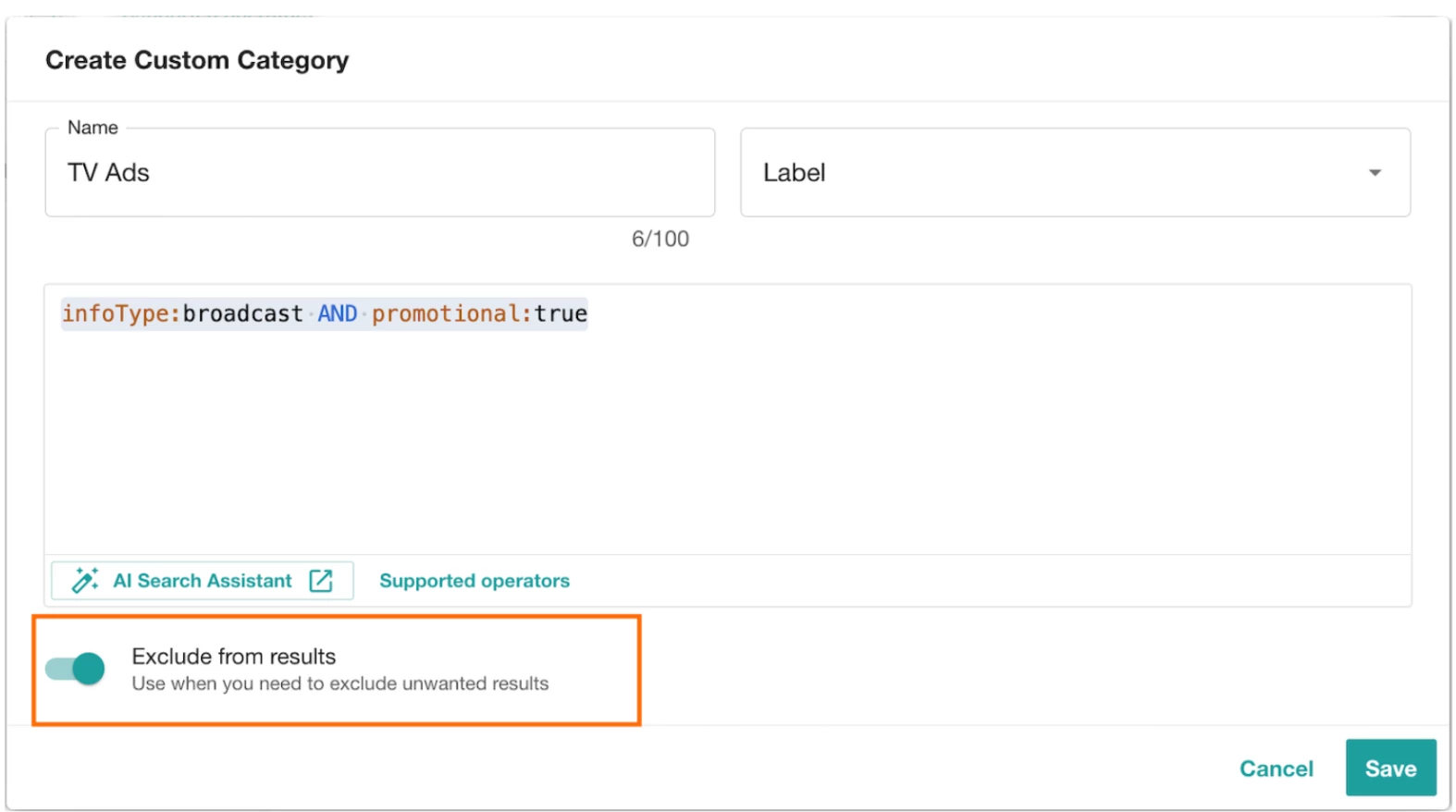
8. To create a filter that will exclude Ads in your search results, follow steps 3, 4 & 6, this time turning on the Excludes from results toggle.
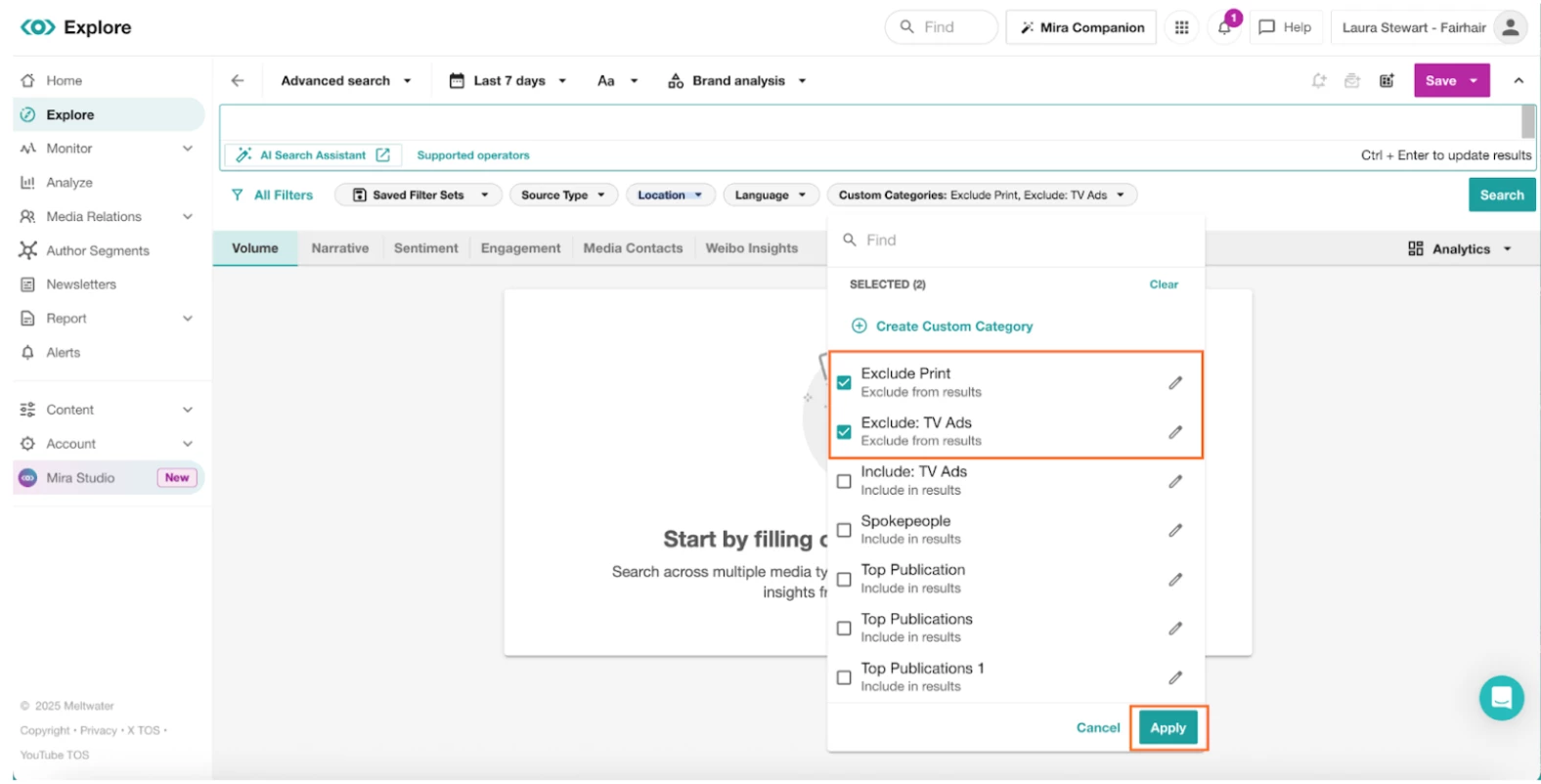
9. Apply these filters to your searches, by selecting the check box in the Filter Bar. Selecting Apply