



Malaysian Print and Broadcast Product Update
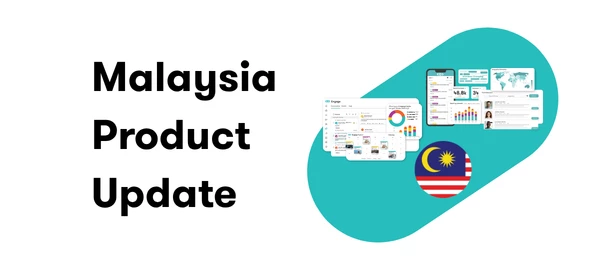
Malaysian Print & Broadcast content is moving to a new integration, improving data quality for source names, classification, broken links, and missing Reach/AVE values.
What’s Changed/New
Broadcast (TV & Radio):
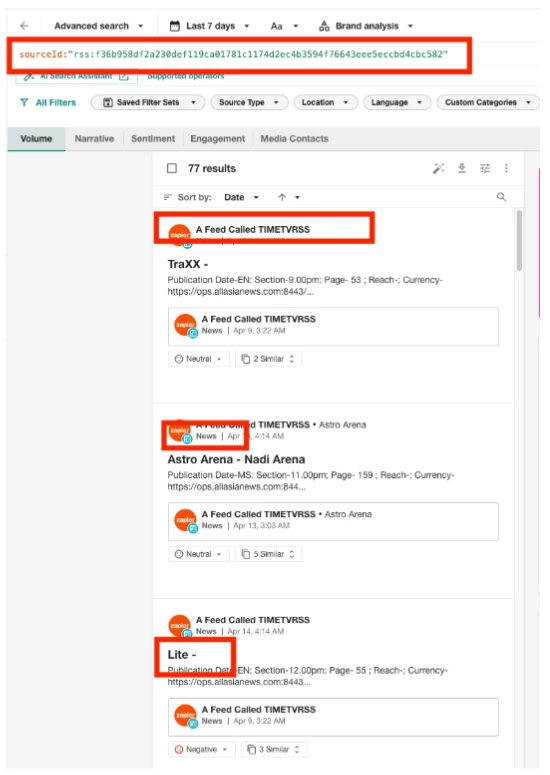
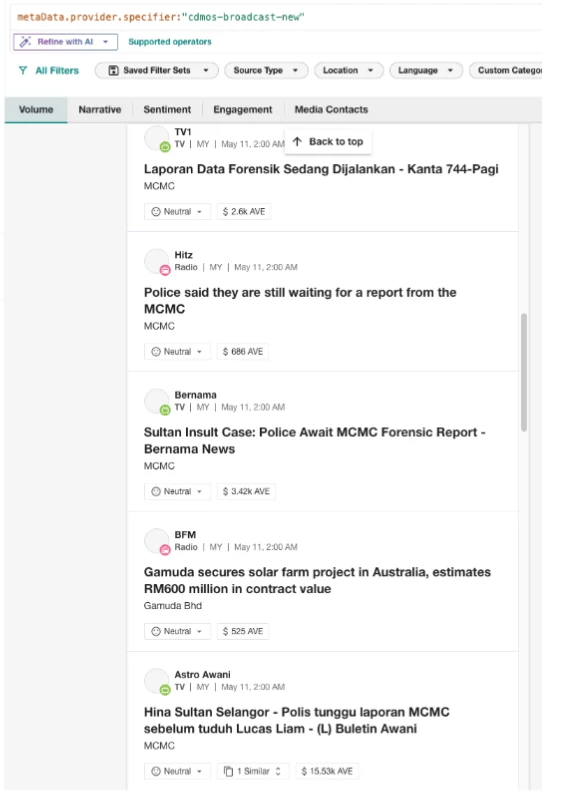
- Content is now correctly classified as TV or Radio based on the actual media type, instead of everything being tagged "News."
- Source names now show the real broadcaster (for example, TV1, Bernama, Astro Awani, BFM, Hitz) instead of the raw feed name.
- Clicking the source name now opens the media player, instead of the raw RSS XML feed.
- Clicking the headline now opens the audio/video clip directly in a new window, instead of redirecting to the Zapier homepage.
- Customers can now filter this content with the Broadcast (TV/Radio) filter in Explore.
- AVE now displays correctly, instead of appearing in the ingress.
Before
After
Print:
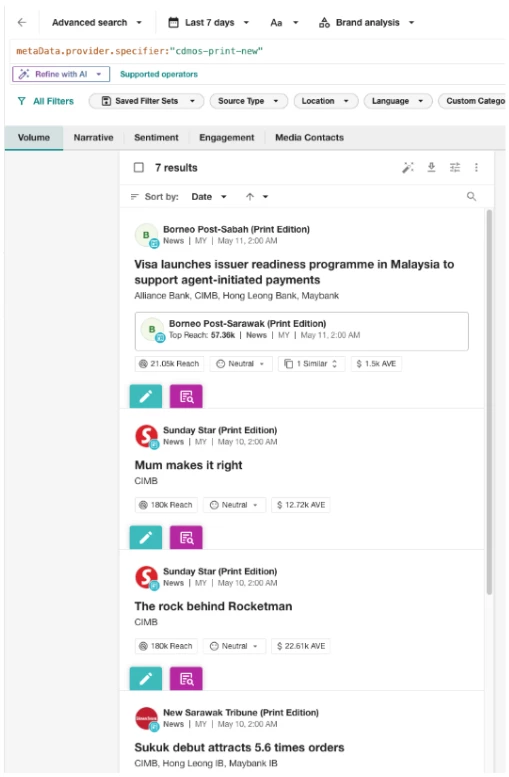
- Source names now reflect the actual publication (for example, Borneo Post, Sunday Star, New Sarawak Tribune), instead of the raw RSS feed name.
- Sources are now saved and labeled "Print Edition."
- Clicking the source name now opens the source profile, instead of the RSS feed.
- Customers can now filter using the Media Format filter in Explore.
- Reach and AVE now display correctly, instead of appearing in the article's ingress.
- All print content is marked as Malaysian (countryCode: "my")
Before
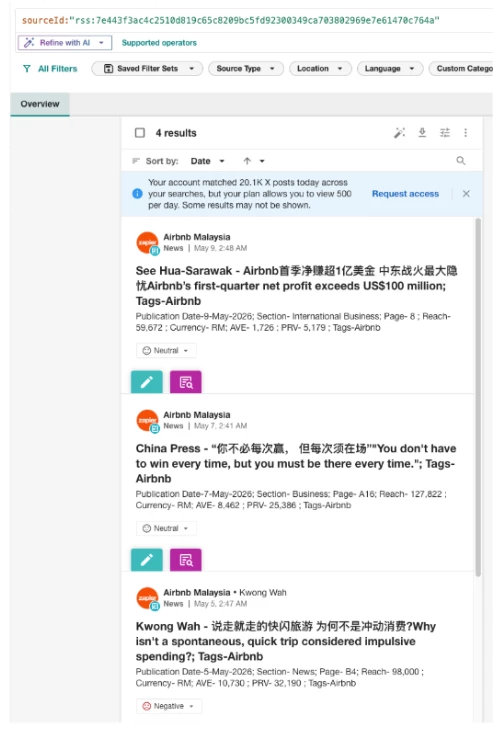
After
Why It Matters
This is a client experience upgrade, not a reduction in coverage — the same sources and content continue to flow in. It lets customers:
- See real source and publication names instead of generic feed labels, resolving a common source of confusion in support tickets.
- Click through to the right destination — the media player or article, instead of a placeholder page.
- Filter with more precision using the new Broadcast (TV/Radio) and Media Format filters, letting customers narrow results in ways they couldn't before.
- Get accurate Reach and AVE values across the result set.
How to Use It
To view Malaysian print and broadcast content:
- Click Explore in the left-hand navigation bar
- Open an existing search or Create a new one
- Select Source Type drop-down from the Filter Bar.
- Click the checkboxes for print and/or broadcast
Print
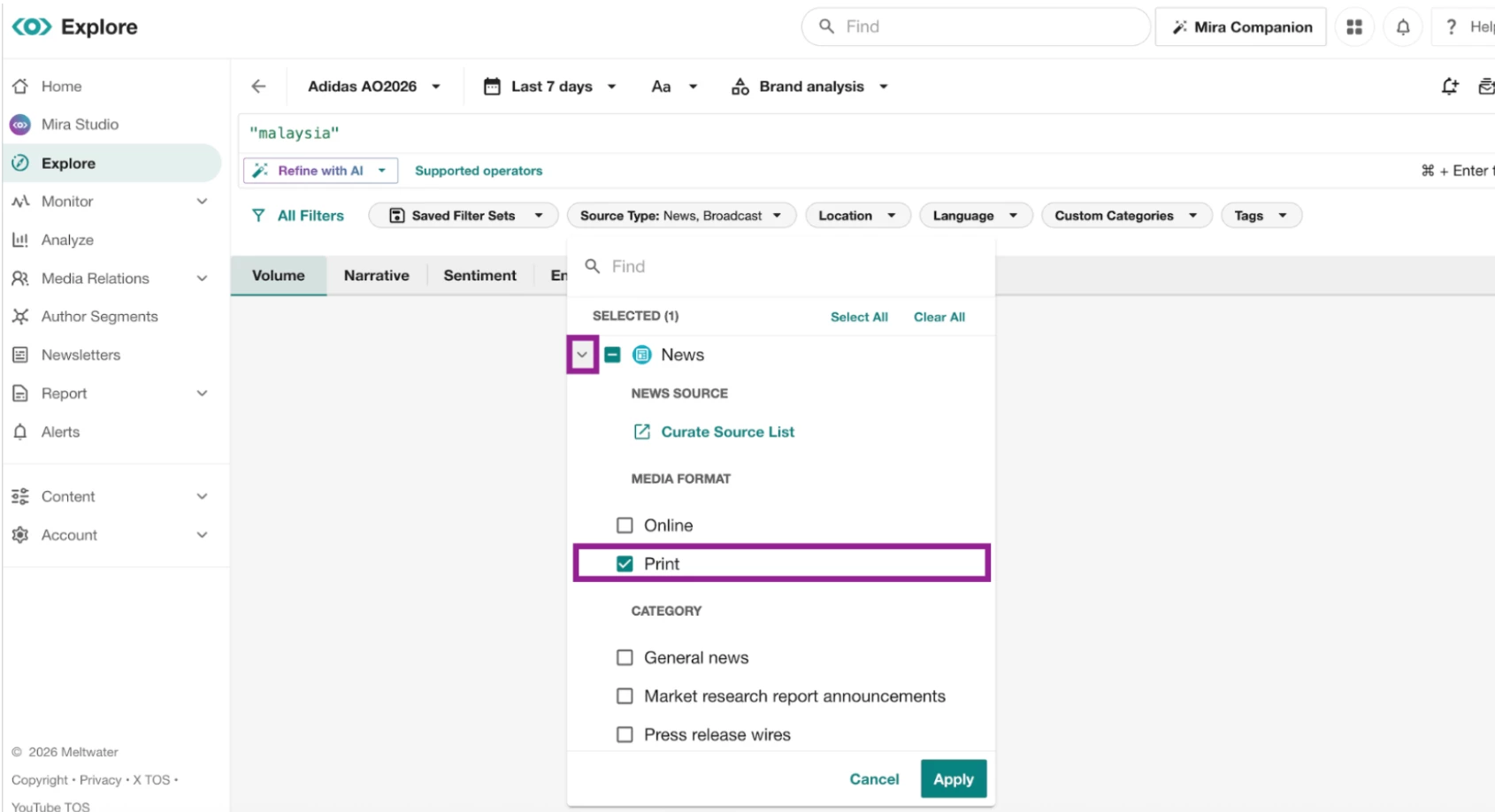
Expand the arrow next to the news option and select Print
Broadcast
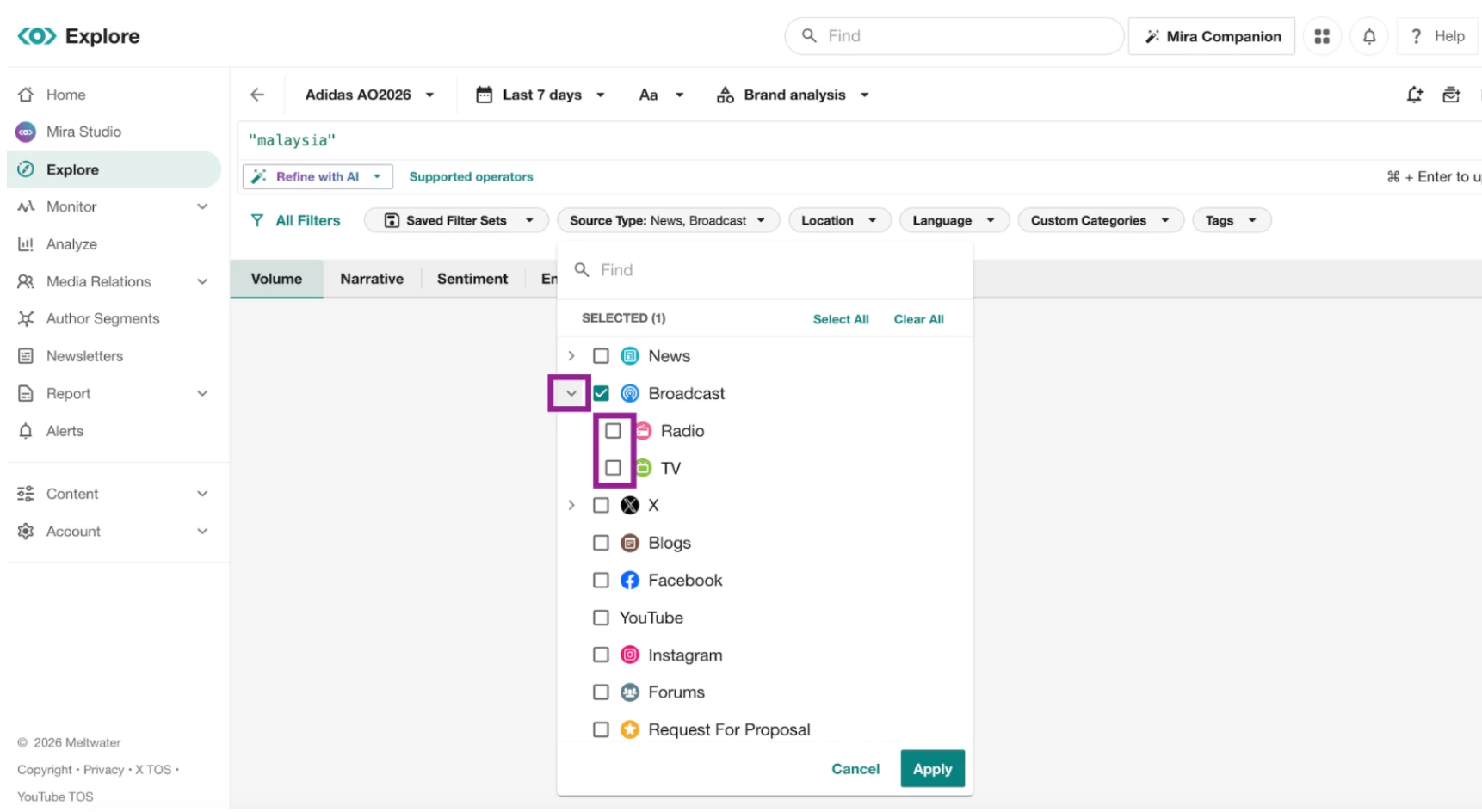
Expand the arrow next to the broadcast option to segment between TV & Radio
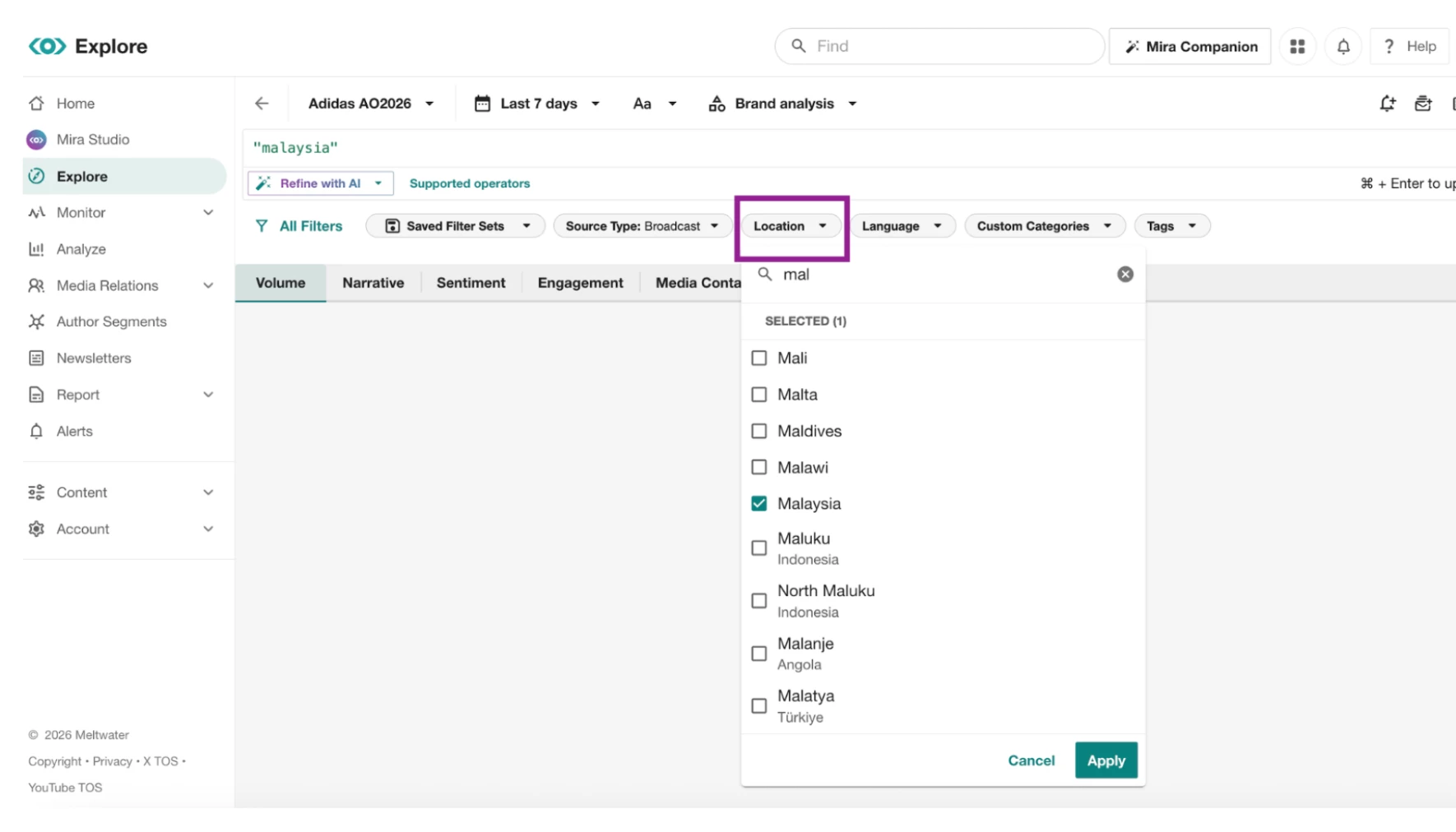
- Click the Location drop-down and select Malaysia.
- Click Apply.
💡 You can also use these filters in Monitor to view Malaysia print and broadcast content. Click Here to learn more about filters in Monitor
Action Required for Existing Saved Searches
The old boolean operator using only sourceId will no longer work on its own.
For most customers, we recommend replacing the legacy RSS Boolean with the new filtering workflow.
If you prefer to manage your searches using Boolean, you'll need to update your query with the new CDMOS provider specifier.
- Open your print or broadcast search in Explore
- Replace or update the sourceId boolean with the following operators
Broadcast
Keep your existing sourceId in the query and add:
metaData.provider.specifier:"cdmos-broadcast-new"
Add:
metaData.provider.specifier:"cdmos-print-new"
💡 You can also use these print & broadcast boolean codes if you have global news in your subscription and you need to separate CDMOS print & broadcast from general global mentions.