



How to Spot Positive and Negative Conversations About Your Brand

Say you’re at an agency supports the McDonald's PR team, and they just launched a new value meal.
Within hours, people are posting about it everywhere — X, Reddit, Blogs, local News. Some love it and some don't. How do you know which is which without reading every single post? That's what Sentiment is for.
By the end of this post, you'll know how to check whether people are talking about you positively or negatively in Meltwater, spot patterns in that sentiment over time, and fix a sentiment call that got it wrong.
Step 1: Track the Right Mentions
Before you can read sentiment, you need the right mentions in front of you. You'll need:
- A saved search in Explore for the brand/campaign you want to monitor. If you haven't created one yet, build your search first using the AI Search Assistant (Just tell it what you want in plain language — for example, "Create a search for McDonald’s new value meal"), then return to this guide.
- Access to Monitor. You'll find Monitor in the left-hand navigation. If you don't see it, contact your account administrator.
For McDonald's, that search might look like one of the below:
- "McDonald's" — broad brand mentions
- "McDonald's" AND "new menu" — mentions specifically about the launch
- "McDonald's" AND fries — mentions specifically about a product
- "McDonald's" AND (review OR taste* OR "tried it") — people sharing an opinion, not just a mention
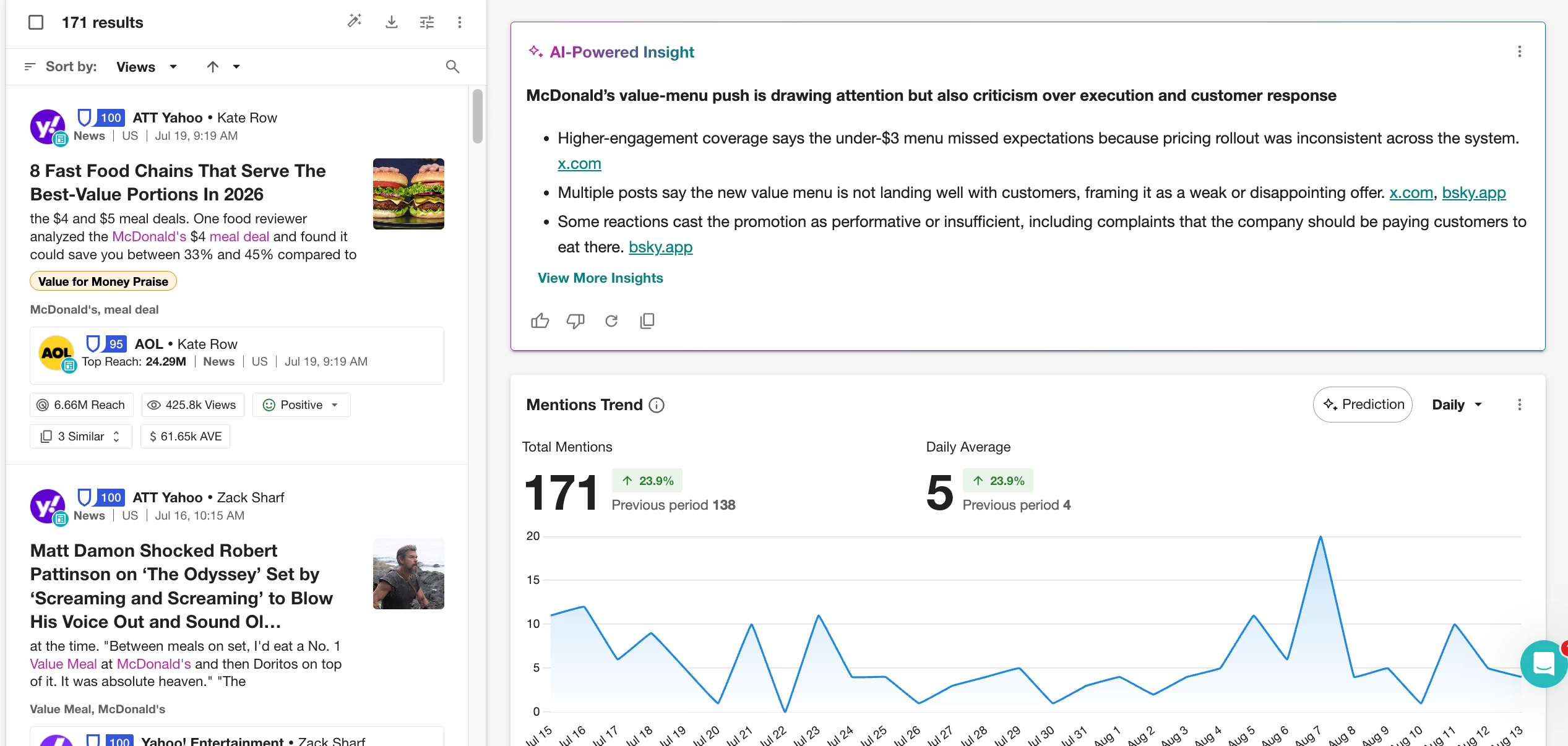
Step 2: Check the Sentiment Label
Once your results load, scroll through the content stream. Each mention shows a sentiment label in the bottom-right corner:
- Positive — the person likes what they're talking about
- Negative — the person is unhappy or critical
- Neutral — a fact or observation with no emotion attached
- Not Rated — there wasn't enough text for Meltwater to analyze
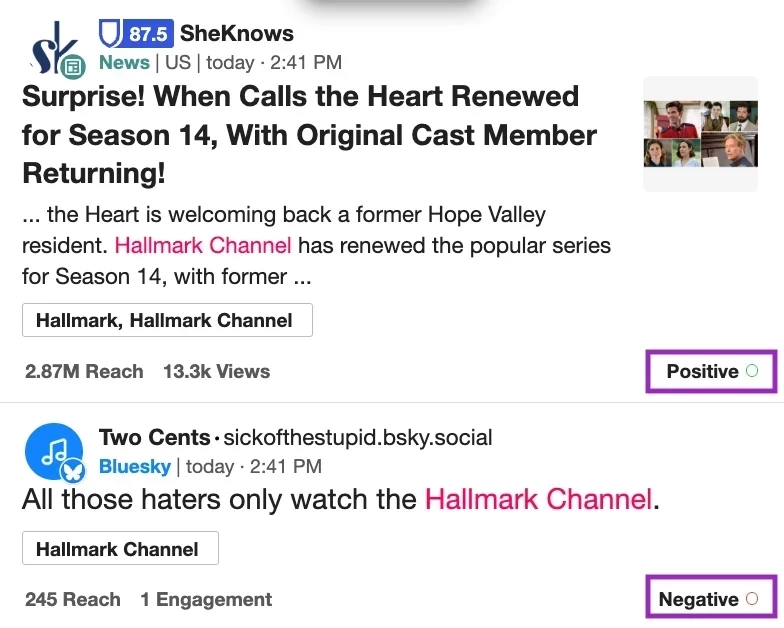
"Finally tried the new McDonald's meal, I love it!" would come back Positive.
"They raised the price on it again, I’m upset" would come back Negative.
"McDonald's added a new item to the menu this week" is just a fact — Neutral.
This sentiment is generated automatically using Meltwater's natural language processing (NLP), which reads the full context of a sentence rather than just spotting keywords. For the full breakdown of how the model works, check the Assigning Sentiment article.
Step 3: Filter by Sentiment
Want to see only the negative mentions, or only the positive ones?
Use the Sentiment filter — it lives in the same spot across Explore, Monitor, and Analyze, right alongside Source Type, Location, Language, and Custom Categories.

- Open All Filters (or find Sentiment directly in the filter bar)
- Select the sentiment(s) you want to isolate Positive, Negative, Neutral, or Not Rated and click Apply
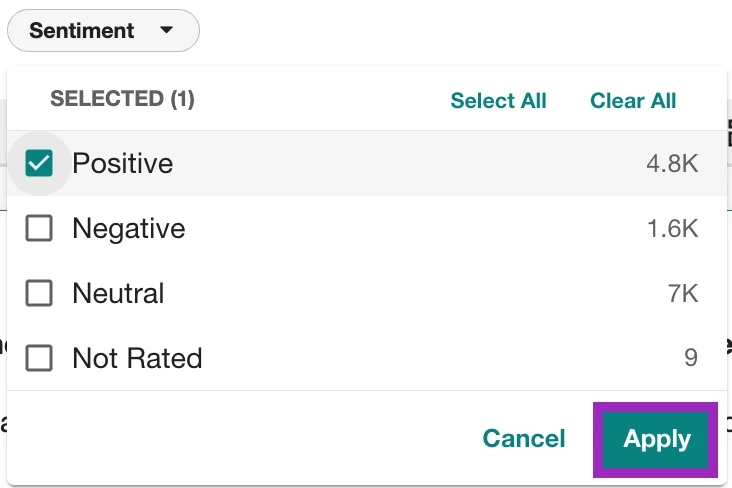
- Your results update instantly to show only that sentiment
This works the same way no matter where you're working, scanning raw mentions in Explore or Monitor, or building a dashboard in Analyze.
Step 4: Override Sentiment When It's Wrong
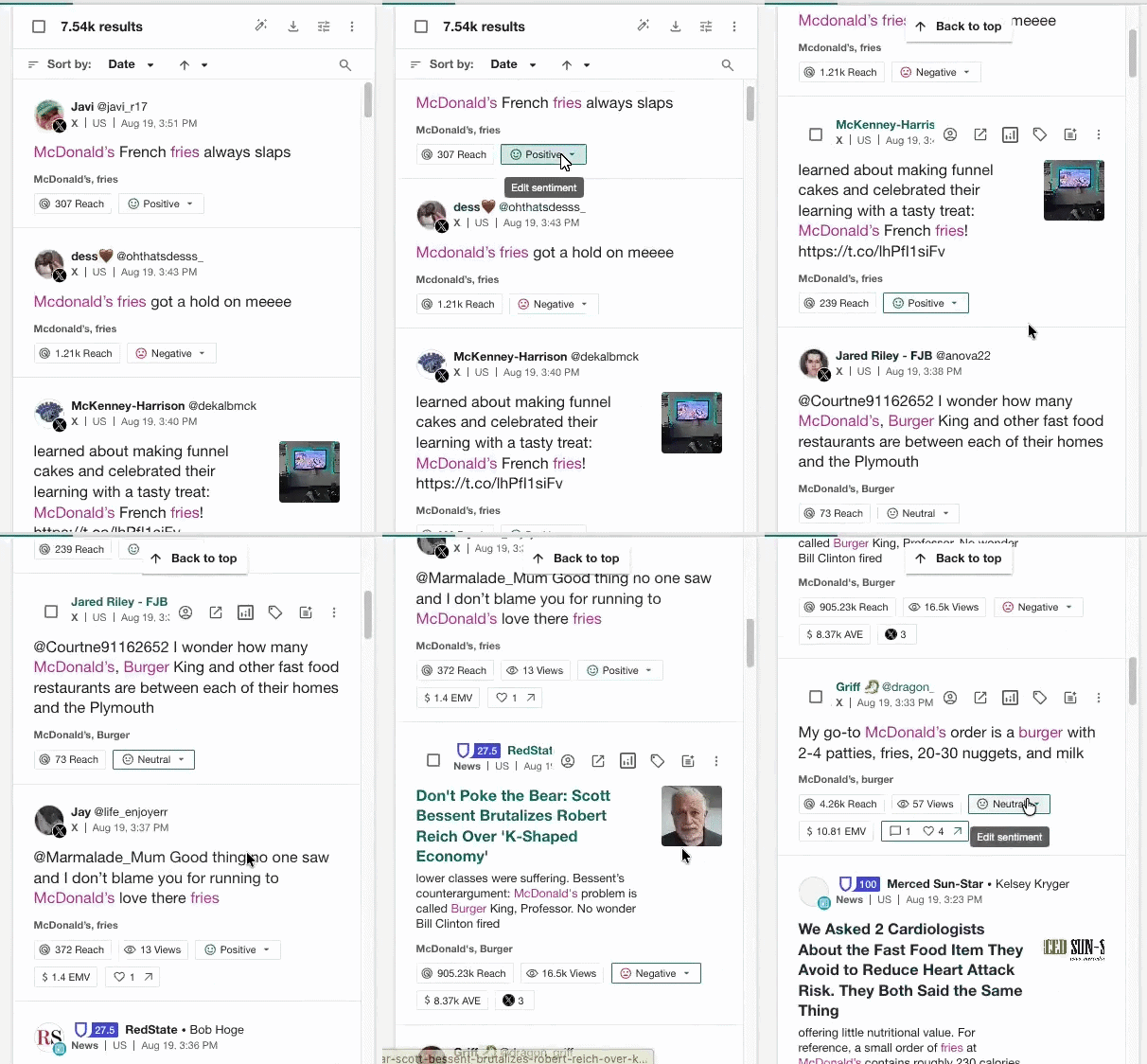
Meltwater's model is accurate, but sarcasm and slang can still trip it up. If someone posts, "Wow, love waiting 20 minutes for cold fries," the word "love" can get it tagged Positive — even though the person is clearly frustrated. You don't have to leave it that way.
To fix a single mention:
- Click the sentiment label on the mention
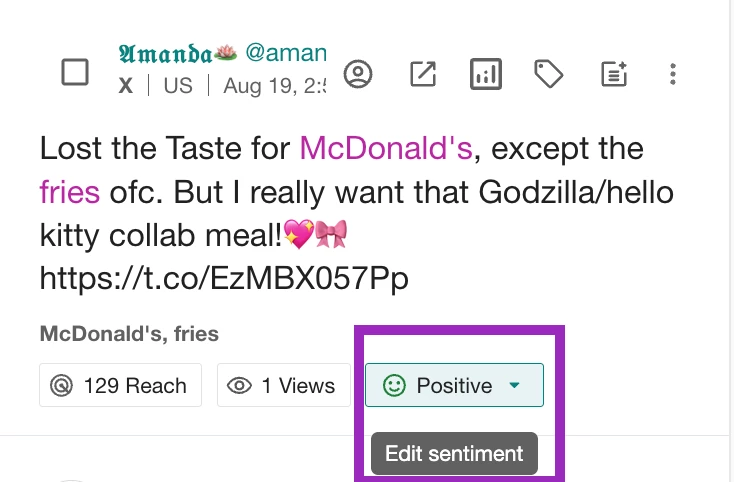
- Select the correct rating (Positive, Neutral, Negative, or Not Rated) from the dropdown and you’ll see a pop-up letting you know sentiment was updated
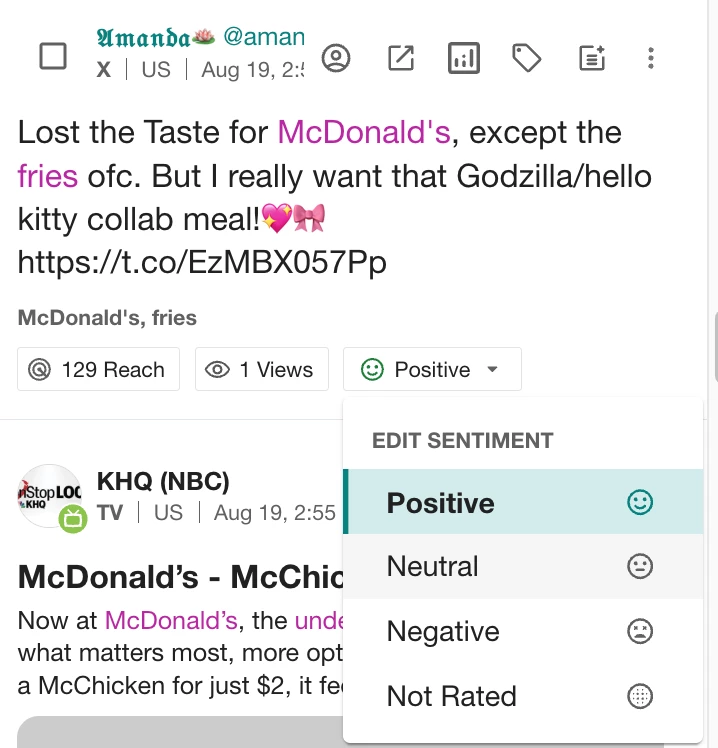

To fix several at once:
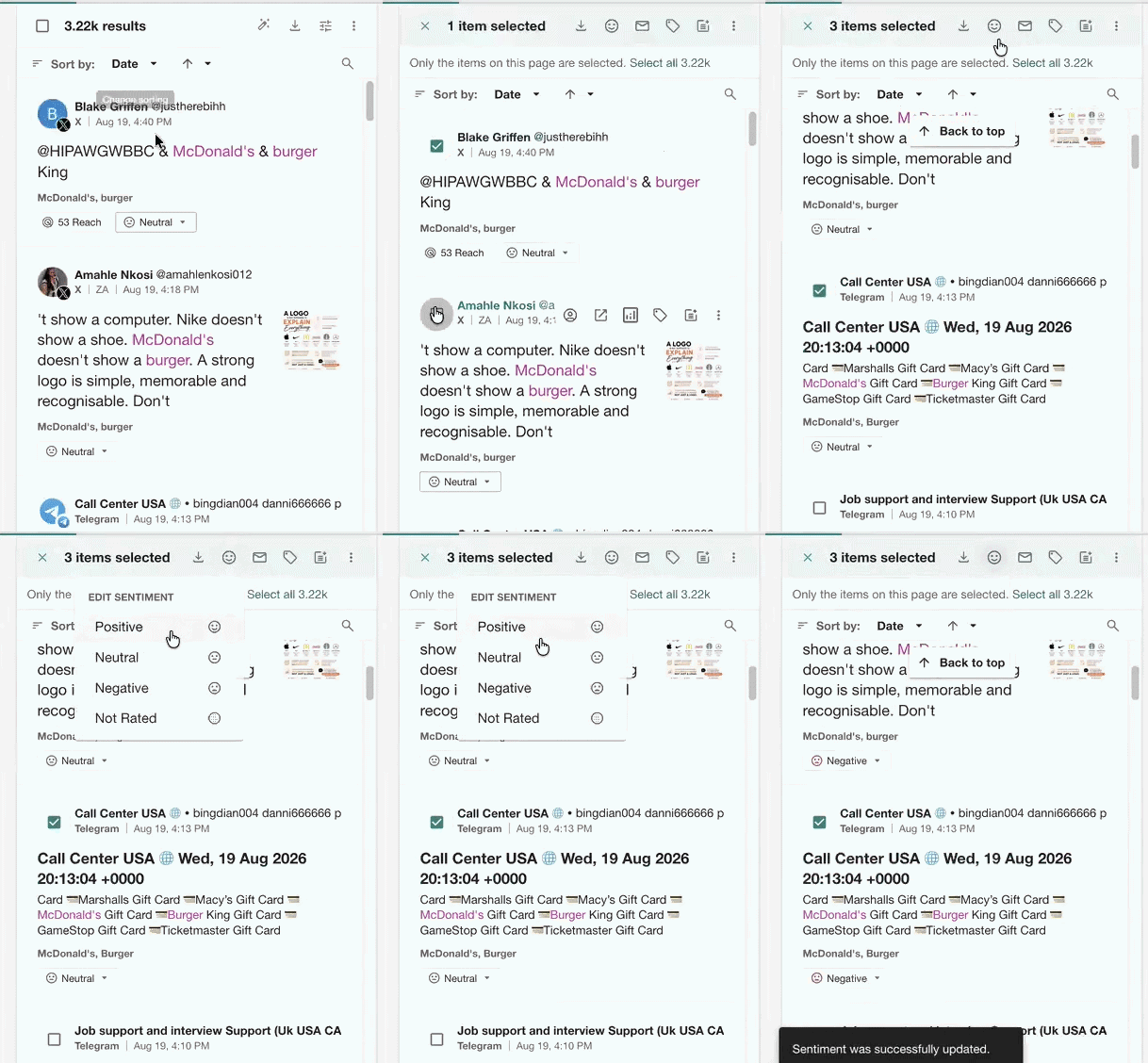
- Select the mentions in the content stream (up to 500 at a time)
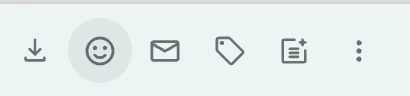
- Click the sentiment emoticon in the content stream's action bar
- Choose the sentiment to apply to all selected mentions
Changes apply at the account level, so your team's dashboards and exports will reflect the correction too.
Now, Make It Actionable
Sentiment is only useful if it changes what you do next. A few examples of how a comms team might use it:
- After a positive spike following a launch, grab a screenshot of the best mentions and drop it in your team's Slack channel to celebrate the win.
- If negative sentiment keeps clustering around the same complaint, flag the mentions to your product team with a quick summary of what's driving it.
- When sentiment sits mostly neutral, use the neutral mentions to see what people already know, then create content that gives them a reason to react.
Have you ever disagreed with a sentiment call Meltwater made? Screenshot and tell us what you changed it to below!