



Estimated Media Value (EMV) is a metric used to assess the effectiveness of a campaign by estimating the cost of achieving similar results through paid media.
This article will cover:
Understanding EMV
Estimated Media Value (EMV) helps brands understand the true impact of influencer marketing. It shows what it would cost to achieve the same reach and engagement through paid media, giving teams a simple way to measure ROI, secure budgets, and compare influencer performance across channels.
Calculating EMV
At its core, EMV combines two parts:
- Benchmarks that represent what each social action (reach, likes, comments, shares) would cost in paid media.
- An earned multiplier that reflects the higher trust and impact of influencer content compared to traditional ads.
Klear’s EMV is powered by Social Index (part of the A. Network), a trusted authority built on decades of media-buying expertise, analytics from Fortune 500 brands, and third-party research. Used by more than 3,000 global brands, Social Index provides real paid-media benchmarks for reach and engagement, which are refreshed regularly and ingested into Klear to keep reporting aligned with current market data.
On top of these values, Klear applies an Earned Multiplier grounded in AI-driven analysis and proprietary Klear research. It captures the added credibility and influence of creator-driven content, because audiences are more likely to trust and engage with authentic recommendations than with branded ads. Based on our analysis, we’ve found it to be 2.89X more valuable.
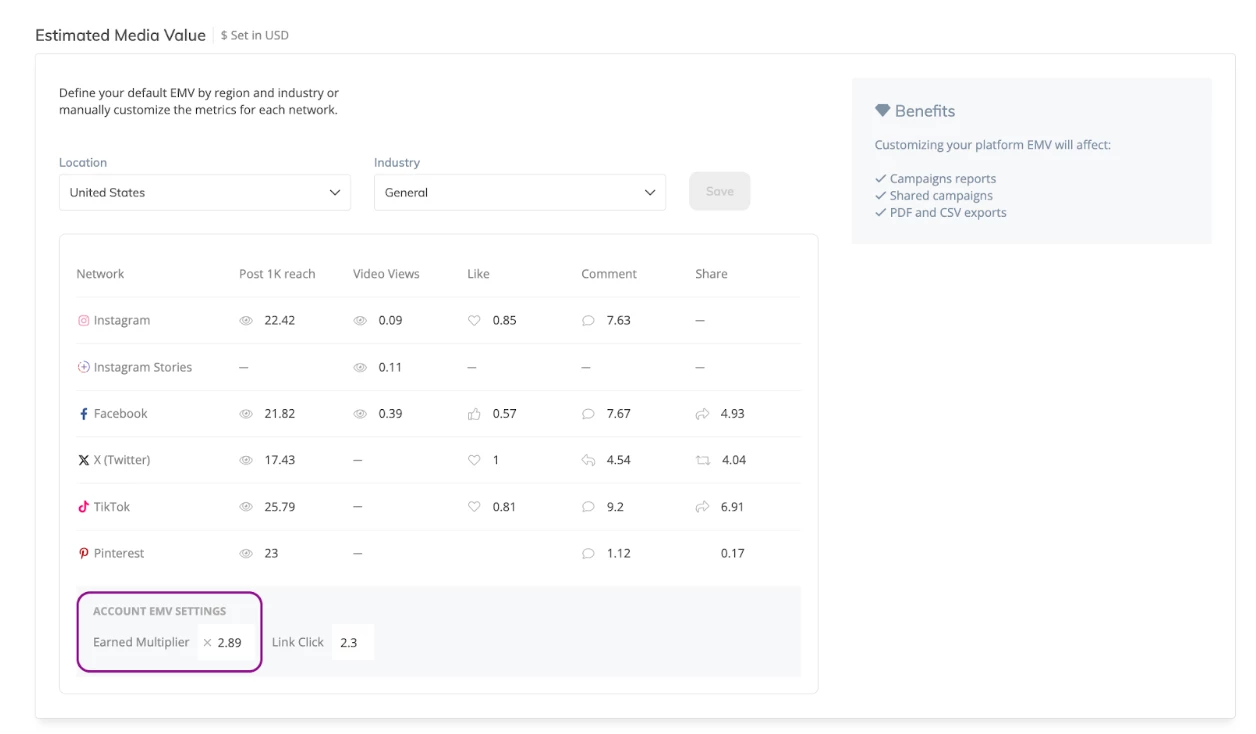
Defining EMV Across Your Campaigns
To define your EMV default calculations, follow these steps:
-
Click your Account Name in the top right-hand corner
-
Select Settings
-
Click Reporting

-
Navigate to Estimated Media Value
-
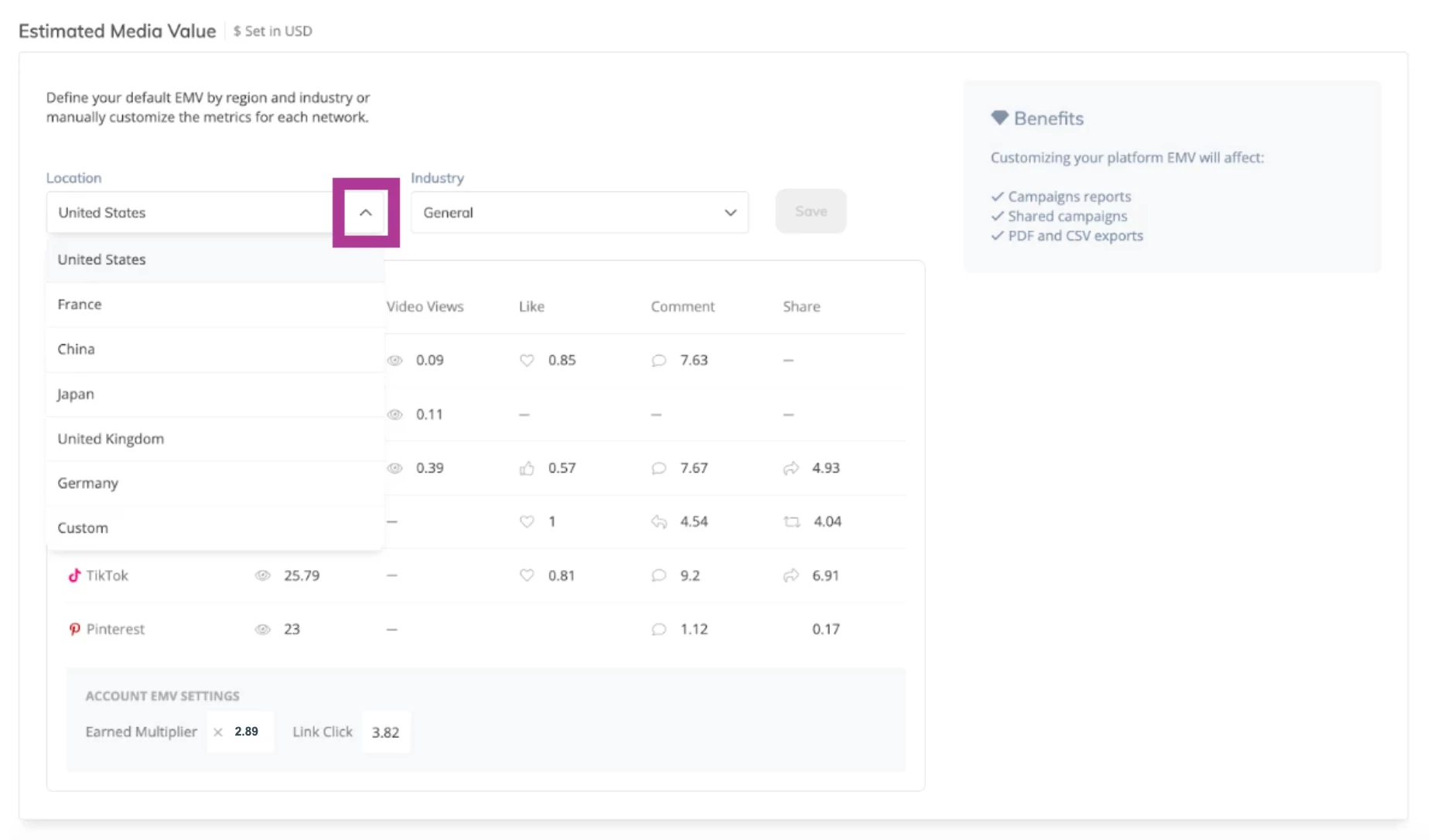
Use the Location drop-down to choose from a list of supported locations (e.g., the United States, France, China, Japan, Germany, and the United Kingdom). Or choose Custom to manually enter your own values.
-
Use the Industry drop-down to select from available categories (e.g., General, Automotive, Beauty, Fashion, etc.). Or select General to apply overarching benchmarks.
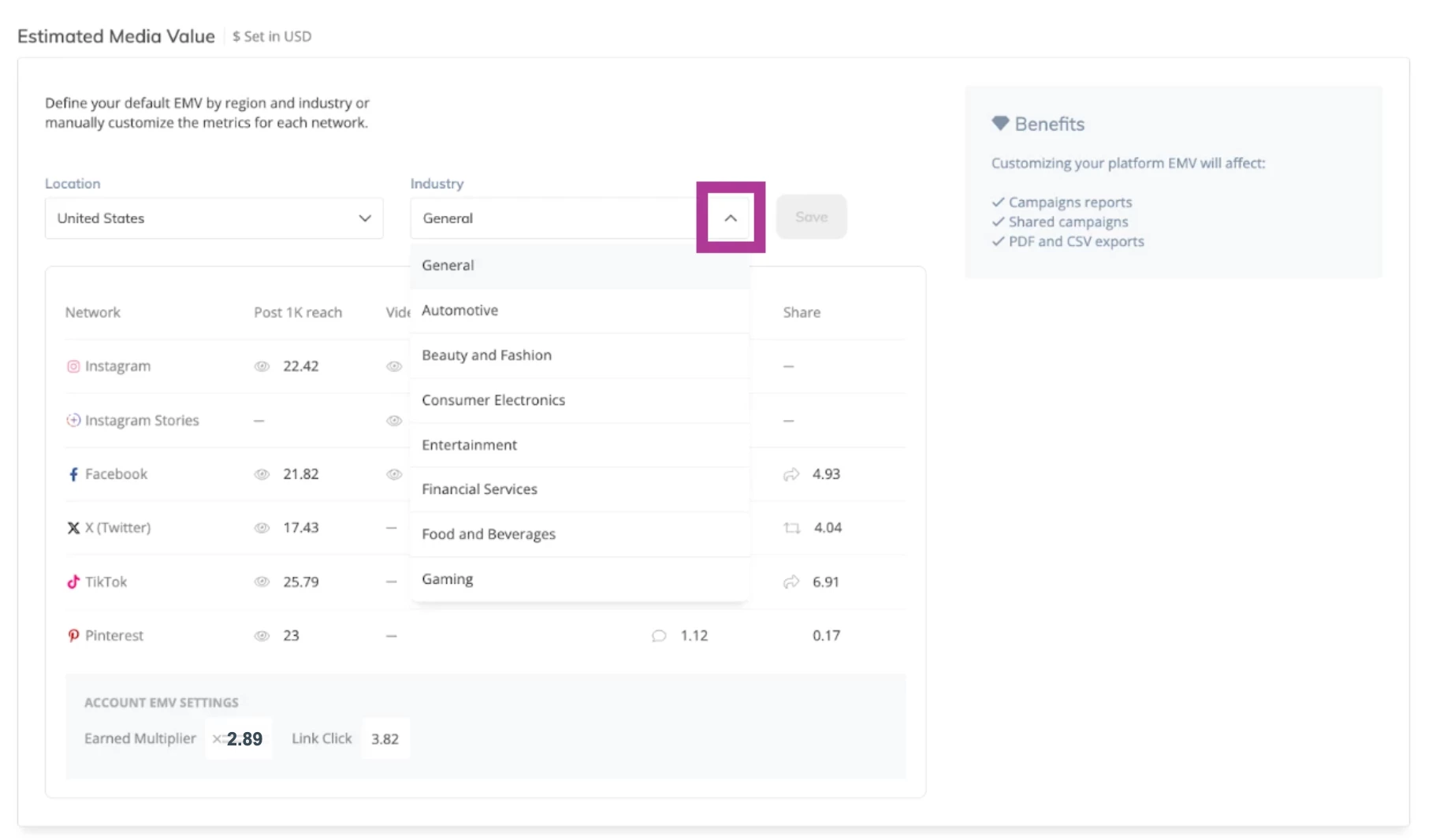
Note: Industry options vary by country. If selecting Custom for location, you cannot adjust the industry.
-
Click Save to apply these values as the default for all new campaigns.

Note: You can still customize EMV values for specific campaigns from the Estimated Value Customization section of your campaign settings at any time for added flexibility.
Editing EMV Per Campaign
While the EMV values you define in your settings will be applied across all campaigns, you still have the flexibility to adjust any values on a per campaign basis.
To edit EMV values, follow these steps:
-
Select Campaigns at the top of your screen
-
Select an existing campaign
-
Click Edit Campaign
-
Navigate to Estimated Value Customization
-
Select Open EMV Table
-
Click on each box in the table to replace the default values with your own numbers
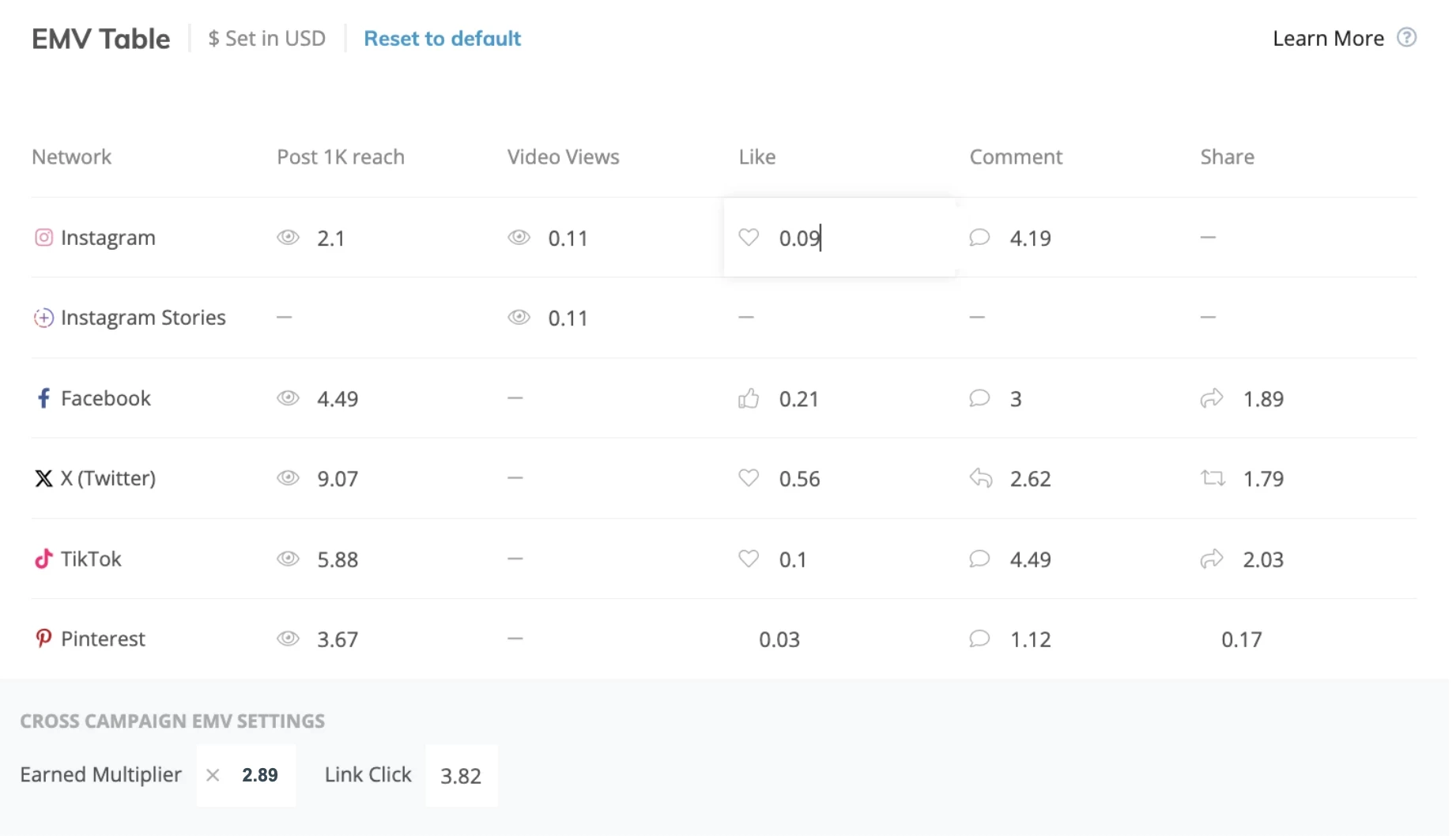
Note: Your campaign’s EMV results will automatically update based on the new values you’ve entered.
-
Click Reset to Default to revert to Klear’s standard calculation
Note: Any EMV values you adjust will apply only to the specific campaign you're editing. Changes do not carry over to other campaigns in your account.
EMV Examples
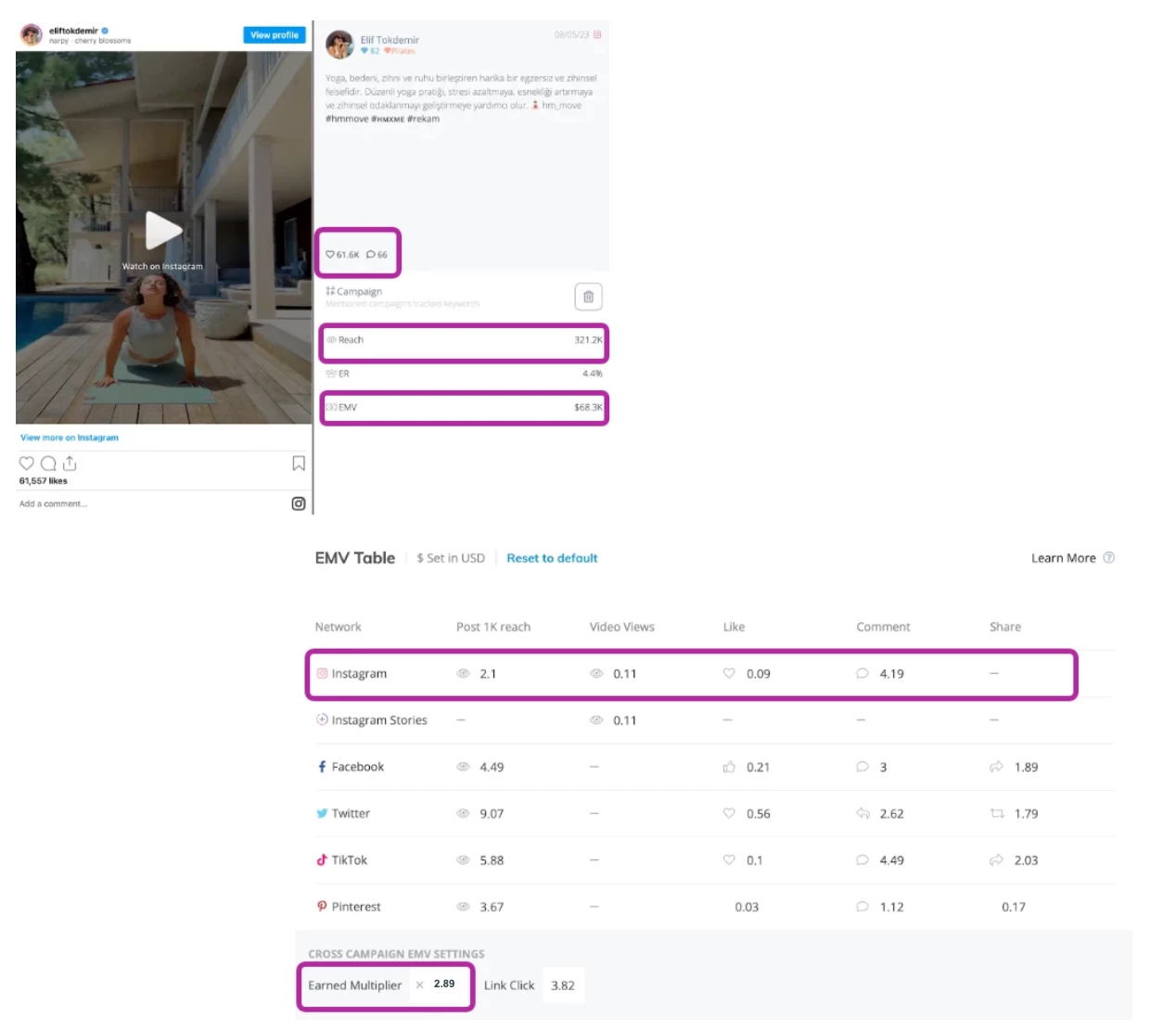
This Instagram post had a reach of 321.2k, 61.6k likes, and 66 comments. Please note that the Reach benchmark is for 1K reach, and therefore, you will need to divide by 1,000. Based on the reach and engagement, we would calculate EMV as follows:
(((321242 reach / 1000) x 2.1) + (61557 likes x 0.09) + (66 comments x 4.19)) x 2.89
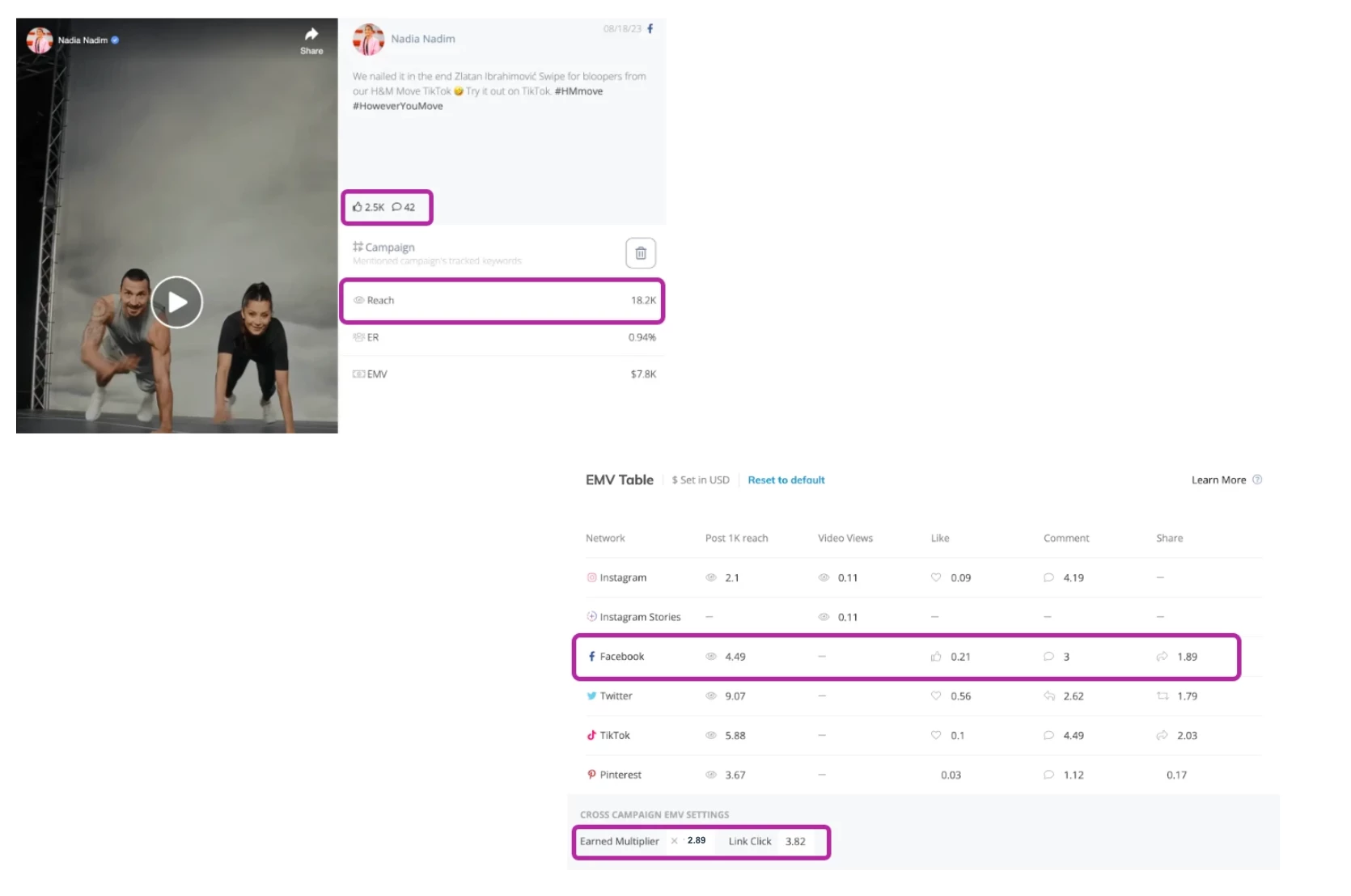
This Facebook post had a reach of 18.2k, 2.5k likes, and 42 comments. Please note that the Reach benchmark is for 1K reach, and therefore, you will need to divide by 1,000. Based on the reach and engagement, we would calculate EMV as follows:
(((18222 reach / 1000) x 4.49) + (2550 likes x 0.21) + (42 comments x 3)) x 2.89
Note: Due to YouTube’s policies Klear is not able to provide EMV for this network. We suggest using the following equation to calculate YouTube EMV:
((# views x 0.12) + (# likes x 0.94 + (# comments x 8.47)) x 2.89 = $EMV
Reporting on EMV
EMV for a Campaign
In the Measure Overview tab, view the total EMV earned for the campaign as a whole and the breakdown per network to determine the relative contribution and impact of each social media channel.
EMV per Influencer
In the Measure Performance tab, EMV is calculated for each individual post in the campaign and then added together to provide the total EMV per influencer.
EMV Over Campaign Timeframes
In the Measure Analytics tab, view the EMV earned for the campaign over time compared to the number of posts published.
Read more about Understanding EMV here.