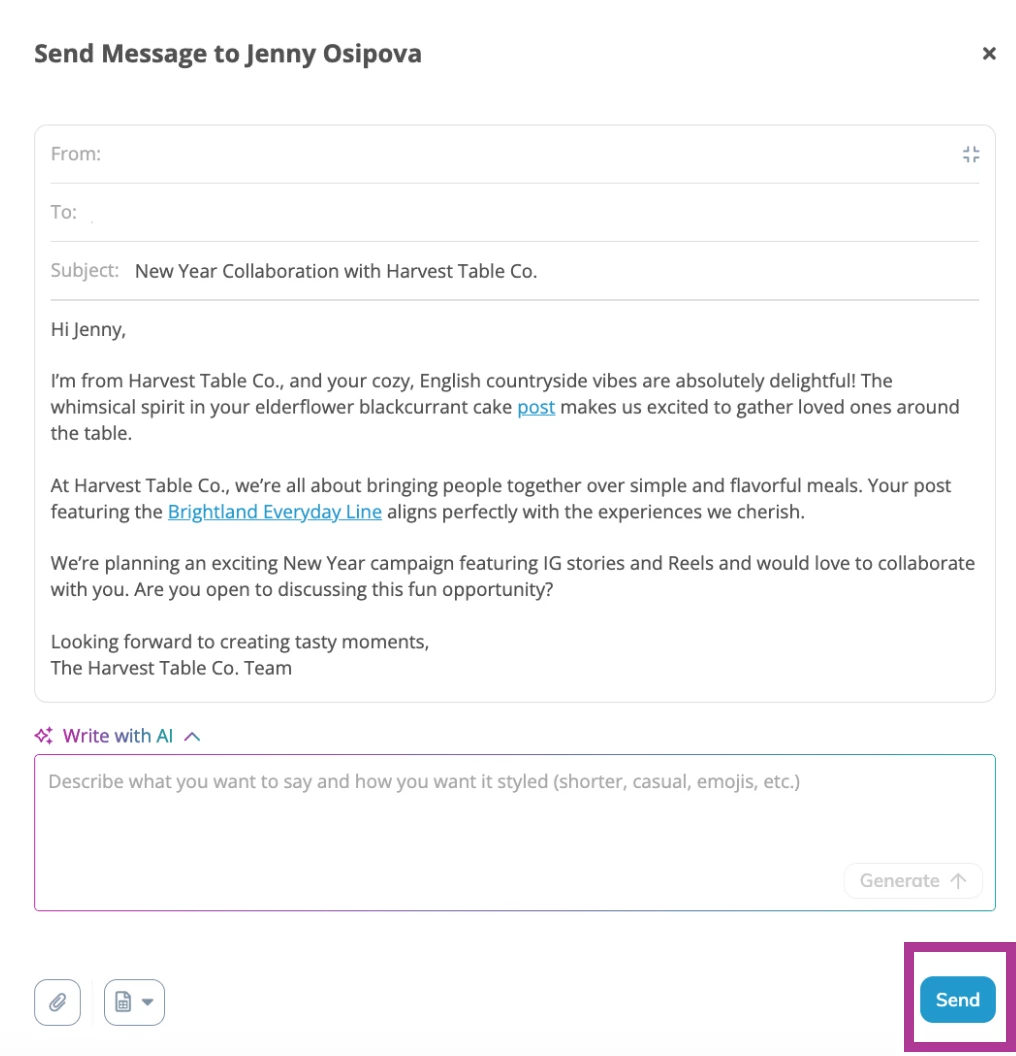


Klear’s new AI Outreach makes it easy to create personalized, on-brand messages in minutes. When you hit Contact from an influencer profile or a Discovery search, Klear generates a first draft tailored to your brand and the influencer’s profile. The draft feels authentic and relevant, and you can quickly refine and finalize it to deliver the perfect first touchpoint.
This article will cover:
Prerequisites
Email Integration
You must have an email address integrated into your Klear account to send individual emails. Learn more about Email Integrations:
AI Personalization
To generate meaningful outreach, Klear uses your AI Personalization settings to understand your brand voice, values, and goals. These preferences guide how your message drafts are written, helping AI match the tone and positioning you want creators to experience. Learn more about Setting Up AI Personalizations:
Using AI Outreach
Klear combines your brand context (from your AI Personalization settings) with each influencer’s context (content style, audience, and past partnerships) to generate authentic draft messages.
- From an influencer profile or Discovery search, click Contact.
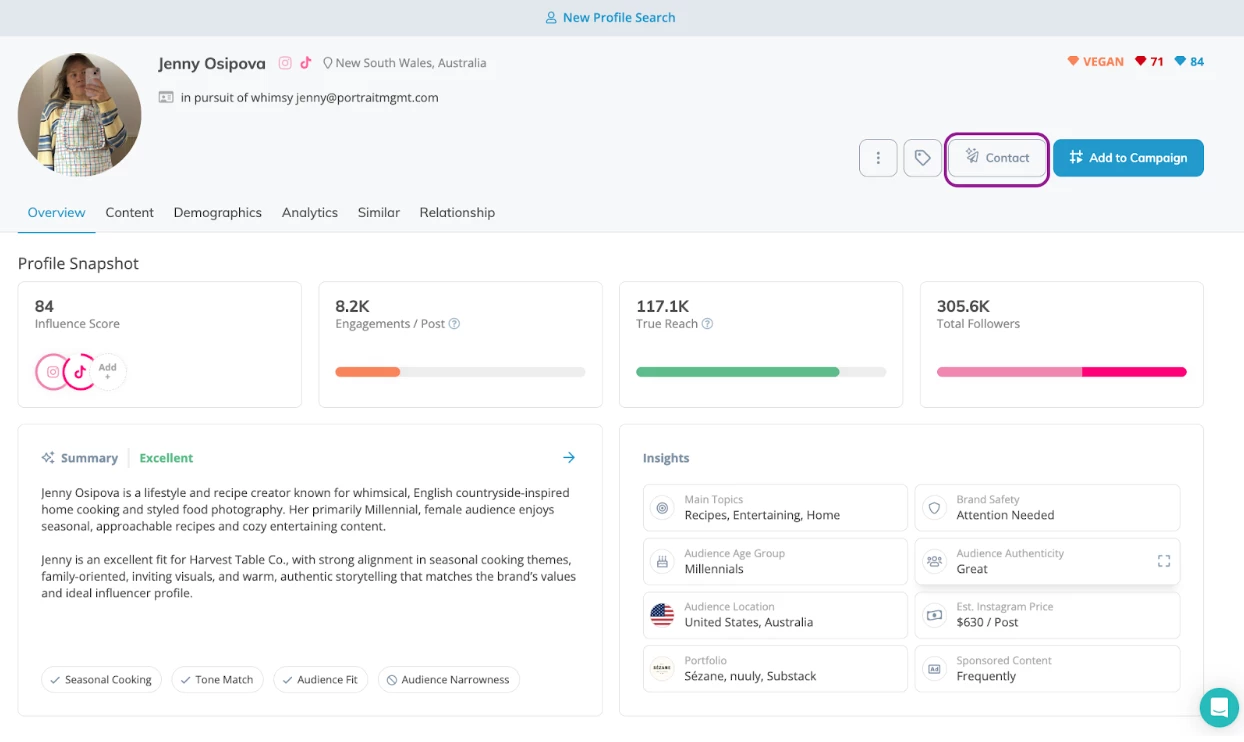
- In the pop-up, choose Generate Message with AI or write your own.
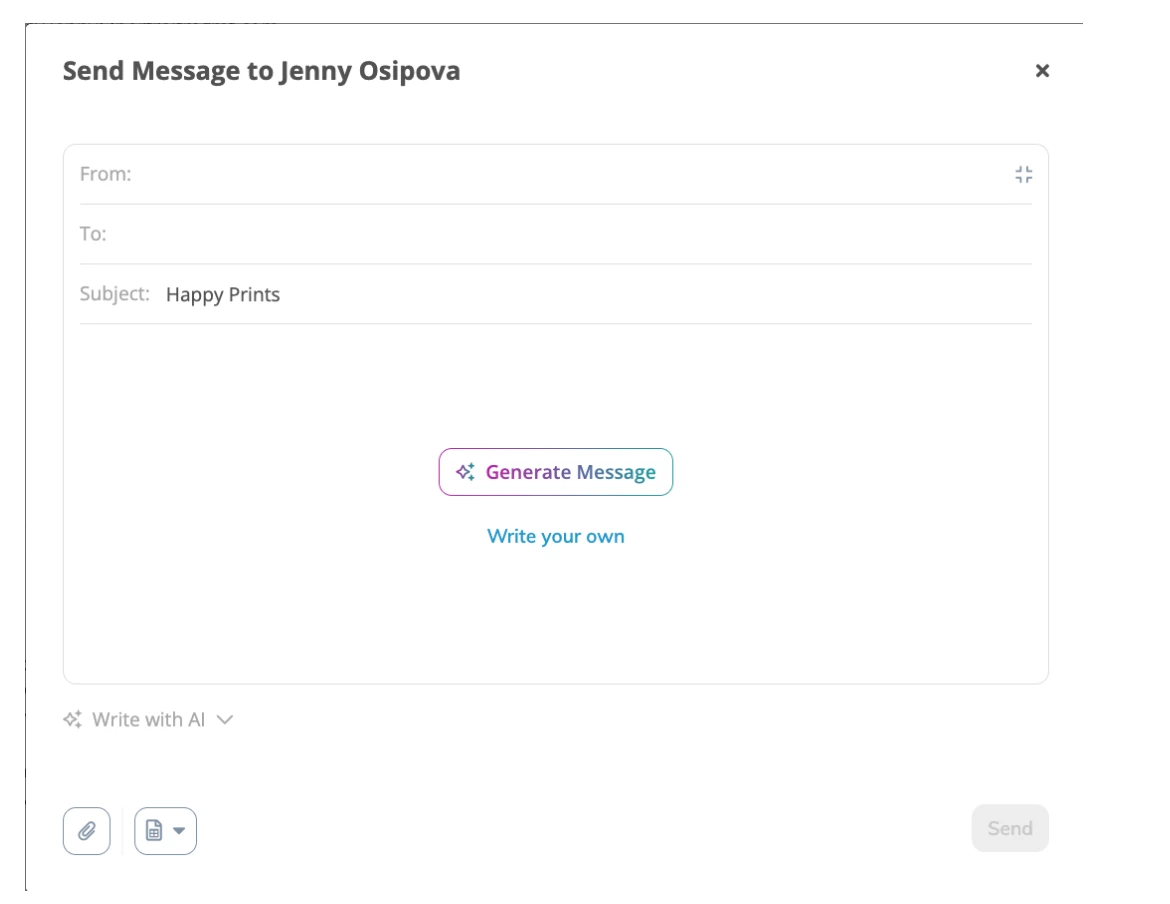
- Selecting Generate Message creates a draft personalized to your brand and the influencer you’re contacting.
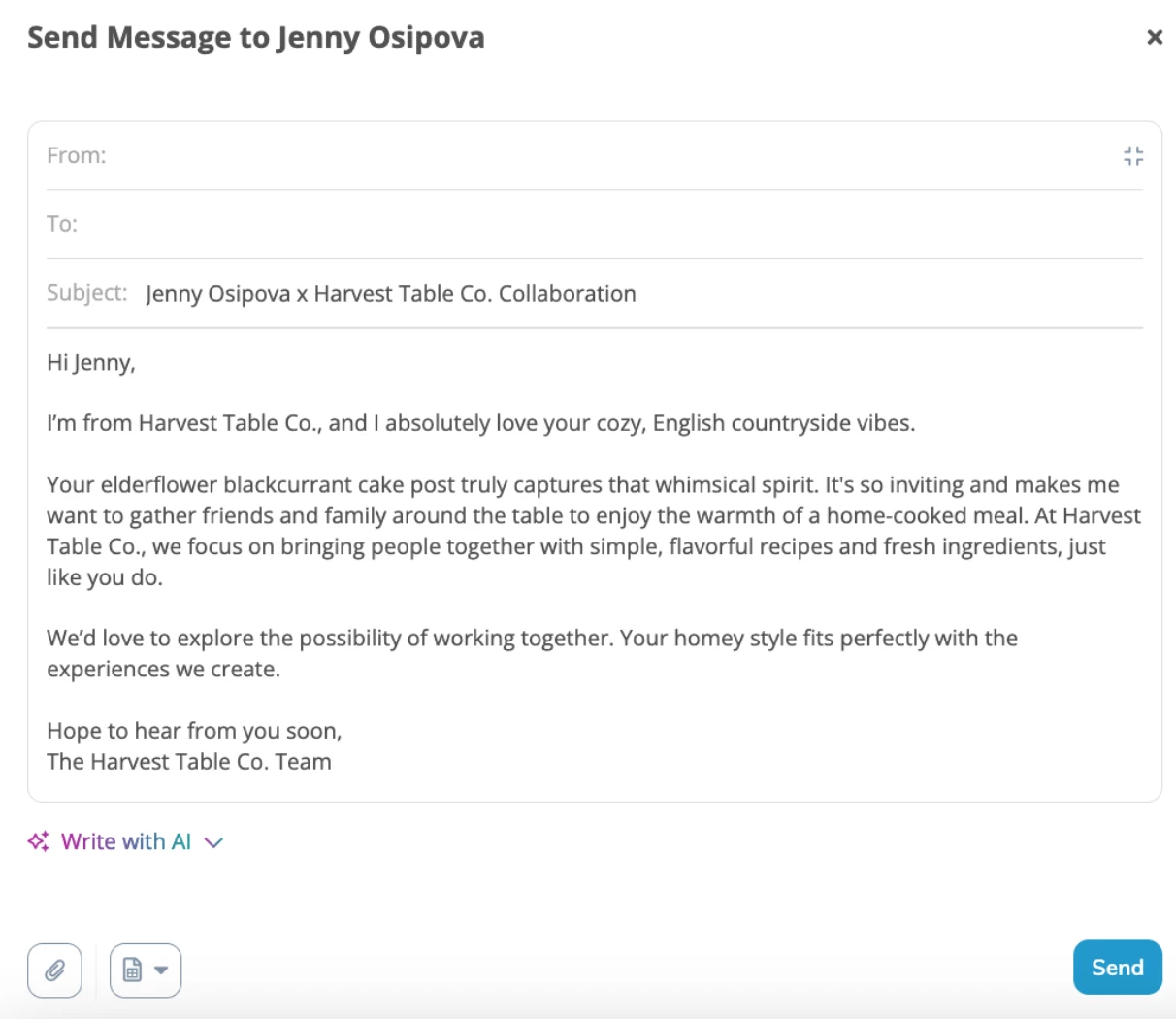
- Click the Write with AI drop-down to adjust tone, add details, or give extra guidance.
- Select Generate to apply your changes and instantly regenerate the draft.
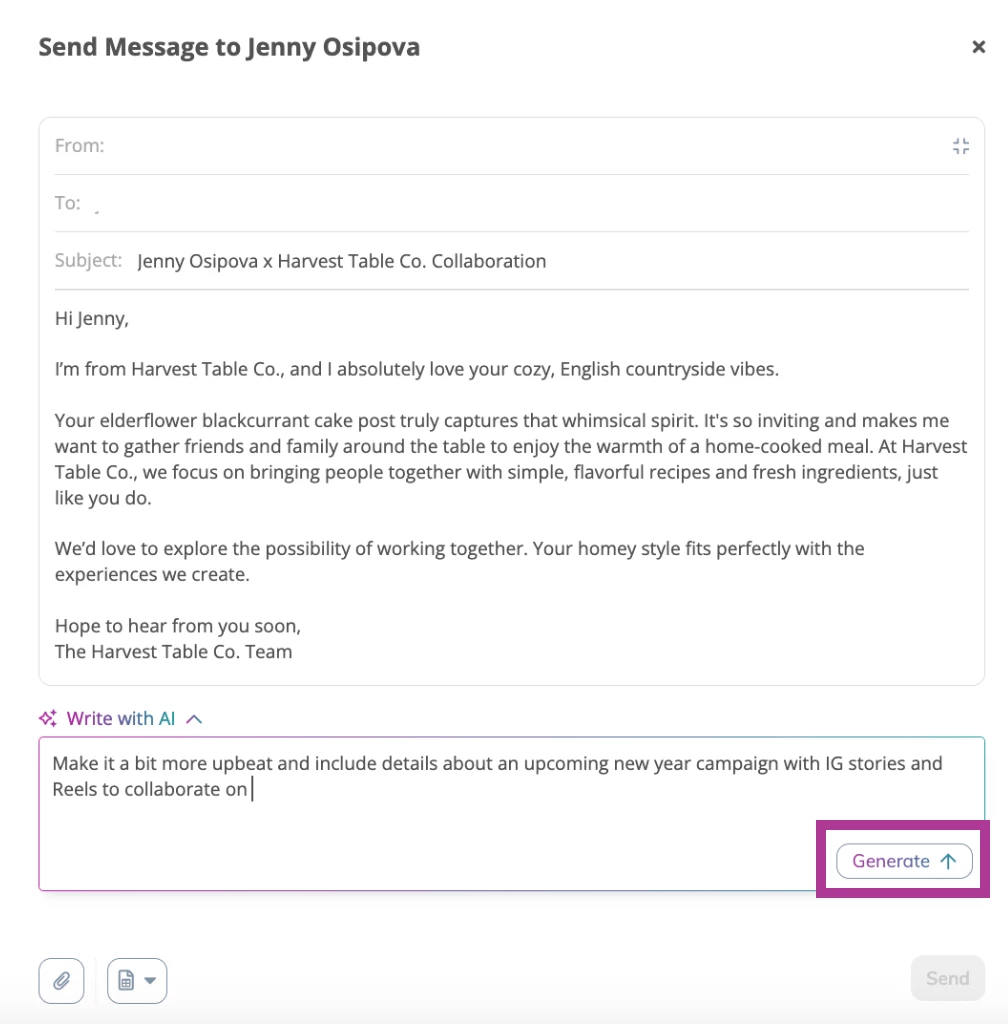
- Once the message feels right, review and hit Send.