



ANZ Broadcast List

Searching for specific Australian TV and radio channels? This guide includes carefully curated source lists to help you create Custom Categories for Australian broadcast content, whether you want to include specific channels in your searches or exclude broadcast content.
ANZ Broadcast List
Step 1: Creating a Custom Category
-
Click Explore in the left-hand navigation bar
-
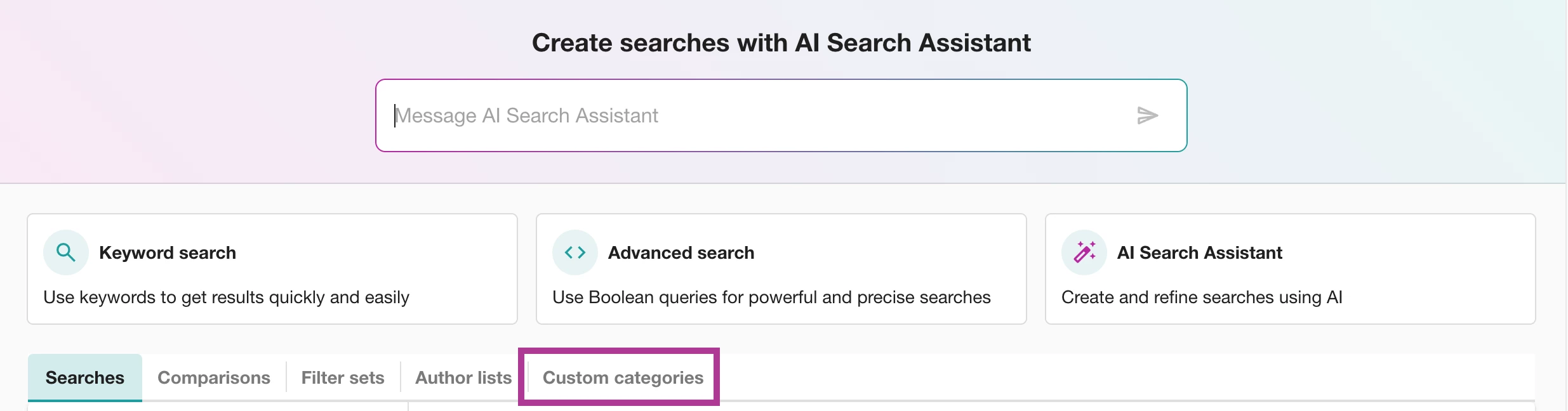
Select Custom Categories Tab
-
Select the + Button
-
Type a name for your Category (such as “ANZ Broadcast”)
-
Give your Category a Label by finding or creating a label (such as “Sources”)
Step 2: Enter your Broadcast sources
📺Watch: Using the ANZ Broadcast List
Steps
- Use the ANZ Broadcast List to identify your preferred stations.
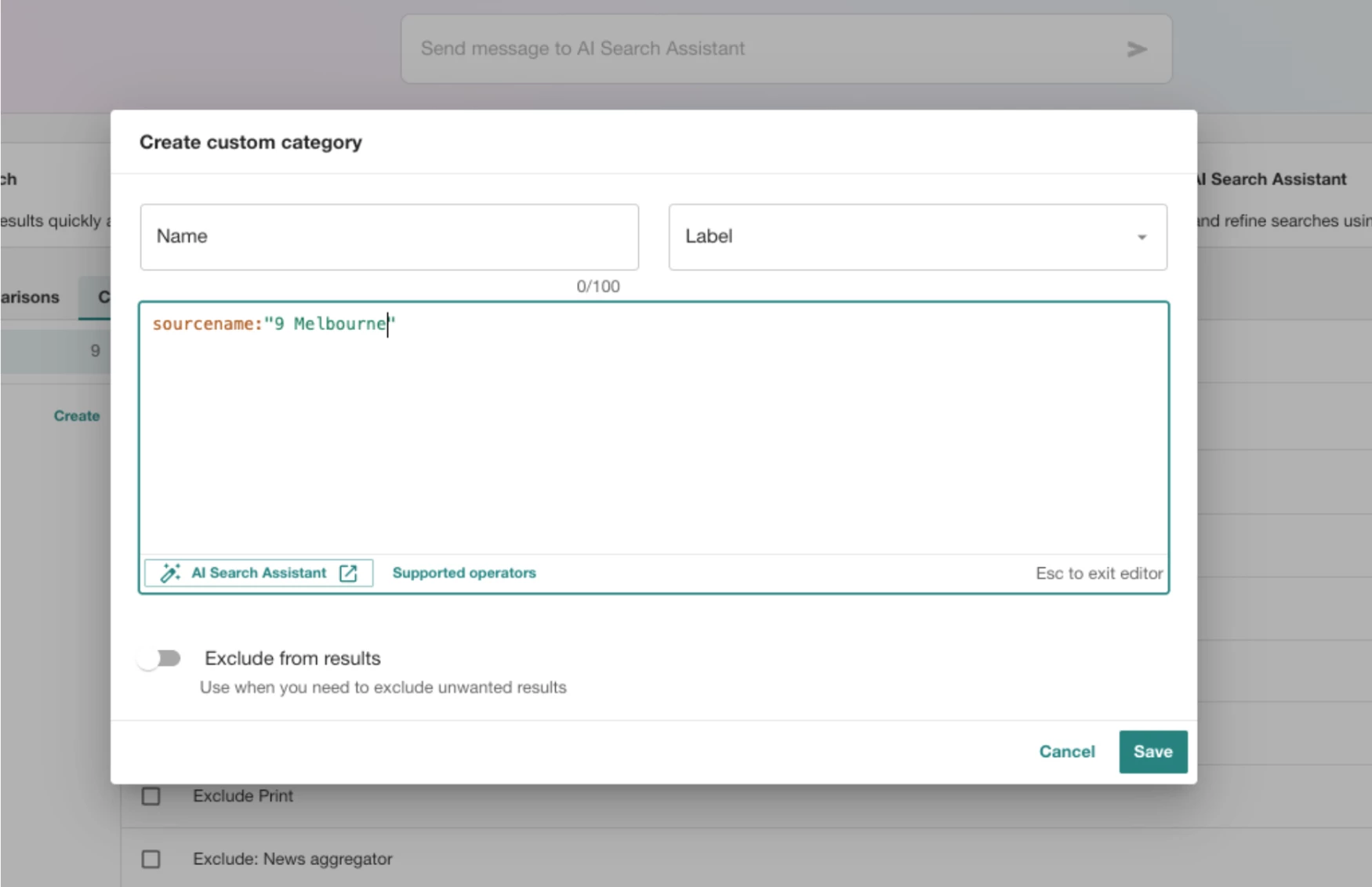
- Enter the boolean code sourcename:"station name"
(the station name must be written exactly as you found it in the ANZ Broadcast List)
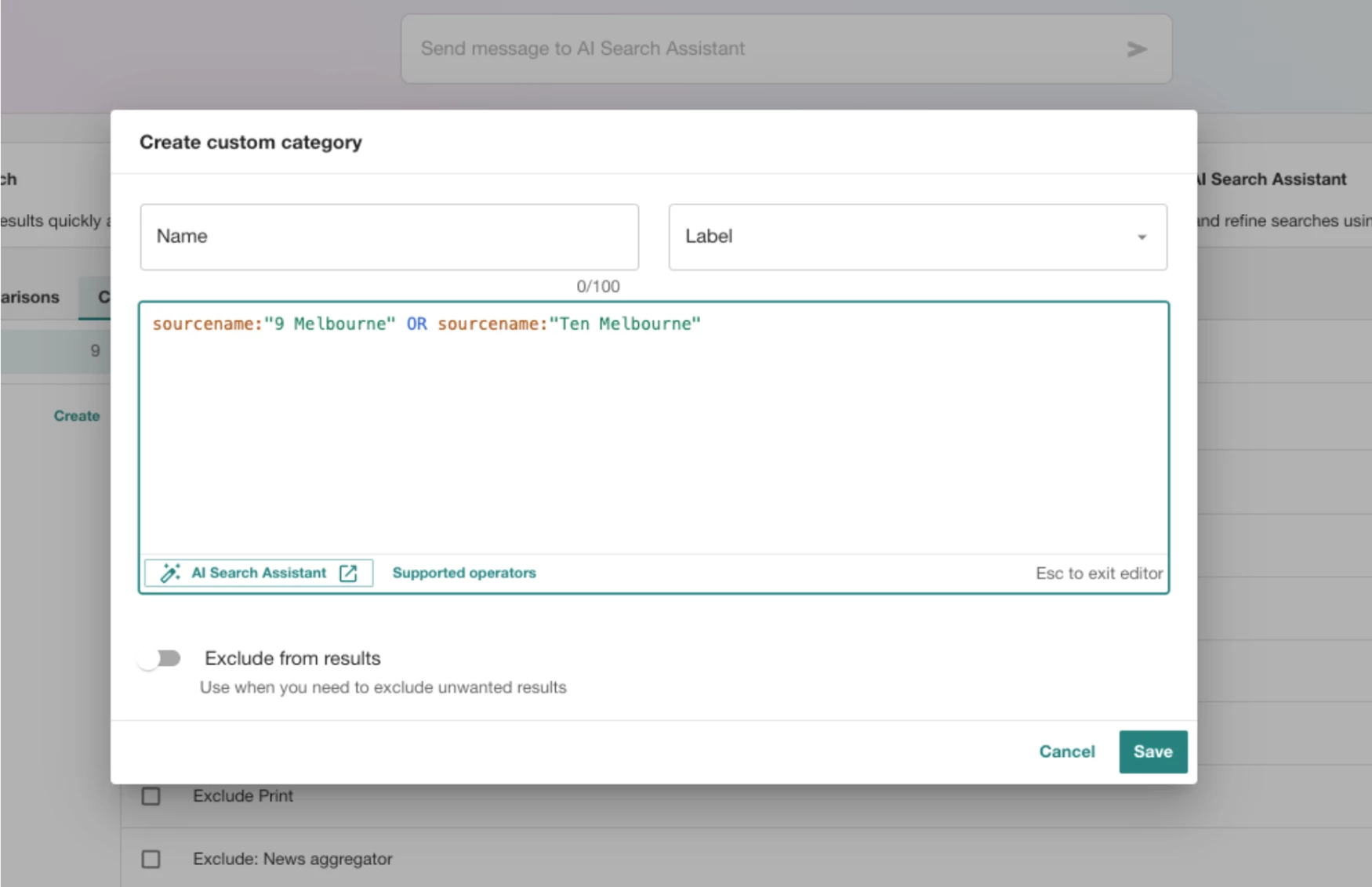
- To add additional stations add OR followed by sourcename:"next station name"
-
If you would like your custom category to exclude unwanted results (i.e. broadcast channels that you don’t want to see), be sure to turn on Exclude matching results in the bottom left corner
-
Click Save
💡 The most common exclusionary Custom Categories are for syndicated content. You can refer to the Common Syndications sections of the ANZ Broadcast List to copy the sources.
Step 3: Including a Custom Category in Your Search
To add a Custom Category to your search, follow these steps:
- Click Explore in the left-hand navigation bar
- Open a search
- Select the Custom Categories dropdown.
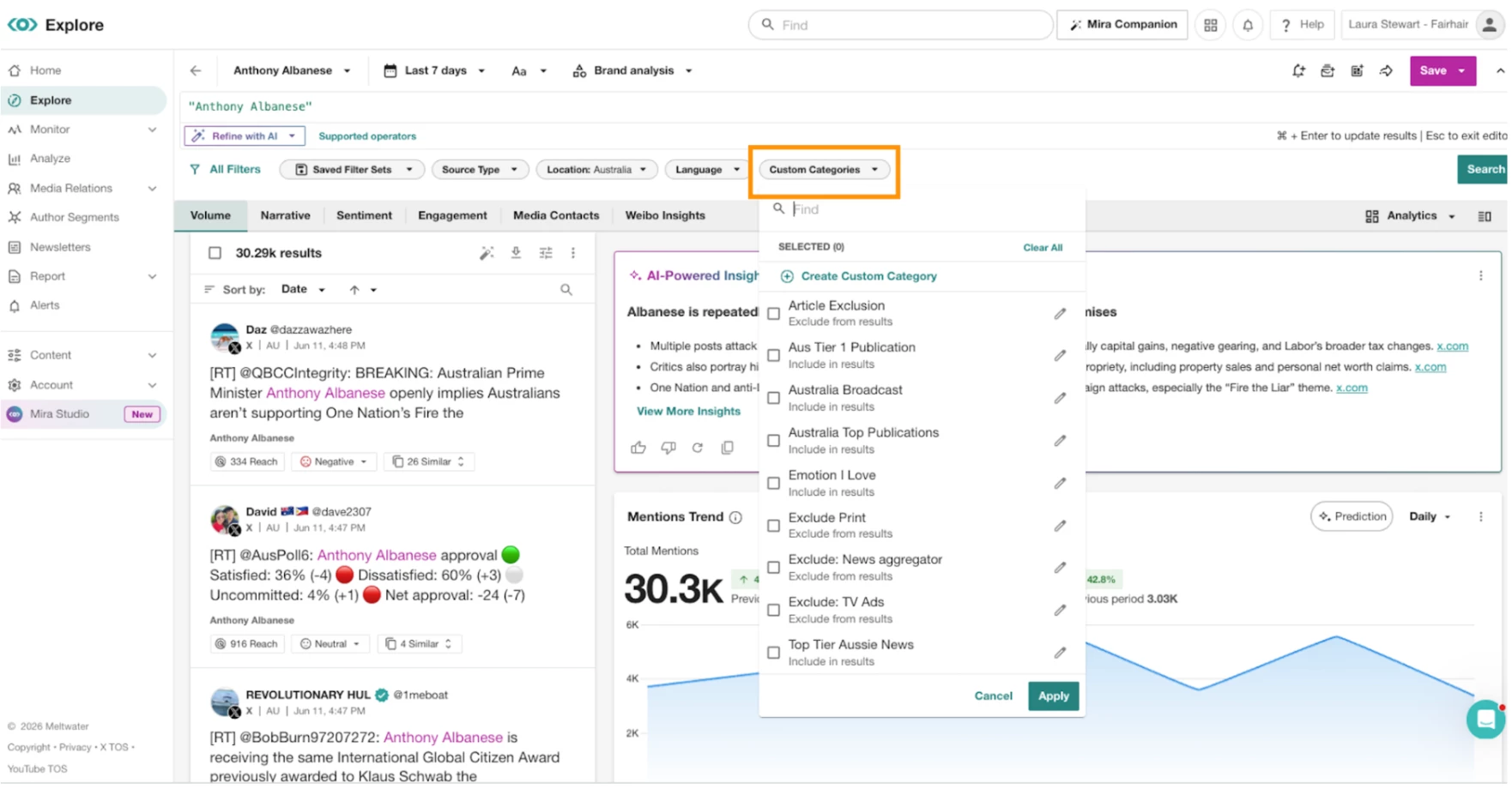
4. Select the checkbox to the left of the Custom Category you want to add
5. Click Search