



Australia: Distributing Content
Once you've found relevant content through your Explore searches, the next step is getting it in front of the right people. Learn about the different ways to distribute content, along with recommended practices tailored for Australian users.
This article will cover:
Prerequisites
Before you begin you’ll first need to create a search in Explore.
👉 Learn more about creating a search here.
Which distribution method should I use?
| If you want to... | Use |
|---|---|
| Monitor coverage in real time and manage your distribution workflows from one place | Monitor |
| Receive a scheduled email summary | Digest Reports |
| Be notified immediately about important coverage | Alerts |
| Share branded reports with stakeholders or clients | Newsletters |
Monitor
Monitor is your central hub for viewing and distributing media coverage in real time. Bring together your Explore searches, tags, media lists and RSS feeds into a streamed view then quickly create Alerts and Digest Reports to keep stakeholders informed.
Steps for General Configuration
🇦🇺 Recommended configuration for Australian Media
Use the streamed views of Monitor to see a side by side breakdown between online, print and broadcast for your searches
- Open an existing Monitor View or create a new one
- In the bottom row of the stream configuration window, select Show Filters
- Click Source Type
- Expand the News filter using the arrow
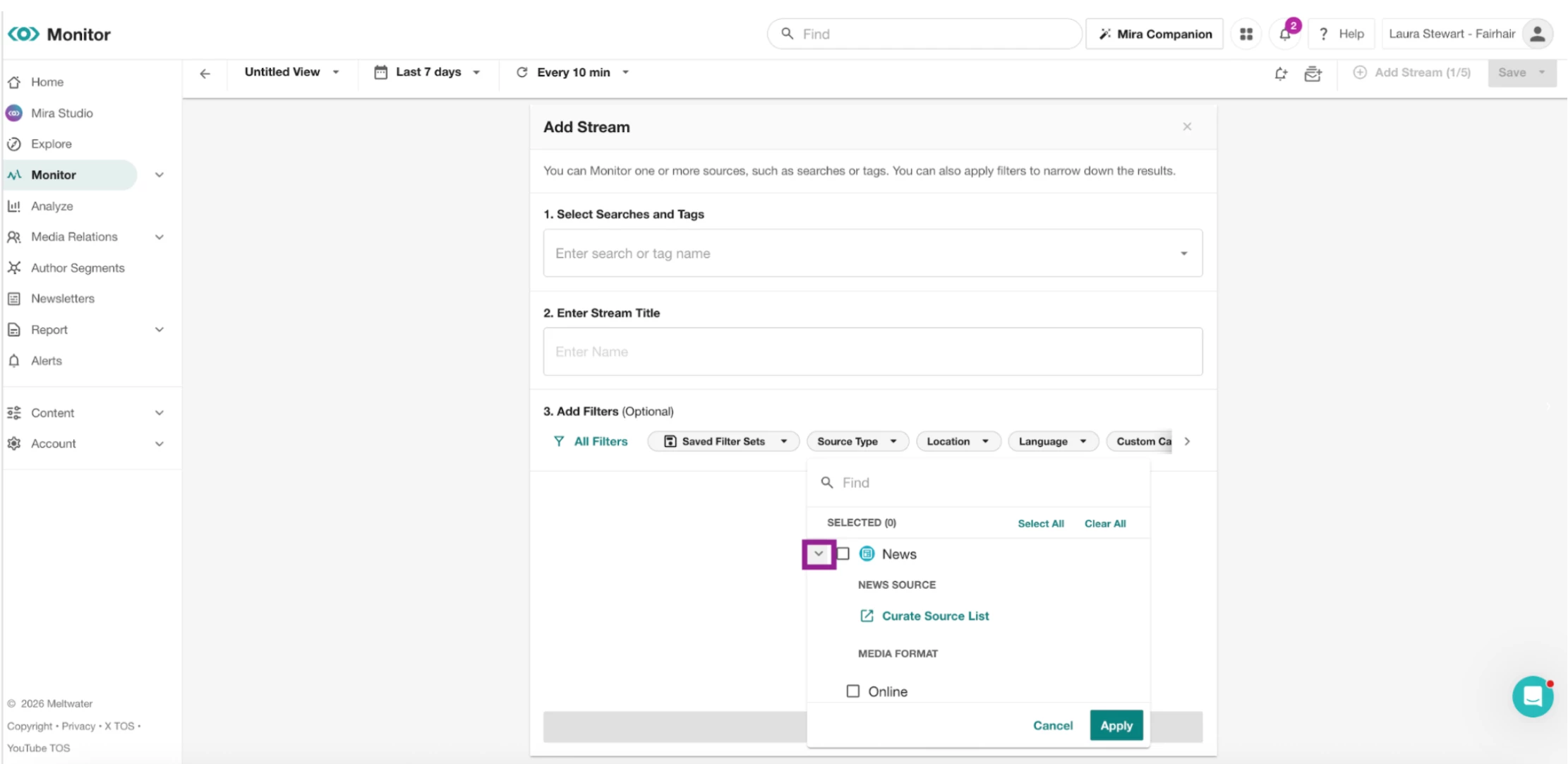
- Select the checkbox next to Online
- Click Add Stream
- Next to your new steam click Add Stream
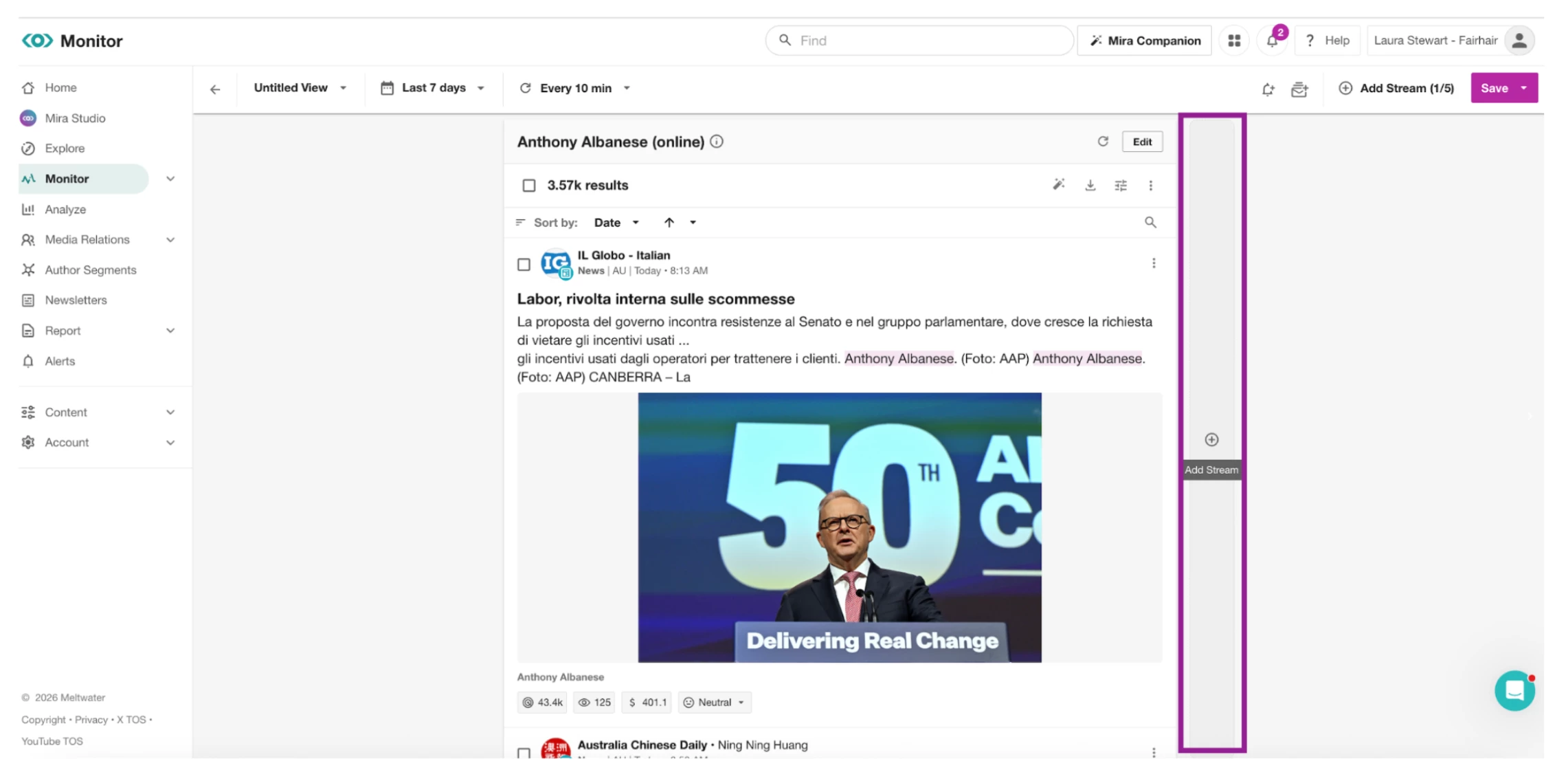
- Repeat the process for print and/or broadcast
Digest Reports
Digest Reports automatically email a summary of your Explore search results on a schedule you define.
Steps for General Configuration
🇦🇺 Recommended configuration for Australian Media
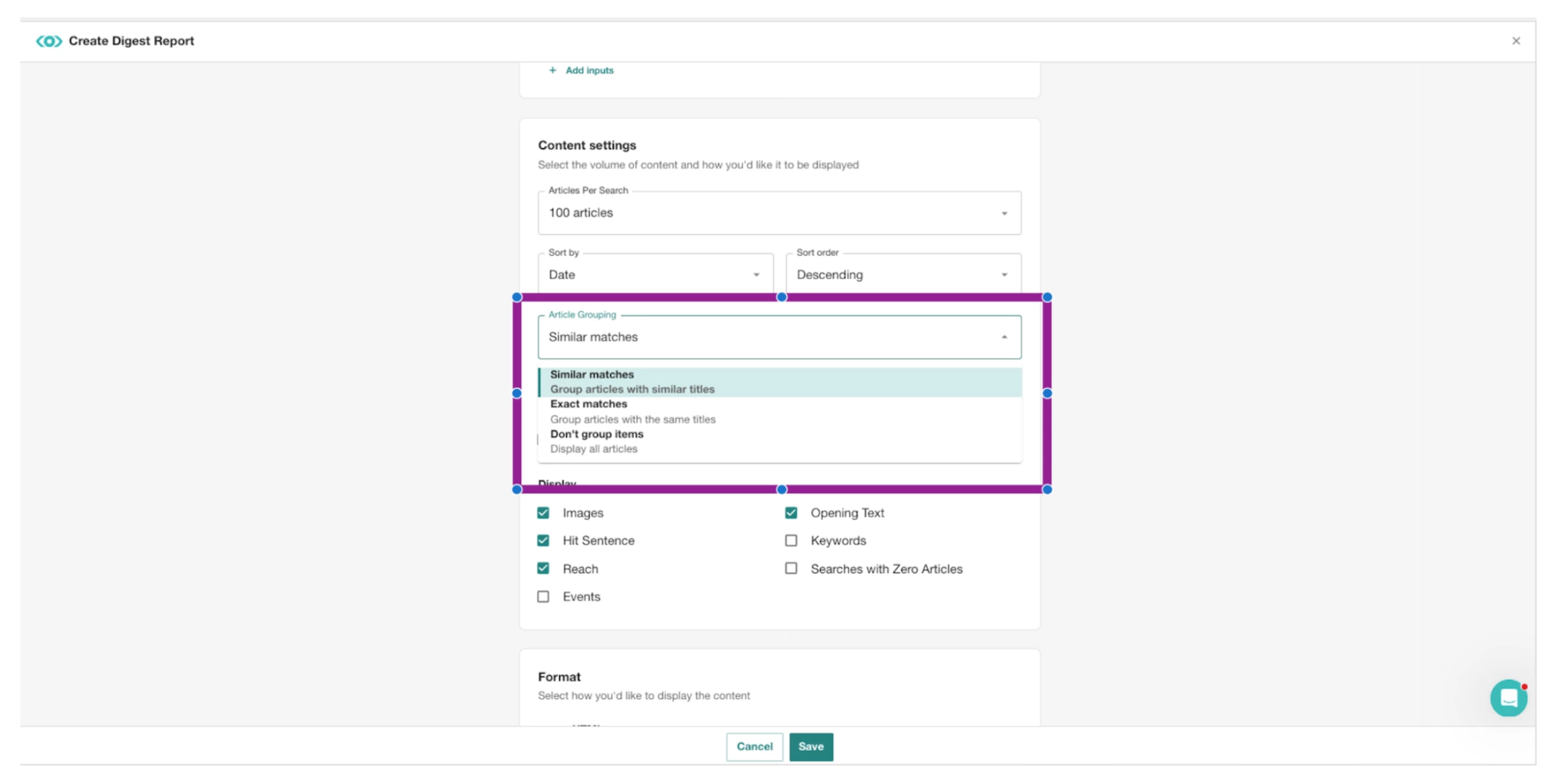
Australian news (online and broadcast) frequently syndicates stories. Without refining your Digest, the same article may appear several times.
To Remove Online News Syndication:
- Enable Similar Matches under Article Grouping
To Remove Broadcast Syndications
- You can create an exclusionary custom category to exclude specific channels.
👉 Follow the steps HERE
Alerts
Alerts notify you when important coverage is published, helping you respond quickly to breaking news or issues.
👉 Want to learn more about setting up Monitors, Alerts & Digest Reports? Join our APAC Live Workshop: Get Started with Alerts, Digests and Monitors.
Newsletter
Newsletters allow you to share professionally branded reports with internal stakeholders or external clients.
Steps for General Configuration
To create a newsletter follow this guide
OR
Take the Newsletter Training Course
🇦🇺 Recommended configuration for Australian Media
Many Australian news stories are republished across multiple outlets. Creating a preferred source list to power your newsletter keeps it clean and relevant.
- Open your Newsletter search(s) in Explore
- Click the Source Type filter.
- Expand the News filter using the arrow
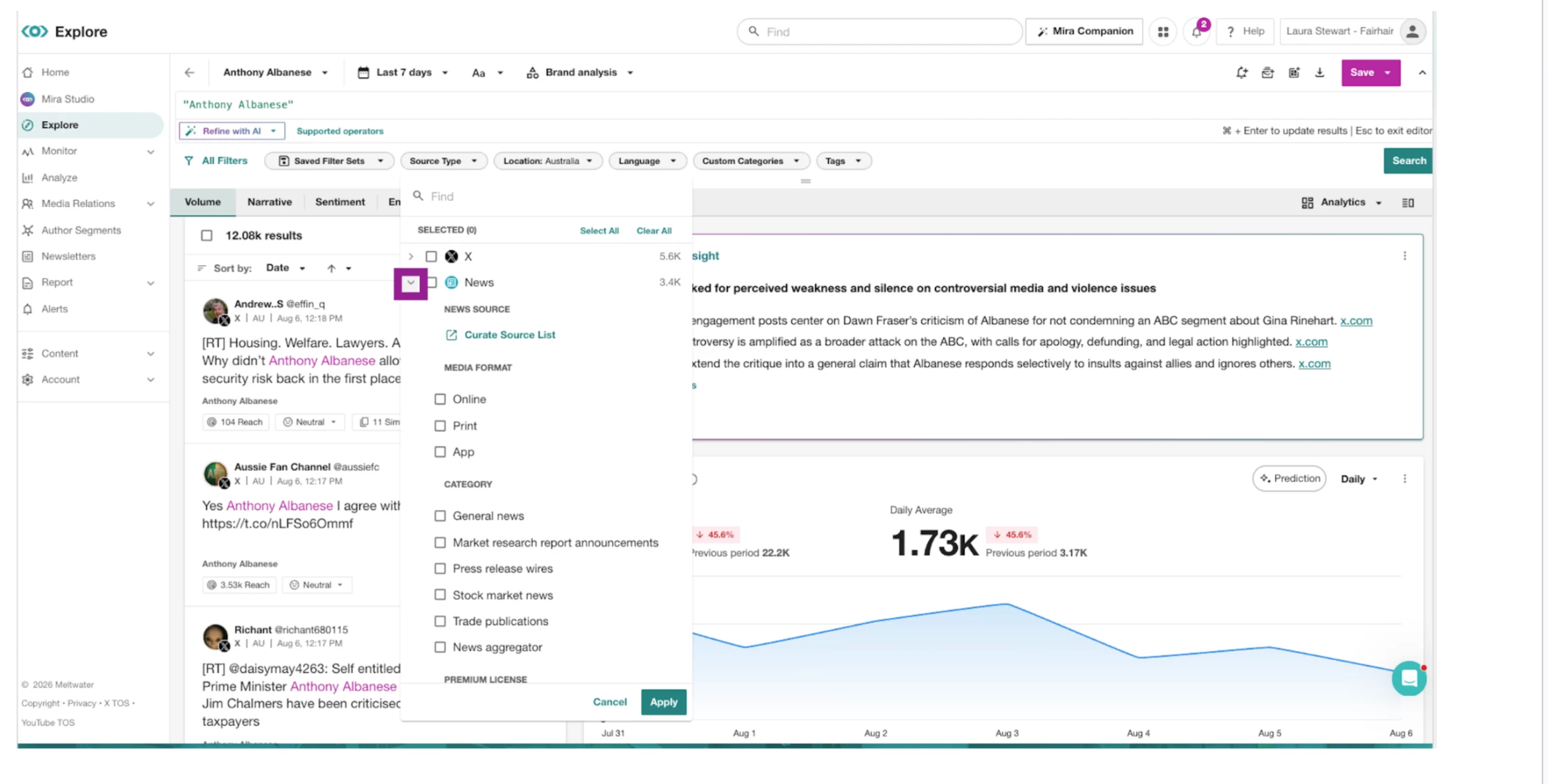
- Select Curate Source List
- In the search bar, search for your preferred publications and select those that are relevant
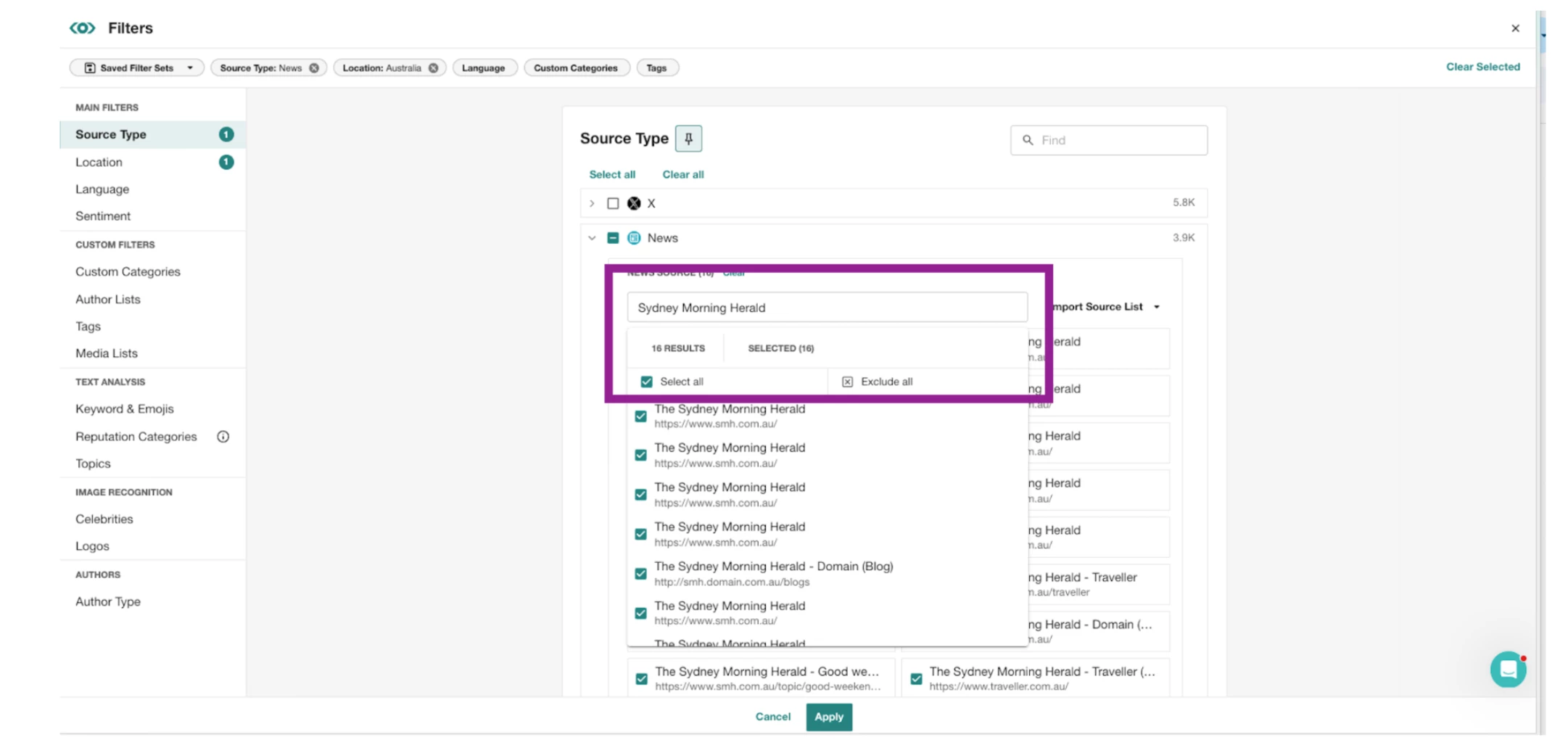
- Once you have added all your preferred publications, select apply.
- Press Save in the top-right corner