



Starting the week of December 15th, Unified Dashboards in the Analyze product will replace your previous Explore+ Insight Page dashboards. This updated experience brings your dashboards into one central location for easier editing, data exploration, and visualization.
This article will cover:
Viewing Your Existing Explore+ Insight Pages
- Click the Explore+ drop-down in the left-hand navigation bar
- Select Insight Pages. Here you’ll find your existing Insight Pages as read-only assets
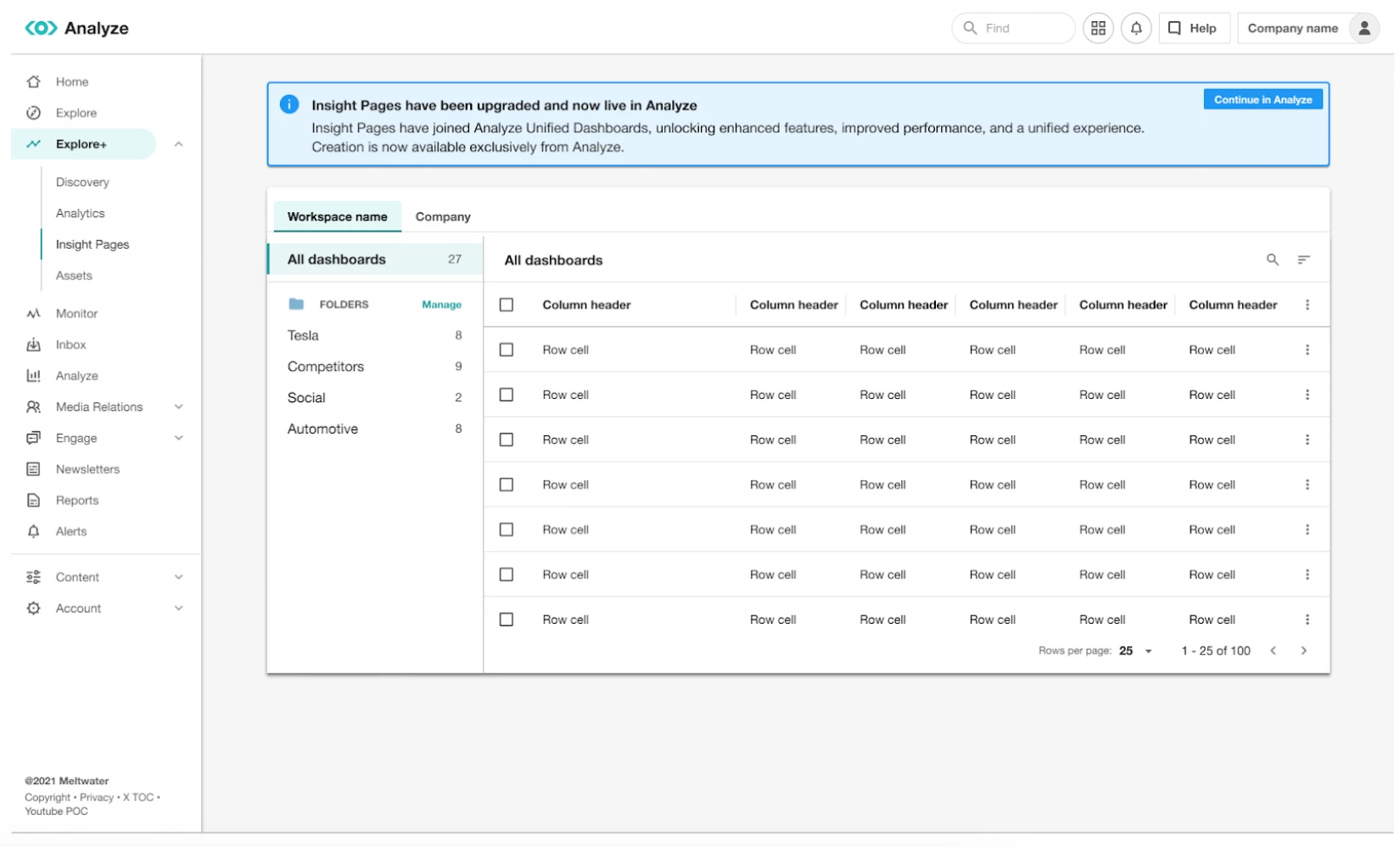
Note: The option to create new Insight Page dashboards has been removed.
Navigating to Unified Dashboards in Analyze
- Click Analyze in the left-hand navigation bar. Here you’ll find your recreated dashboards and folders in Unified Dashboards
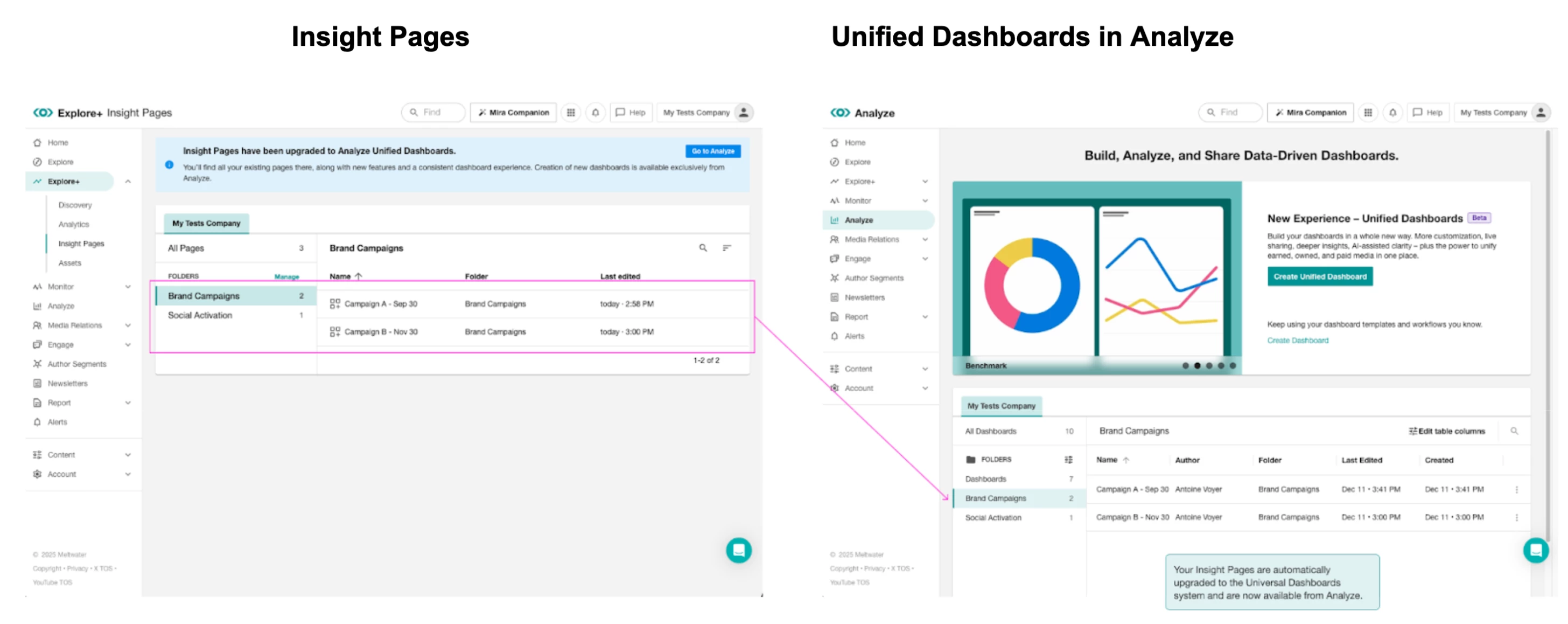
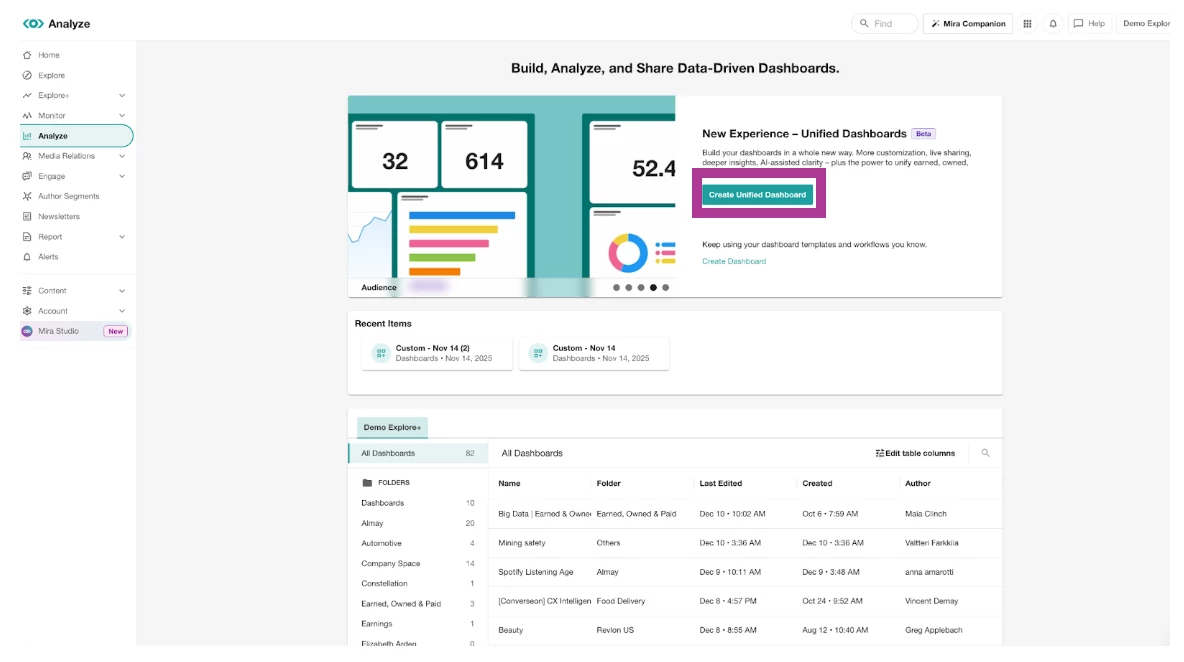
- In this view you can view and edit your dashboards or create a new one by selecting Create Unified Dashboard.
Learn more about Unified Dashboards in Analyze.