



✨How Do I Train Meltwater to Sort Mentions by What I Care About?
If you find yourself constantly tagging the same type of content or wanting to hide irrelevant articles, there’s an easier way. Meltwater’s Automation lets you teach the platform what matters to you, and now you can even describe your rule in plain language to generate a smart preview with AI Setup.
🛠️ Step 1: Open the Automation Tab
In Meltwater, go to the Content section in the left-hand navigation bar, then click into Automation.

This is your Rules dashboard where you can see any existing rules, who created them, and when they were last edited.
Step 2: Click “Create Rule”
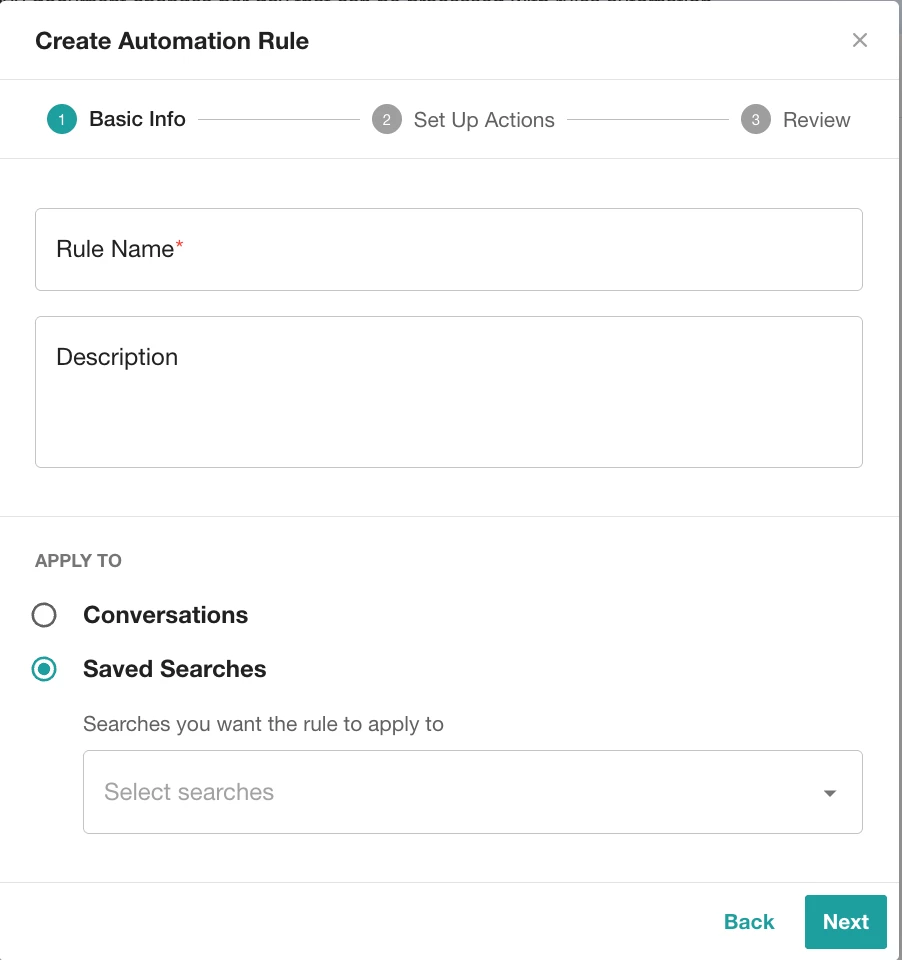
Hit the purple Create Rule button to launch the setup. This will open a simple pop-up where you’ll name your rule and write a quick description.

You'll also select if the rule applies to:
🔍 Step 3: Set the Criteria
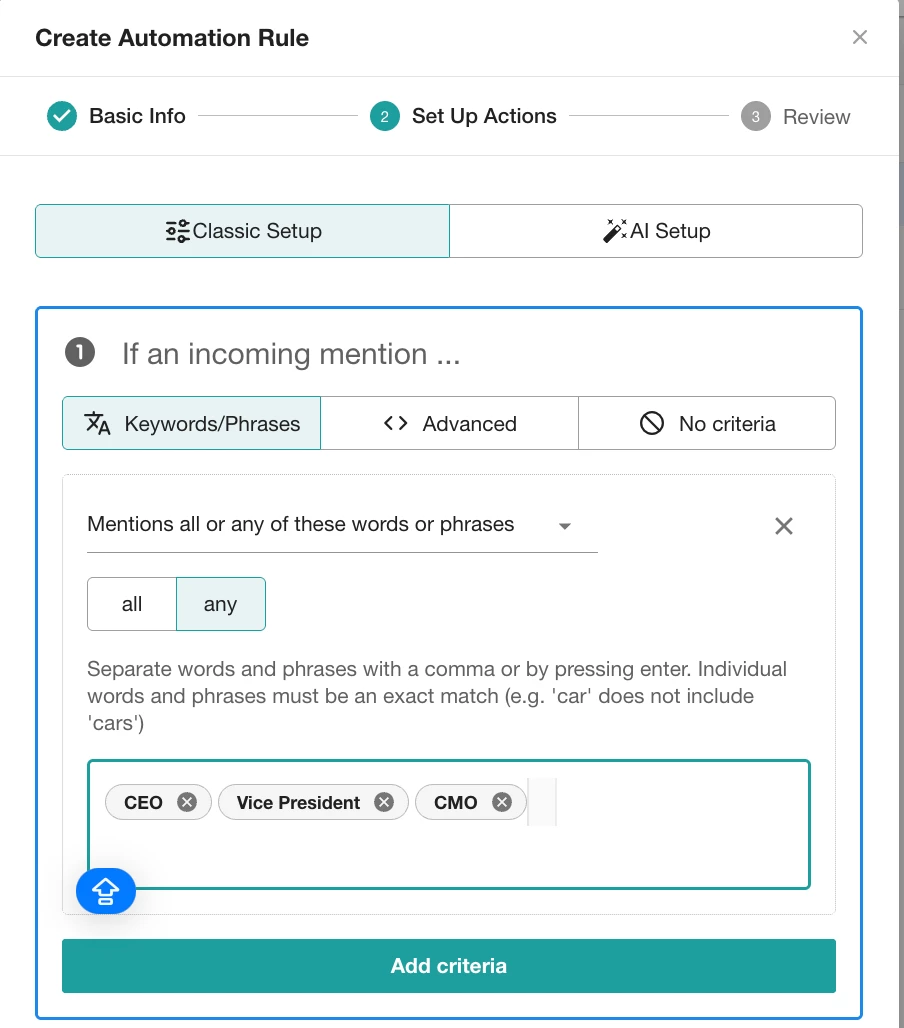
Choose what content should trigger your rule:
-
Keywords/Phrases: To match with any or all words or phrases entered.
-
Advanced: To match an advanced boolean expression.
-
No Criteria: To apply rule to all incoming results. No filter criteria will be applied
-
AI Setup: Select one of the suggested examples. The system will generate a rule preview. You can fill in any missing parts (marked in brackets [ ])
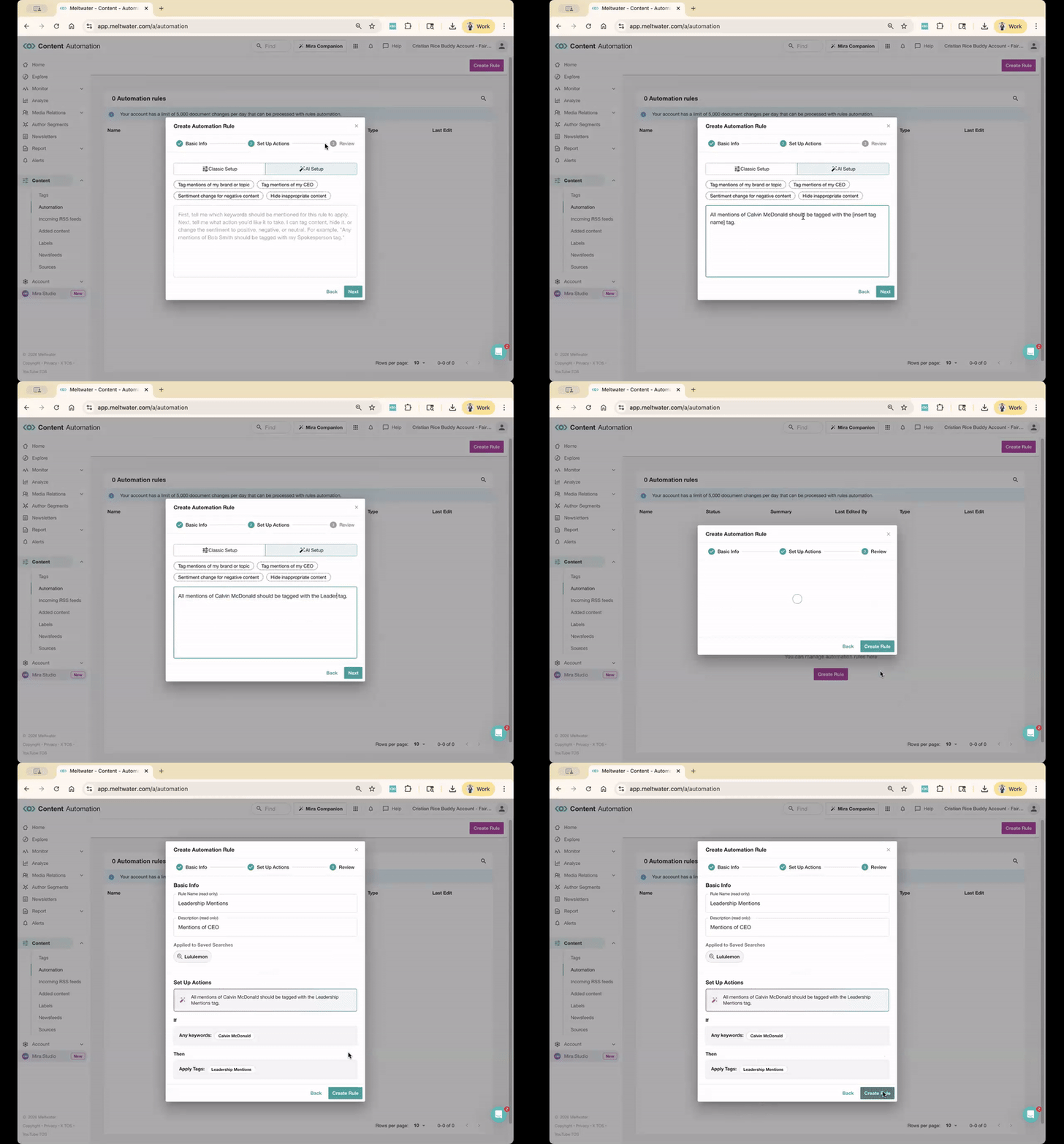
Then enter your terms (if needed) and move on to actions!
Step 4: Choose the Action(s)
Now tell Meltwater what to do when your conditions are met. You can choose:
- Apply a Tag (e.g. “Risk,” “Leadership Mentions" or “Customer Feedback”)
- Change Sentiment
- Hide the Mention (from Monitor, dashboards, and reports)

💡 Pro Tip: You can combine actions! One rule can tag, hide, and change sentiment all at once.
✅ Step 5: Click Create
Once everything looks good, hit Create to activate your rule! It will run automatically from that moment on, sorting future mentions that match your rules.

Want to See It in Action?
Join our upcoming Product Hour: Getting Started with Digests, Alerts & Monitors where we’ll show a live walkthrough of rules-based automation and how it ties into real-time monitoring.
Let us know what topics you’re using Meltwater to automatically tag!