




Automate your social media reports to your inbox

Happy Tuesday, everyone! I hope you all had a fantastic weekend and are ready for a productive work week ahead.
Today, I'd like to share a quick and easy way to receive your social media profile reports directly in your inbox on a weekly or monthly basis.
Many of our clients who have embraced the Engage solution have discovered the benefits of our robust reporting features. You can effortlessly track the core KPIs for your Facebook Page, Instagram Handle, Twitter Handle, and more. But did you know that these reports can be automated and sent directly to your inbox? Let me show you how.
To get started, navigate to the Analyze section and select one of the Owned Social Analytics reports. For this example, I'll use the Cross Channel Overview.
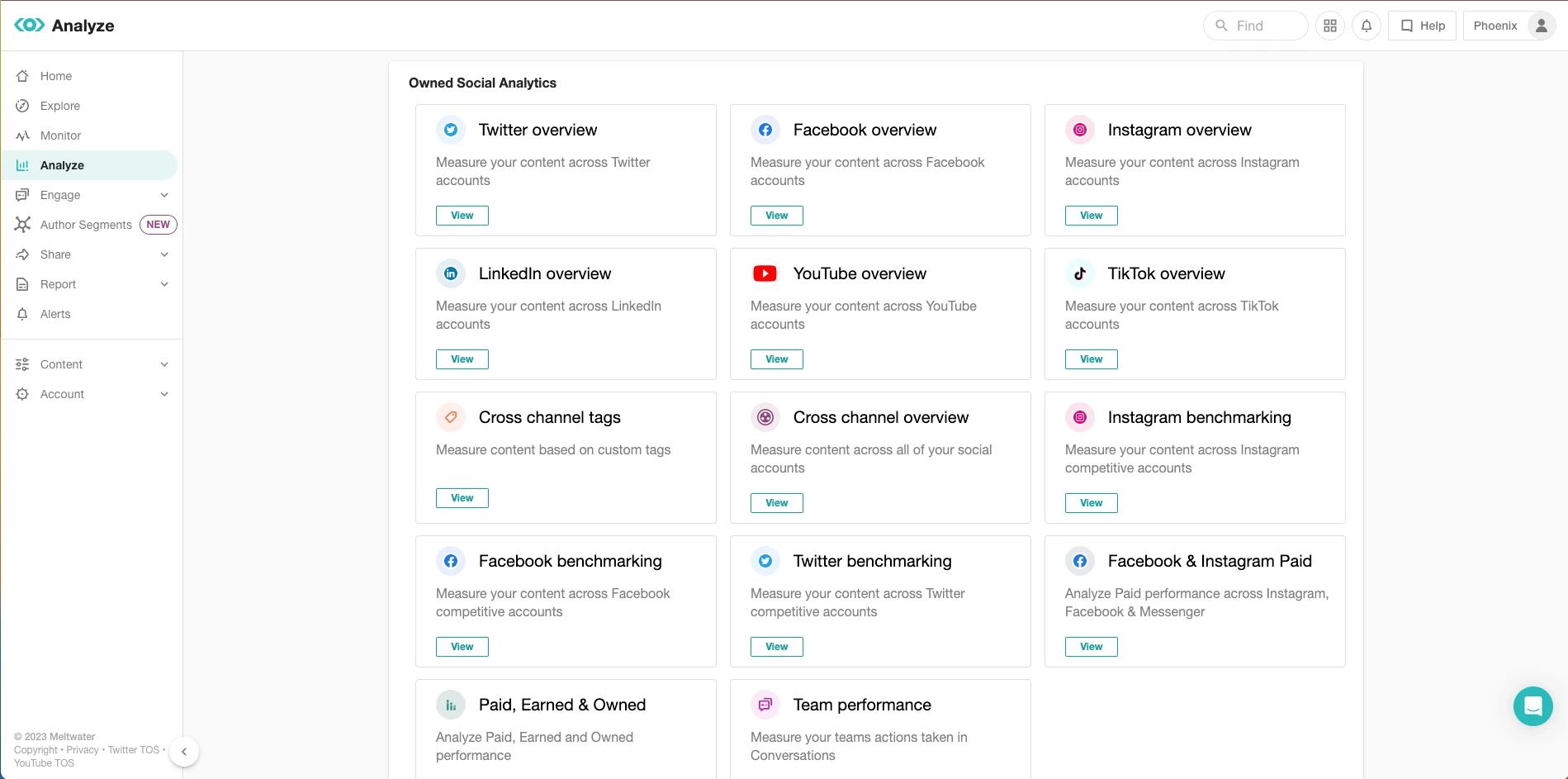
Using the accounts picker in the top right corner, choose the social media profiles you wish to include in the report. You don't need to select a specific time range at this stage.

Once the report loads with your selection, click on the purple actions button and choose "Schedule Report."
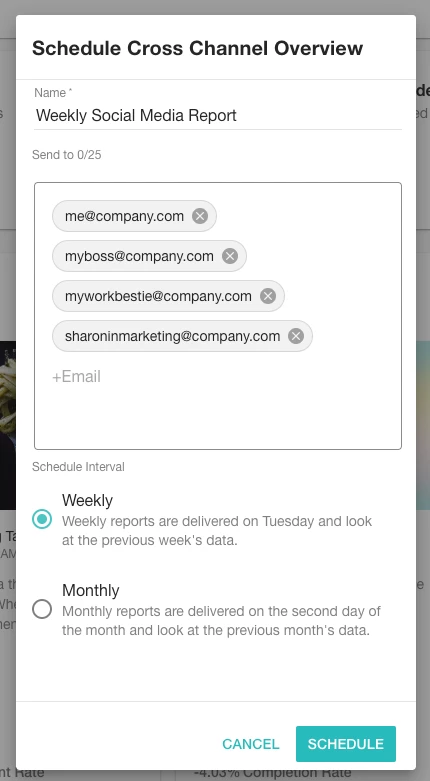
Simply fill out the form that appears. The "Name" field will serve as the subject line of the email. Next, add up to 25 email addresses that should receive this report. It's important to note that these recipients do not need a Meltwater login to receive the report. Finally, select whether you want the report to be sent on a weekly or monthly basis. If you wish to receive both, start with the weekly option and then follow these steps again.
Typically, the person responsible for managing the social media accounts would receive the report on a weekly basis, while stakeholders within your organization would receive the monthly report.
Lather, rinse and repeat these steps for any other Owned Social Media reports you'd like to be delivered to your or your colleagues' inboxes.
By automating your social media reports, you can save valuable time and ensure that you and your team stay informed about the performance of your social media profiles