



🎯 How to Use Meltwater to Find Narratives (And Add the Insight to a Dashboard)
This week, we’re focusing on how to use Mira Studio and the AI Search Assistant to spot narratives — and then bring those insights directly into your dashboards.
We’ll use an easy example: Nike vs. Adidas.
Option 1: Use “Brief Me on a Topic” to Generate Narrative Themes
How do you quickly summarize media coverage in Meltwater?
Go to: Explore and select the AI Search Assistant → then choose Brief me on a topic
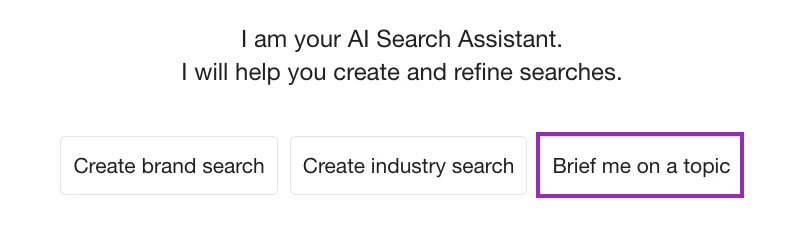
You can simply type a topic instead of building a search.
Example Prompt:
Nike and Adidas
Or more structured:
Brief me on Nike and Adidas in the last 30 days. Summarize key developments, brand strategies, and major themes.
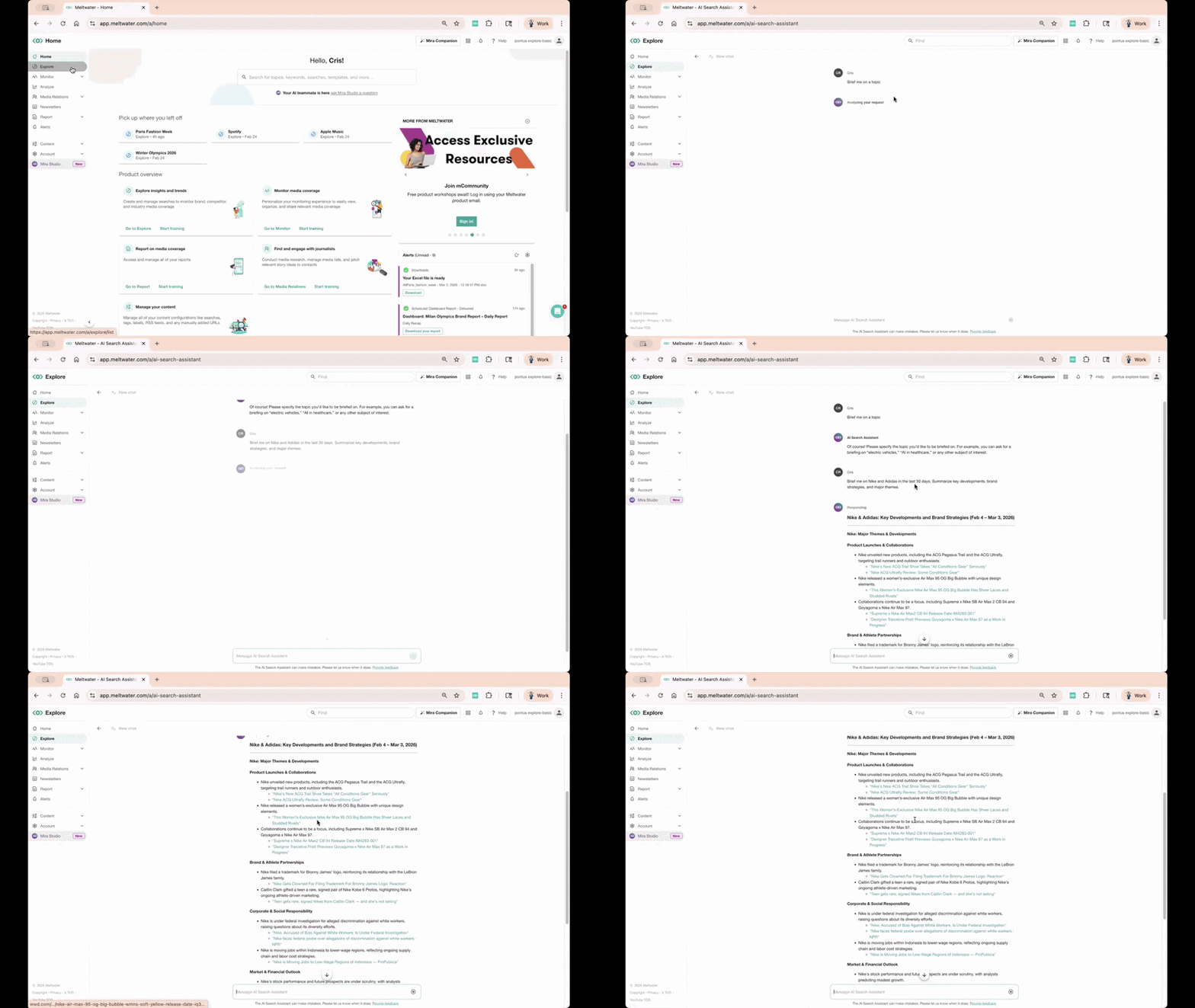
The AI Search Assistant will return:
-
Key narrative themes
-
Market developments
-
Strategy differences
-
Source references
Option 2: Use a Mira Studio Agent (No Prompt Writing Required)
If you want a more advanced narrative breakdown, open Mira Studio from the left-hand navigation.
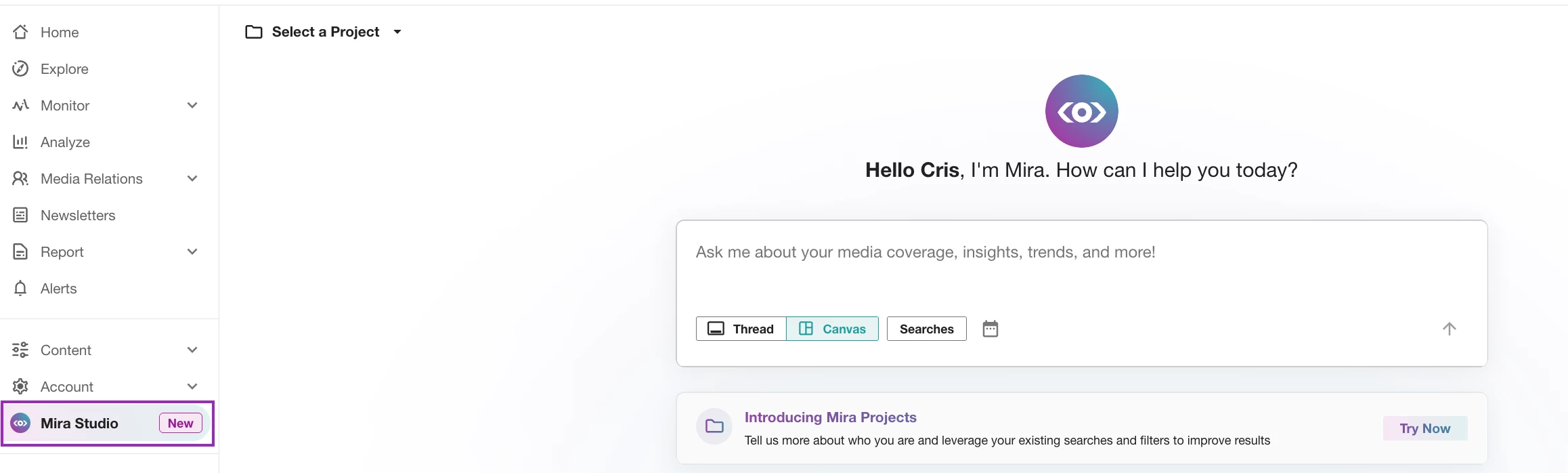
Use one of Mira Studio’s new Agents. Agents act like built-in workflows. Instead of writing a detailed prompt, you simply click the type of report you want and Mira handles the structure for you.
To Generate a Narrative Using an Agent
-
Go to Mira Studio
-
Click the Agents tab
-
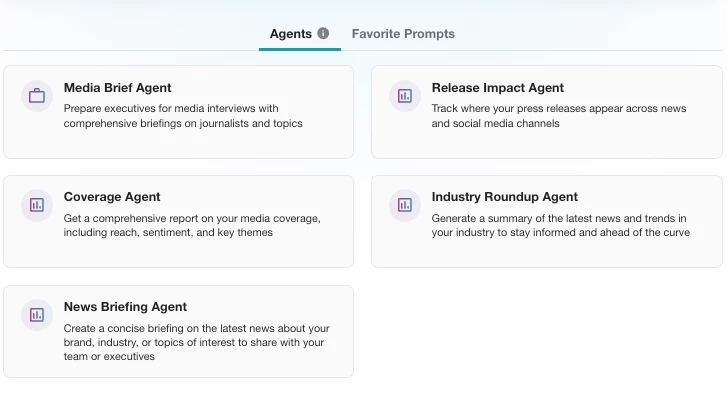
Choose one of the following under the Agents tab:
-
Media Brief Agent (awesome prep for executives)
-
News Briefing Agent (great for daily brand + competitor updates)
-
Industry Roundup Agent (best for weekly trend overviews)
-
Coverage Agent (ideal for monthly reporting with metrics + sentiment)
-
-
Insert your brand in the brackets and press Enter to generate the response
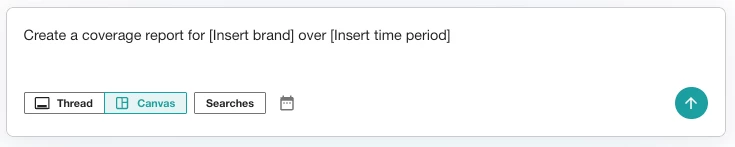
Mira Studio will return:
-
Trending Themes
-
Sentiment insights
-
Supporting examples
-
Suggested follow-up prompts
Once you’ve generated a briefing in AI Search Assistant or Mira Studio, you’re not just looking at mentions anymore — you’re seeing the narrative behind the numbers.
Now the goal is simple: bring that story into Analyze so your dashboard explains the why.
Step 3: Bring the Insight into Analyze
Now that you have your AI insight, the next step is to add it directly into a dashboard in Analyze.
This keeps your insight next to your Share of Voice, sentiment, and volume widgets — so your dashboard explains the story behind the numbers.
Here’s how to add it:
Add a Text Widget to Your Dashboard
-
Go to Analyze
-
Select Create Unified Dashboard or open an existing dashboard
-
Click Edit
-
Select Insert New Row then Widgets
-
Click Add Widget and go to Customization (left-hand menu)
-
Select Text Widget
-
Copy and Paste your insights from the above into the text. Watch how:
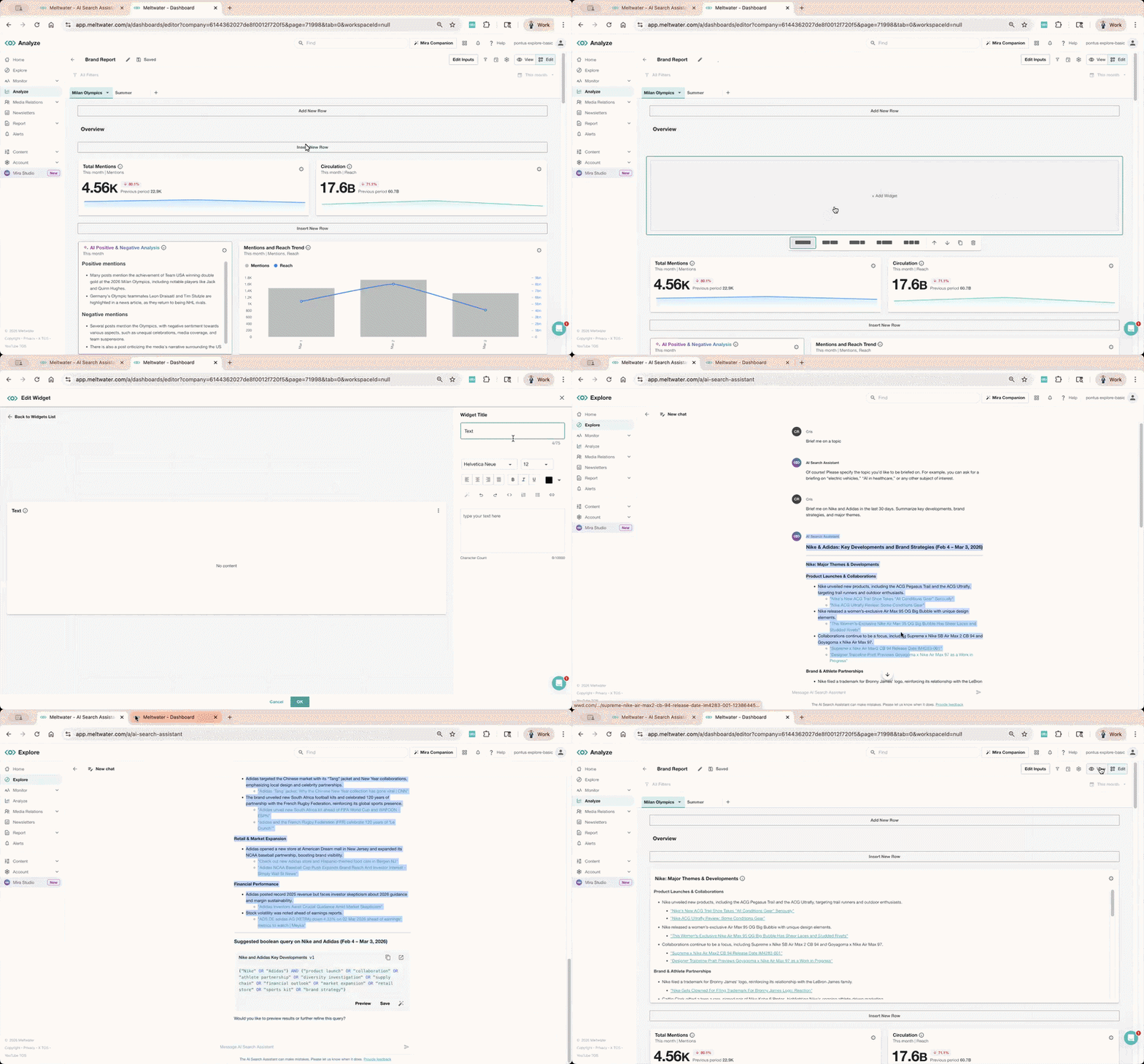
This adds AI context alongside quantitative metrics in your dashboard.
5 Beginner-Friendly Mira Studio Prompts by Industry
If you’re not sure how to get started with Mira Studio, these beginner-friendly prompts are designed to help you quickly generate narrative insights.
Copy, paste, and customize the below with your brand name.
Retail Brand Analysis Prompt
What are the top themes driving coverage for #Brand in the last 30 days, and how does sentiment differ across those themes?
Automotive Brand Comparison Prompt
Compare #BrandA and #BrandB media coverage in the last quarter. What product features are most discussed, and what explains sentiment differences?
Healthcare Narrative Analysis Prompt
Summarize media coverage of #Organization in the last 60 days. What topics are driving positive and negative sentiment?
Higher Education Reputation Prompt
Analyze recent coverage of #University. What narrative themes are emerging, and how do they impact overall sentiment?
Technology Trend Prompt
What emerging industry trends are mentioned in coverage of #TechBrand, and how does that compare to competitors?
🧩 Why This Matters
Dashboards show you what happened.
AI Search Assistant & Mira Studio helps you explain why it happened.
When you combine both, you move from reporting to storytelling. When analyzing your brand coverage, what is usually harder for you?
-
Understanding what themes are driving coverage?
-
Explaining sentiment differences?
-
Turning AI summaries into dashboard-ready insights?
Drop your answer below.