Solved

How to edit insights on dashboard cover because I need to to insert logos?

  • April 3, 2025
  • 2 Replies
  • 41 views

I need to insert two logos on the dashboard cover page of my report. I know it’s edit insight, but I’m having some challenges.

Best answer by kelly.bebenek

You can only add one logo to your dashboard cover page, not two.

Here's what you can customize on your cover page:

For Coverage Reports:

  • Replace the cover image with your own branded slide cover by hovering over the top right-hand corner
  • Add your own logo by hovering over the Meltwater logo

For Brand Reports, Benchmark Reports, or Campaign Reports:

  • Replace the cover image with your own branded slide cover
  • Add your own logo by hovering over the Meltwater logo

For Cover Slides in PR Insight Reports:

  • Include your brand image, a logo, and section title

The system allows you to replace the default Meltwater logo with your own company logo, but there's no option mentioned for adding multiple logos to a single cover page. You would need to work within the single logo limitation or potentially incorporate multiple logos into your custom cover image itself.

2 replies

Jacinda Espinosa
mEmployee
Forum|alt.badge.img+7

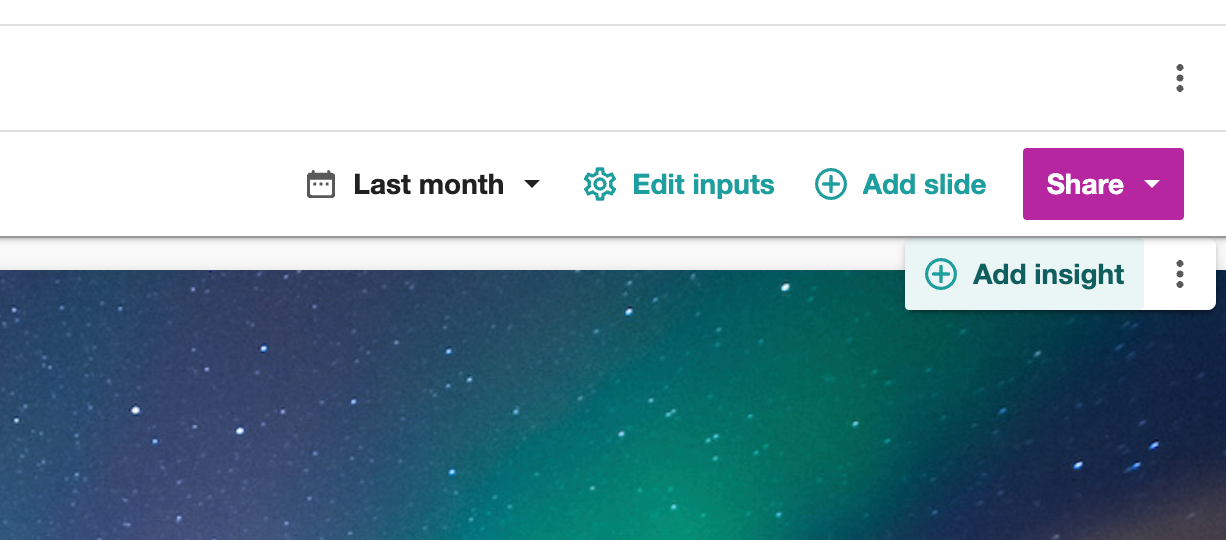
Hey ​@tkk - can you share the specific challenges you’re running into? To add additional images to your cover page, hover over the page and click the Add Insight button that appears in the top right:


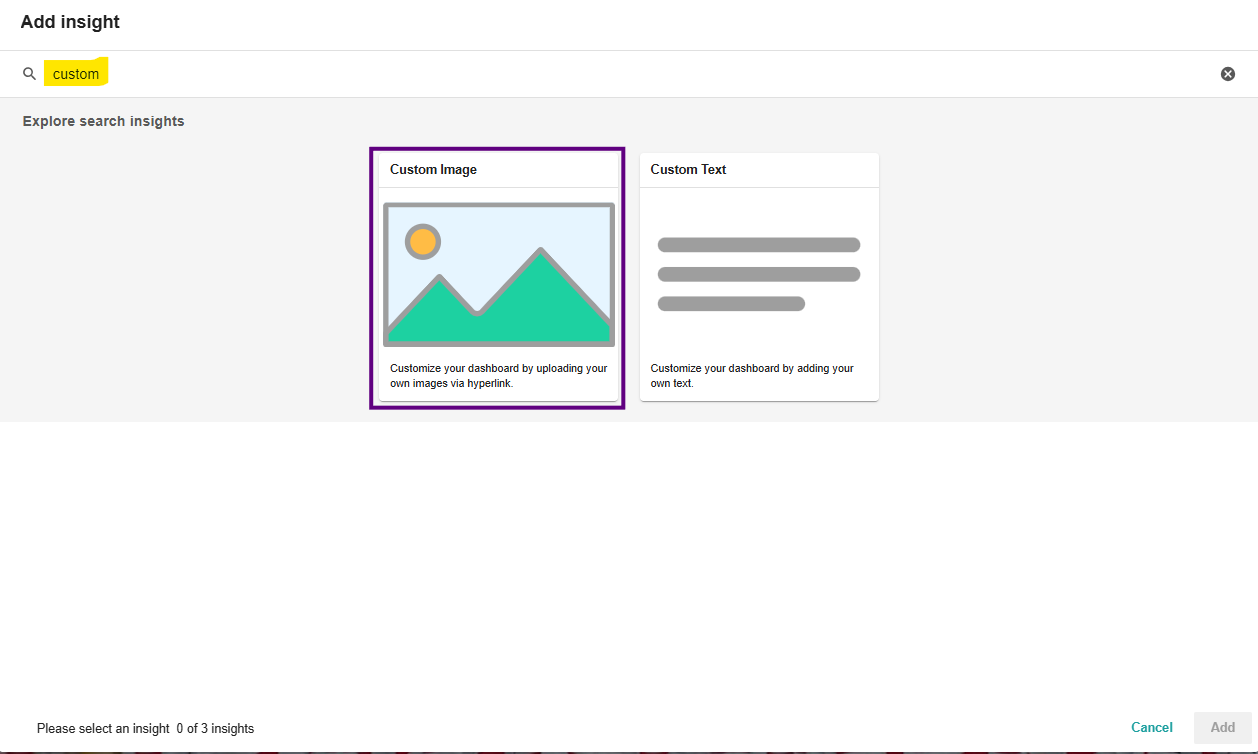
Select Custom Image as the insight type, and you will be able to upload your image, and resize and reposition it.

Does this cover what you need?


kelly.bebenek
mEmployee
Forum|alt.badge.img+8
  • mEmployee
  • Answer
  • June 20, 2025

You can only add one logo to your dashboard cover page, not two.

Here's what you can customize on your cover page:

For Coverage Reports:

  • Replace the cover image with your own branded slide cover by hovering over the top right-hand corner
  • Add your own logo by hovering over the Meltwater logo

For Brand Reports, Benchmark Reports, or Campaign Reports:

  • Replace the cover image with your own branded slide cover
  • Add your own logo by hovering over the Meltwater logo

For Cover Slides in PR Insight Reports:

  • Include your brand image, a logo, and section title

The system allows you to replace the default Meltwater logo with your own company logo, but there's no option mentioned for adding multiple logos to a single cover page. You would need to work within the single logo limitation or potentially incorporate multiple logos into your custom cover image itself.