On timestamp 22:43 of this video, I got lost which button or link presentor Zach clicked on to get the Influence View of the creator profile.
I was following the steps on the actual dashboard and I can’t seem to find the same view.
Best answer by Zach_Lepard
Hi @BM Saneo Excellent question!
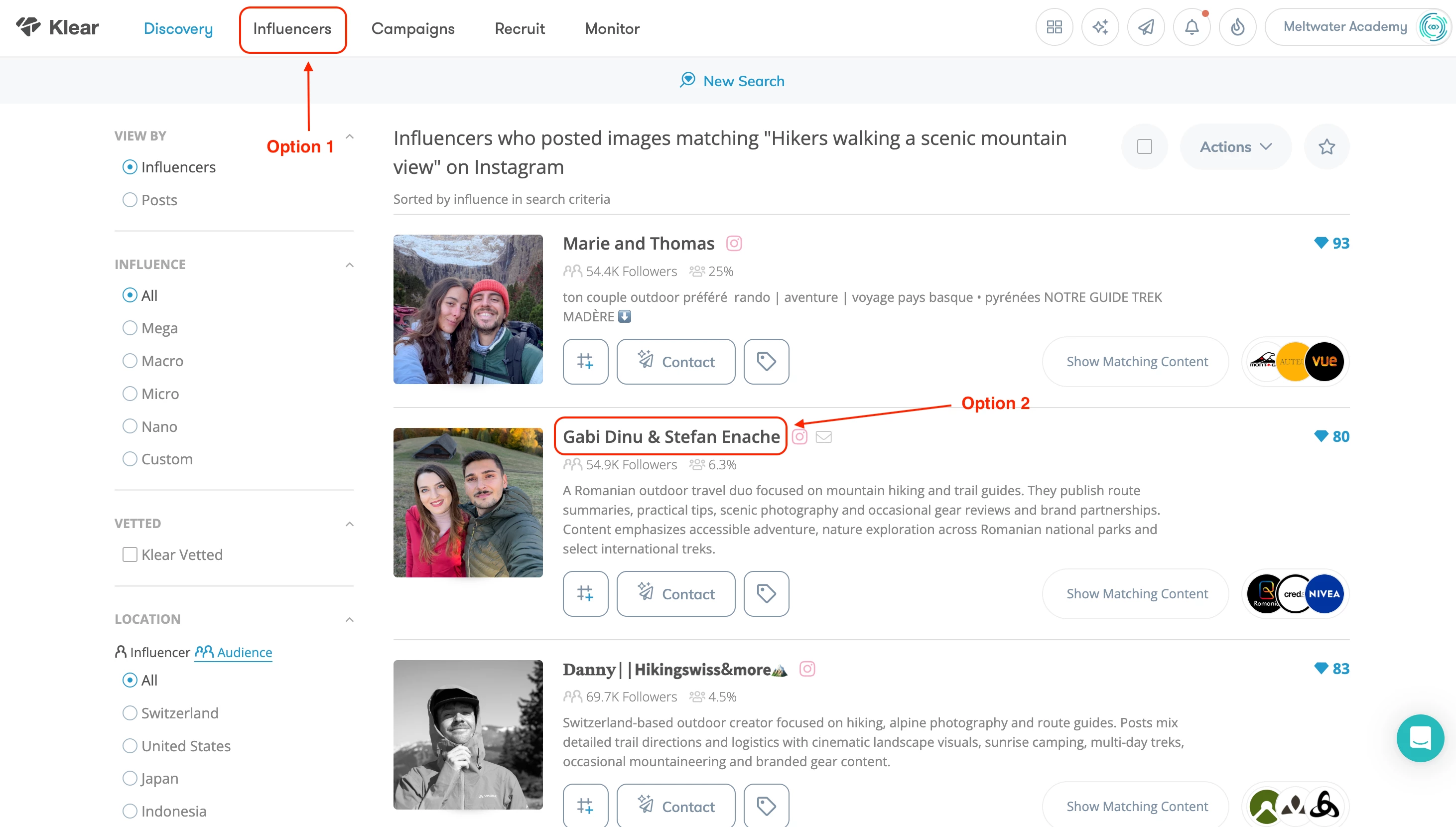
We were in the visual search results page at 22:43, to get to the profile view of a creator you have two options:
Click into the Influencer Tab at the top of the screen. This will bring you to your recently viewed profiles. In the training, this is where I clicked to open the profile you see in the video. The Influencer tab is your go to spot for the influencer profiles you’ve tagged, recently viewed, or added to campaigns!
You can also click directly into a profile from the search results page. This will bring you into the full creator profile and you can move into the vetting process from there.
I’ve included a screenshot here of the two options for you. Let me know if you have any other questions! Always here to help :)
We were in the visual search results page at 22:43, to get to the profile view of a creator you have two options:
Click into the Influencer Tab at the top of the screen. This will bring you to your recently viewed profiles. In the training, this is where I clicked to open the profile you see in the video. The Influencer tab is your go to spot for the influencer profiles you’ve tagged, recently viewed, or added to campaigns!
You can also click directly into a profile from the search results page. This will bring you into the full creator profile and you can move into the vetting process from there.
I’ve included a screenshot here of the two options for you. Let me know if you have any other questions! Always here to help :)
Zachary Lepard
Not finding what you're looking for?
Don't be shy and let us know about your challenge.