



Using the Meltwater Mobile App (Closed Beta)

Thank you for joining our Mobile Beta! This early-access version lets you explore new features before the public release.
This article will cover:
Signing Up for the Mobile App Beta
Ahead of installing and using the mobile app and its new feature, please complete this form:
👉 Meltwater Mobile App Beta Form
After completing the form, an email will be sent to your inbox within the following 24 hours.
Installing the Meltwater Mobile App
iPhone (iOS) Installation
To install the Meltwater Mobile app on your iPhone, follow these steps:
- In the Apple App Store, download TestFlight
- Navigate to your email on your iPhone and open your Beta Invitation email
- Select View in TestFlight
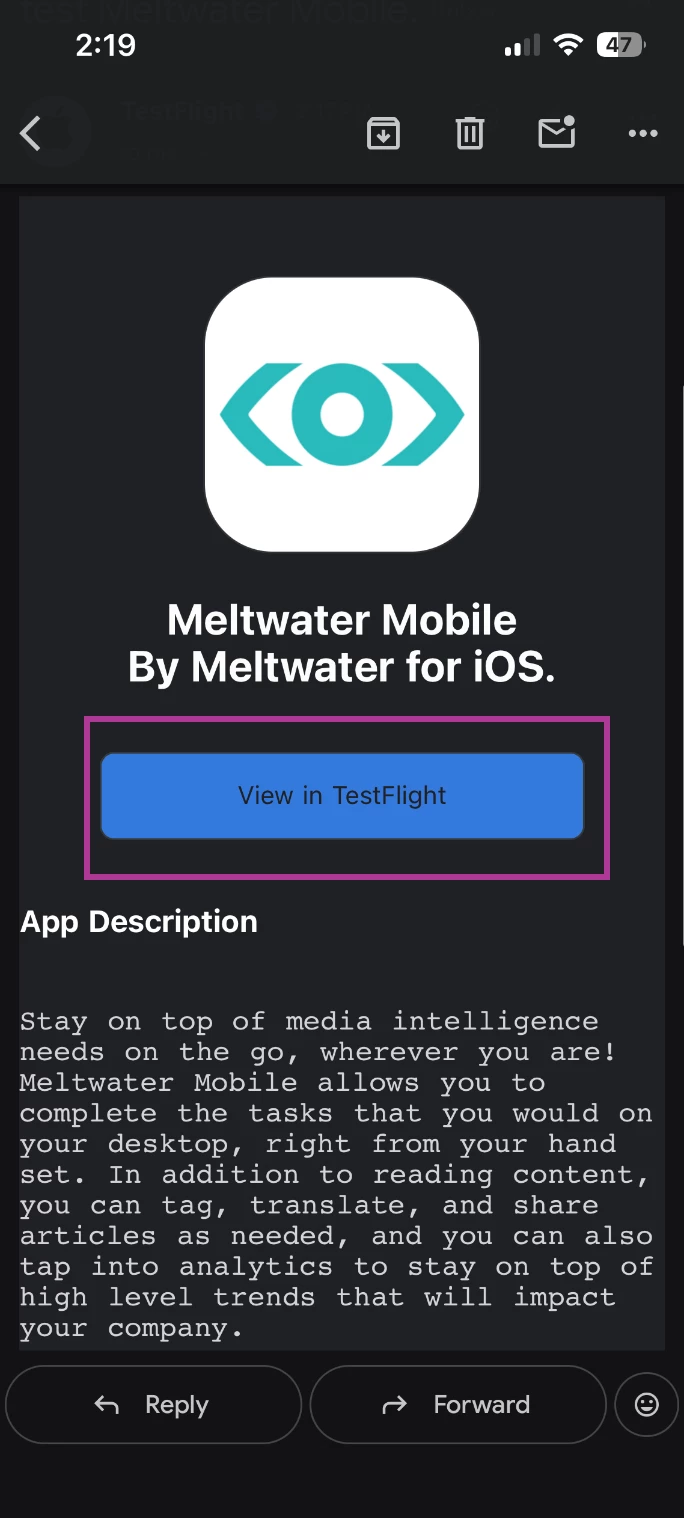
- Click Accept
- Select Install
- Log in with your credentials.
Android Installation
To install the Meltwater Mobile app on your Android, follow these steps:
- On your mobile device, open the Google PlayStore
- Search Meltwater Mobile
- Scroll to the bottom of the Meltwater Mobile app screen and select Join to join the beta.
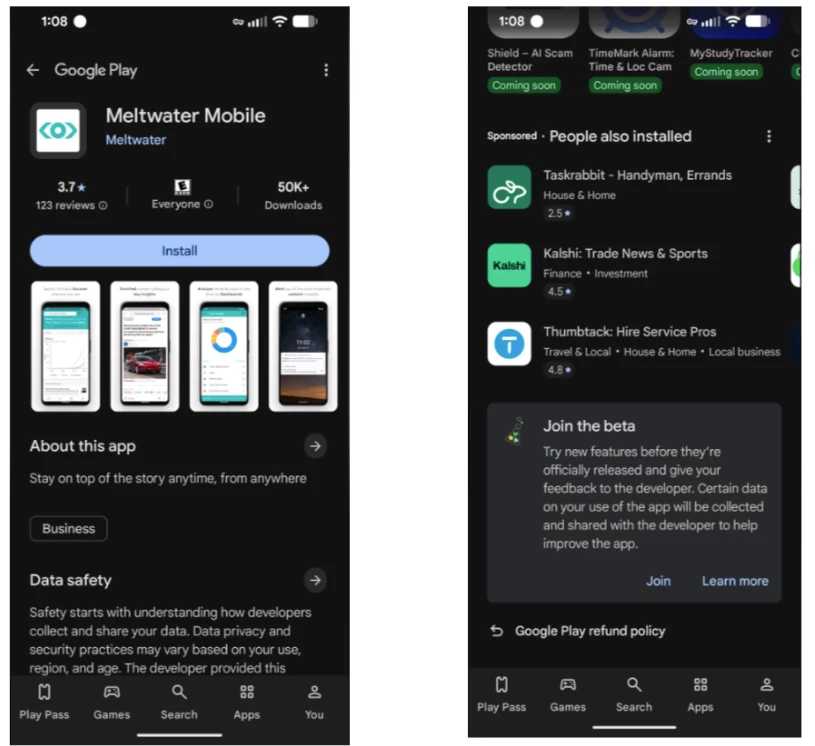
Note: It will take several minutes for the changes to take effect.
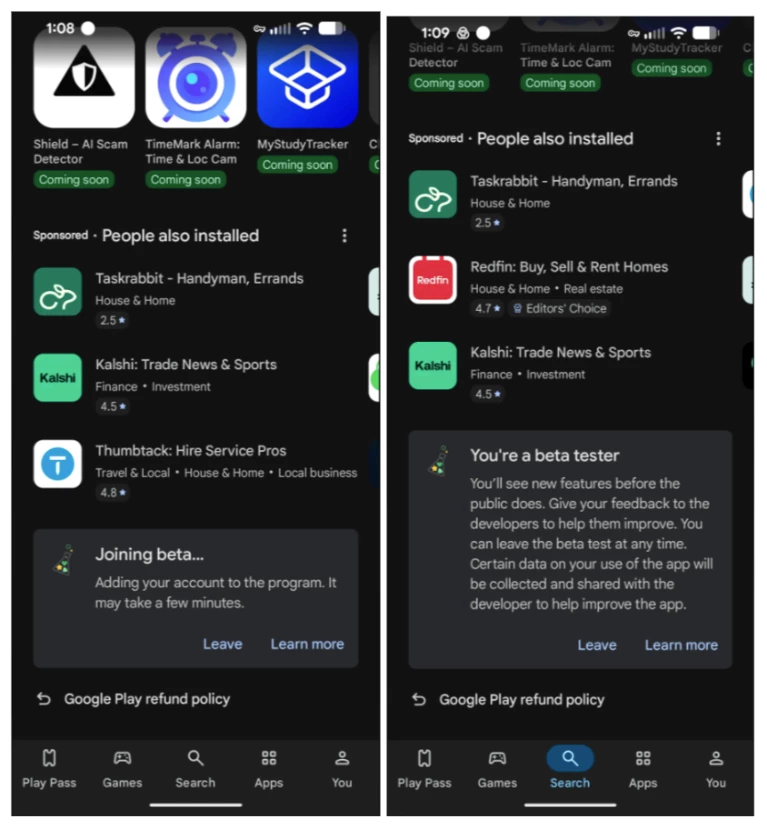
- Click Install
Using Mira in the Mobile App
- Open your Meltwater Mobile app
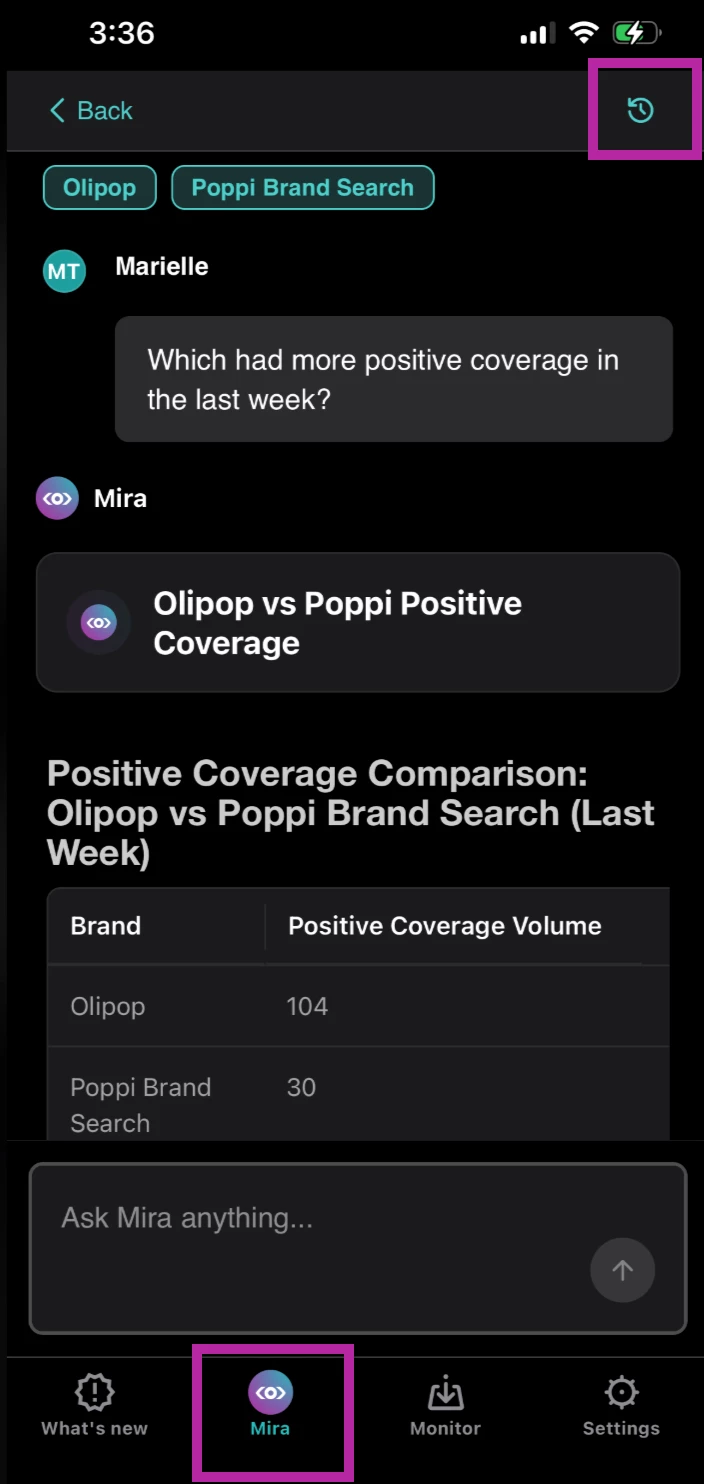
- Ensure you are on the Mira tab at the bottom of your screen
- Select one of the prompts from the prompt library, or type in your custom prompt
- Add more context or answer questions from Mira as needed
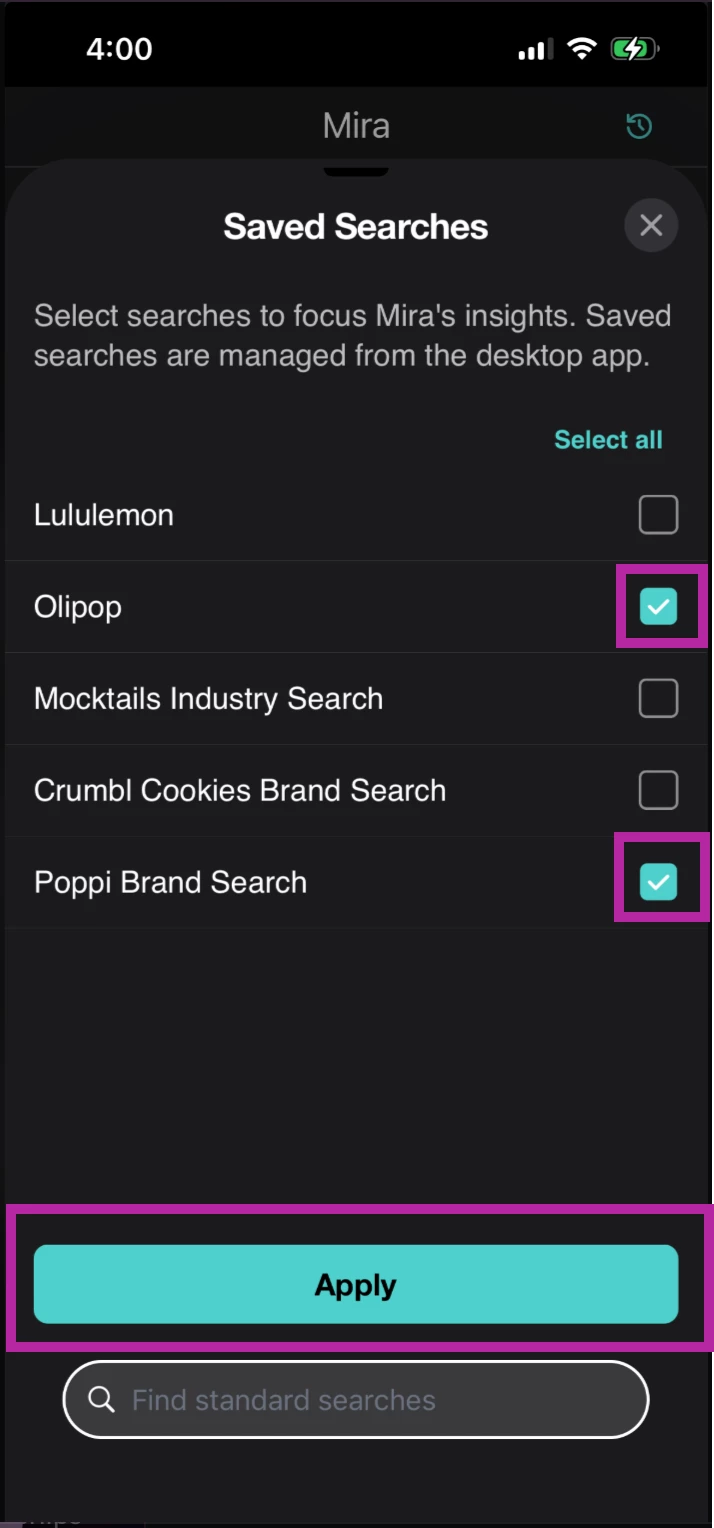
- To use a saved search
- Select +Saved Searches
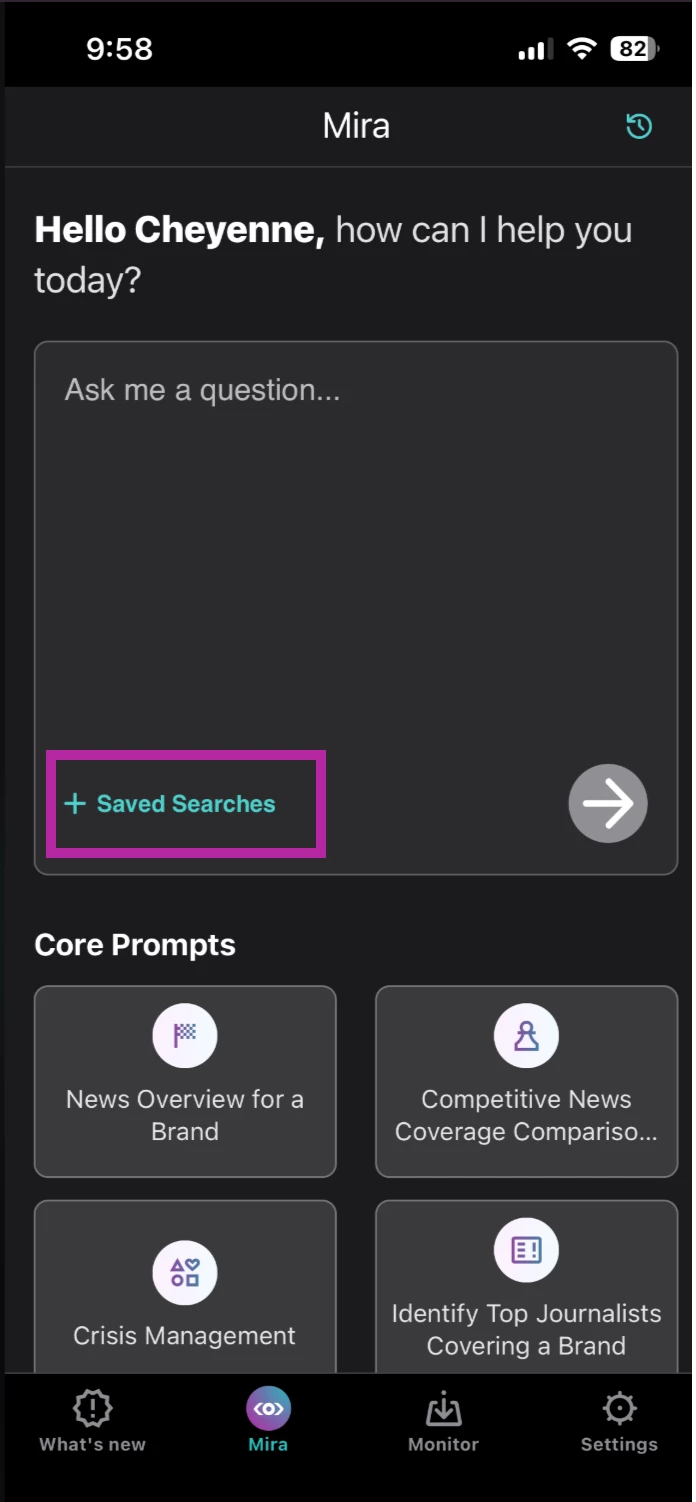
- Select one or more saved searches to focus Mira's responses using the checkbox(es)
- Click Apply
- Enter your prompt in the textbox
- Click the arrow
- Mira uses the selected saved searches as context for its response.
- Select +Saved Searches
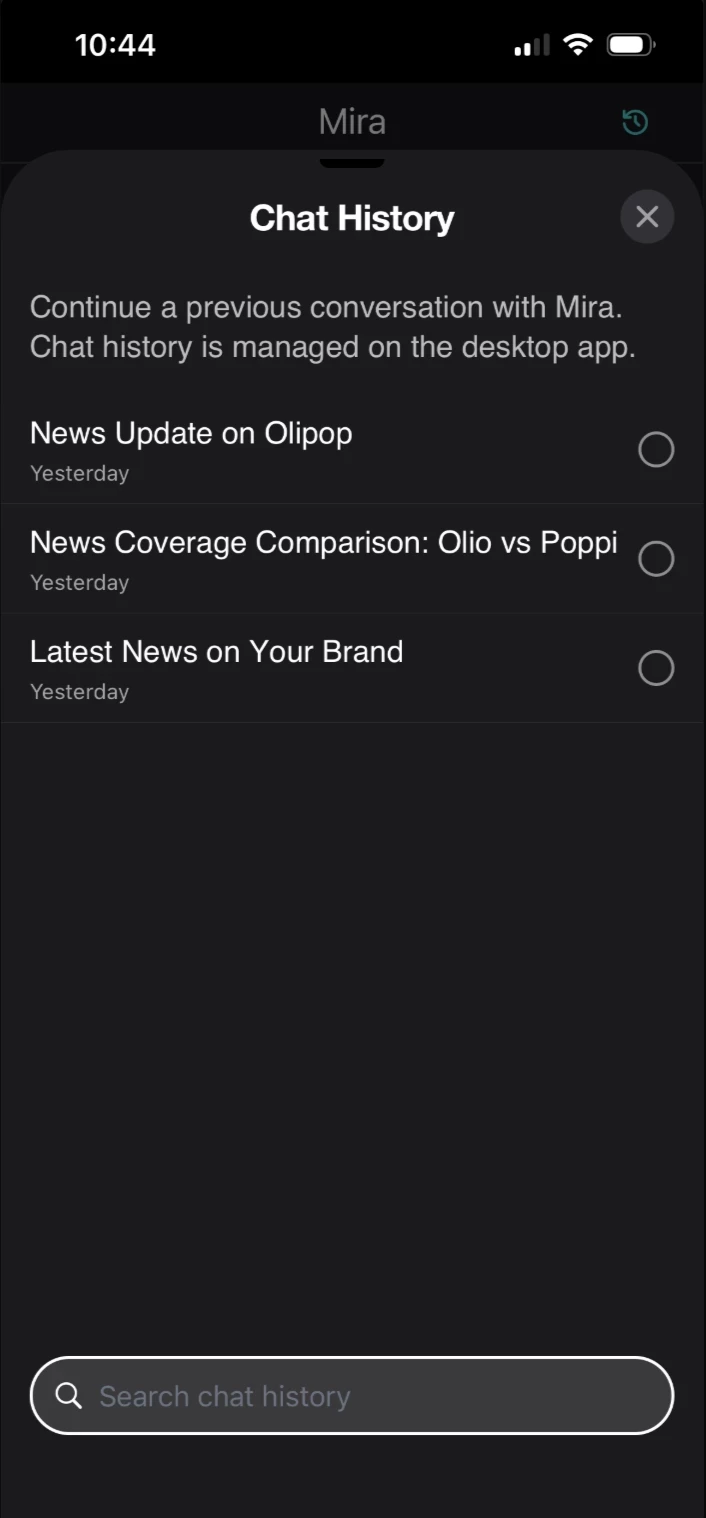
- To view chat history
- Select Chat History in the top right-hand corner
- Select a previous conversation
- Select Chat History in the top right-hand corner
Sharing Feedback
Your feedback is important as we continue to improve the Meltwater Mobile App.
You can share feedback in the following ways:
iPhone (iOS)
- Open the TestFlight mobile app
- Click Send Feedback
Or
Reply directly to your Meltwater contact with details.
Android
- Submit feedback through the Meltwater Mobile app listing in the Google Play Store
- Reply directly to your Meltwater contact with details
When submitting feedback, please include:
- A brief description of what you were trying to accomplish
- What happened versus what you expected
- Device model
- OS version
- App version
- Screenshots or screen recordings, if possible