



What sources are included in an Explore search?

The sources included in an Explore search can vary based on your Meltwater package. You can find the sources included in your Meltwater account two ways, Mira Companion and Explore.
Mira Companion
-
Select Mira Companion at the top of your screen
-
Click Provide Account Support
-
Type "What are the source types included in my account?"
-
Click Enter
Learn more about the Mira Companion.
Explore
-
Click Explore in the left-hand navigation bar.
-
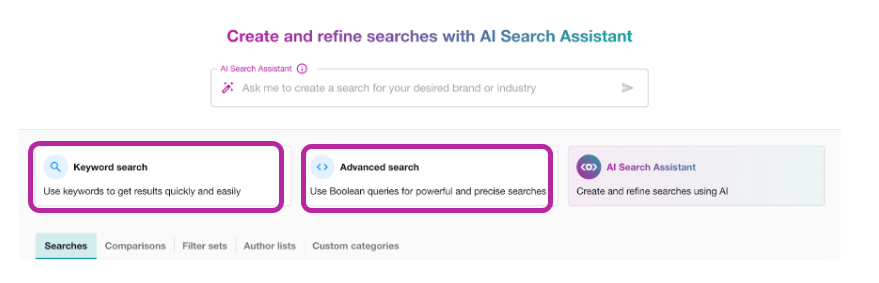
Navigate to the search options section and select Keyword Search or Advanced Search.
-
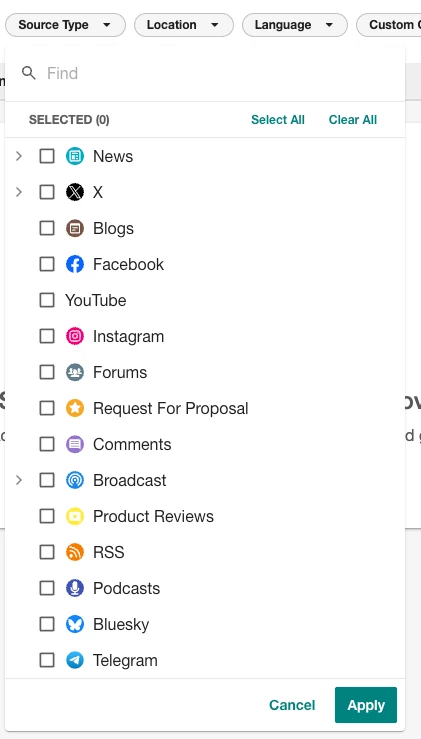
Click the Source type drop-down.

All sources included in your subscription will be listed in this drop-down.
Learn more about Data Sources in Explore.