



How do I access support?

If you need help right now, our live support team is ready to assist you directly within the Meltwater app 24/7:
Here's how to contact them:
-
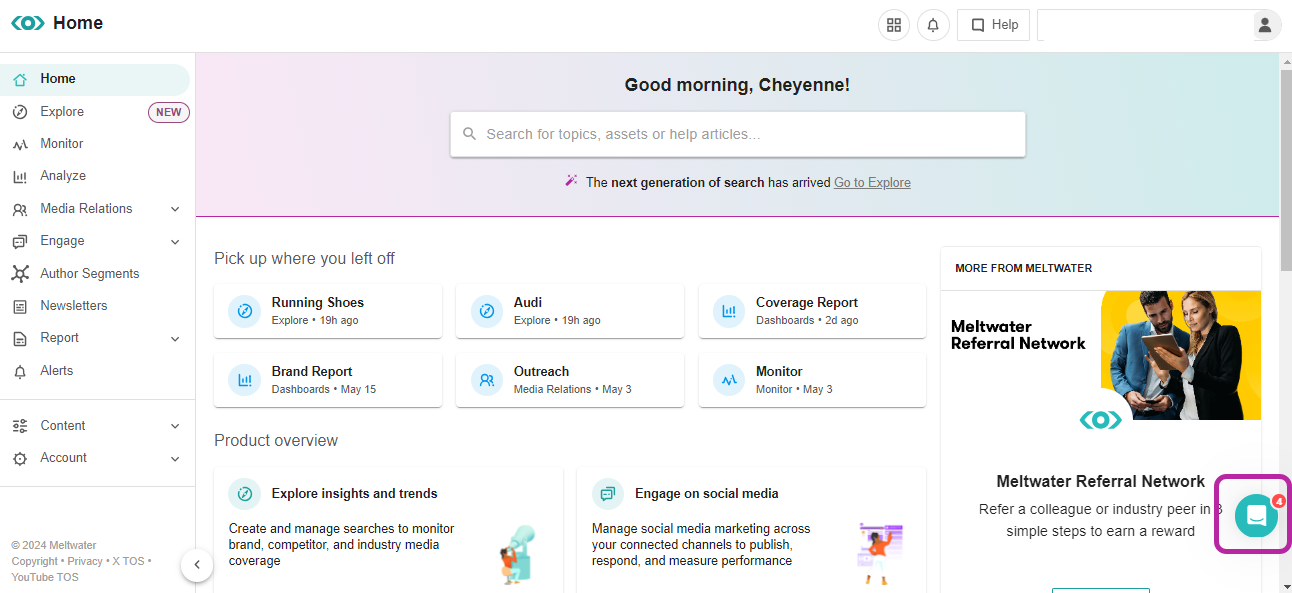
Click on the Chat Bubble located in the bottom right-hand corner
-
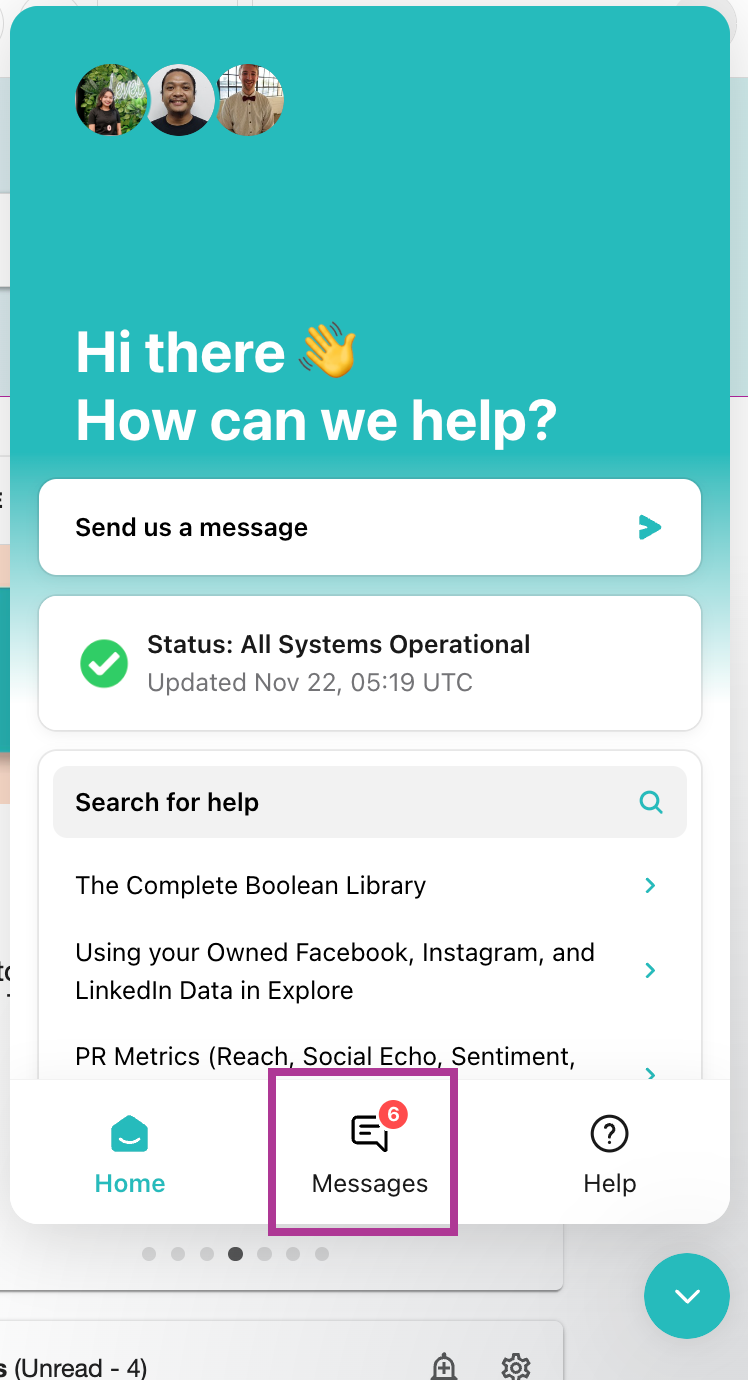
Select Messages
-
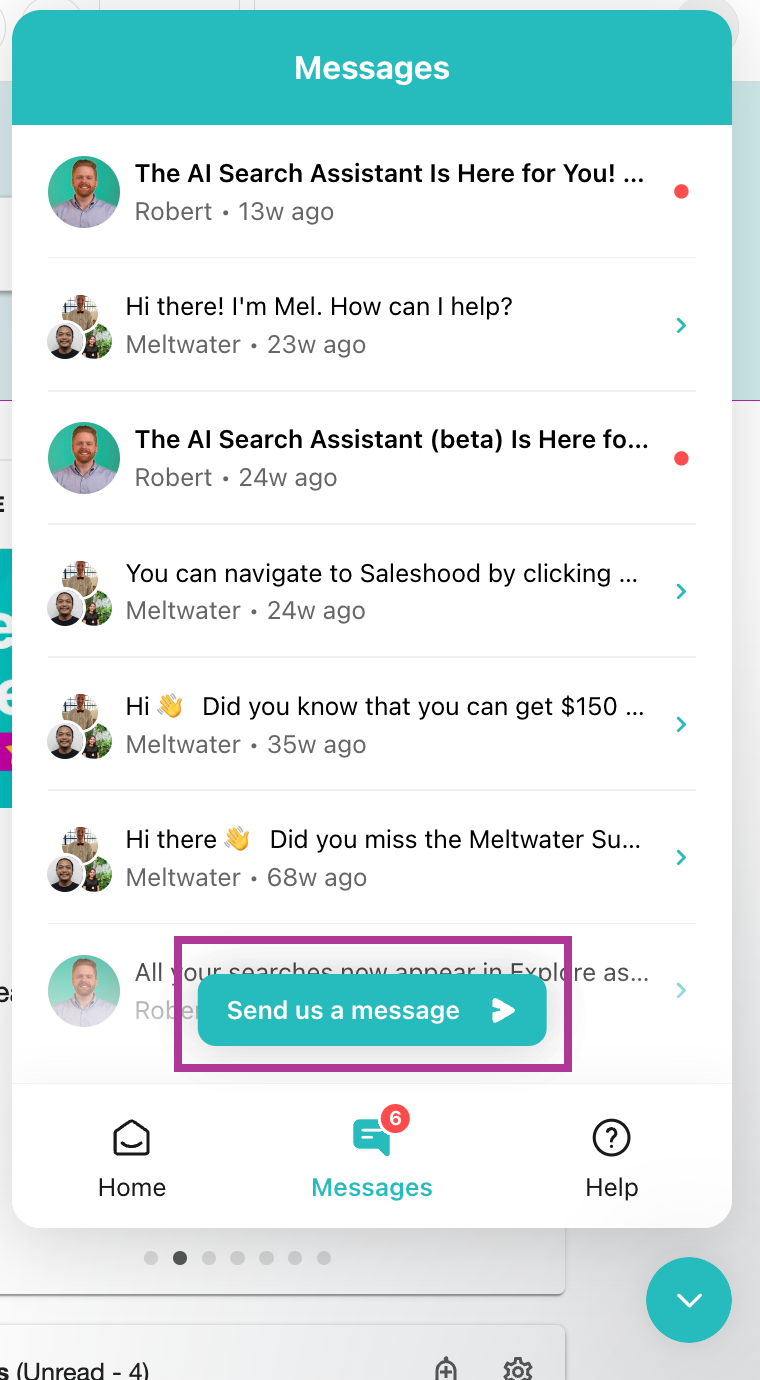
Click Send us a message
-
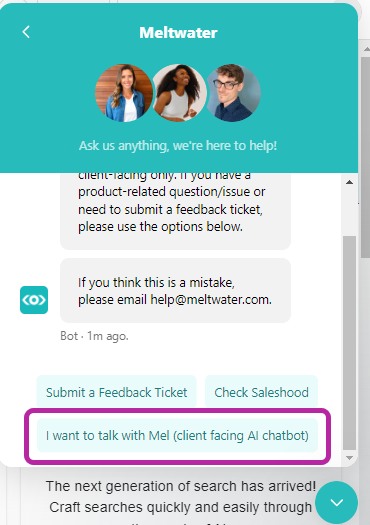
Select I want to talk with Mel
-
Type your question or issue
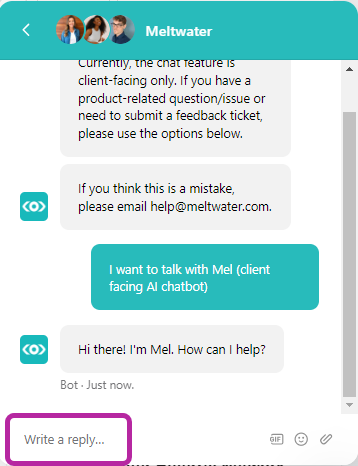
-
You will typically receive a response within minutes and can continue the chat within the chat function
Note: To review your previous communications with our team, simply revisit the Chat Bubble and check under Messages.
Learn more about Accessing Product and Account Support.