

Marty.Sloane
mEmployee
mEmployee
May 30, 2023 7:19 PM UTC
Best Practice

The Power of Tags in Meltwater Engage

The Power of Tags in Meltwater Engage

As someone who has worked with countless users of social management software like Meltwater Engage, I've noticed that the simple act of tagging social content can unlock significant value and provide valuable insights. 


We all know that engagement is crucial for expanding the reach of our social content. The more our audience engages with our posts, the more platforms like Facebook, TikTok, Twitter, and Instagram will showcase our content to a wider audience. To leverage this, you need to know which types of content resonate best with your fans. That’s where tags come in.


Let's imagine you publish 20 pieces of content in a given month. Half of those are images and videos showcasing your product, while the other half highlight your product actually being used by people. Now, which content theme do you think is performing better? By tagging your outbound content in Meltwater Engage with either a "product" or "people" tag, you don’t have to guess. Knowing what works best empowers you to make informed decisions. Instead of sticking to a 50/50 distribution, you might consider dedicating 75% of your content to the type that performs better.


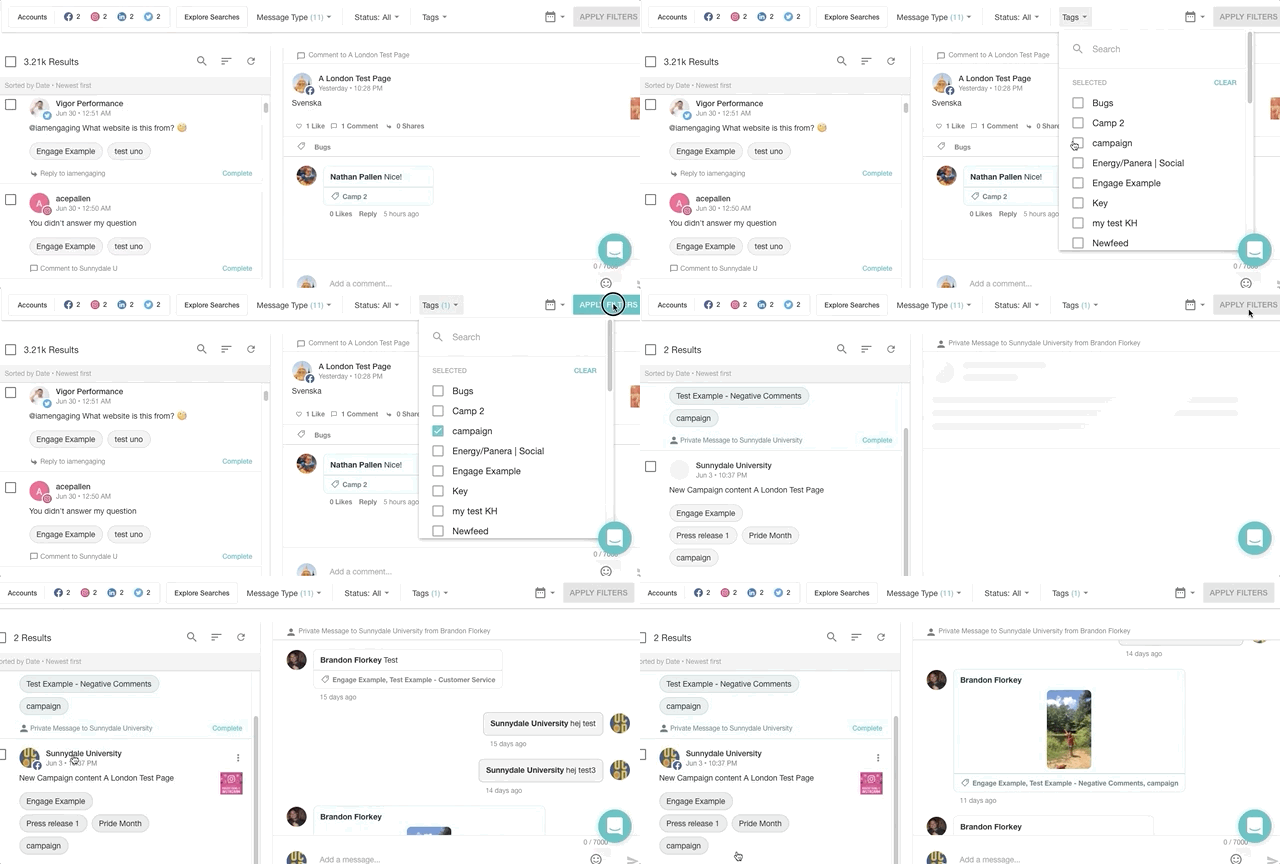
The same principle applies to campaigns. As you approach the end of a quarter, it's essential to analyze the performance of your campaigns. By tagging your campaign-related posts and leveraging Meltwater Engage's reporting features, you can determine which of your three campaigns fared the best. This knowledge enables you to refine your strategies and focus on what works.


For more information on how to create tags, and view the reports, check out this help center article: https://help.meltwater.com/en/articles/4239916-manage-your-social-media-posts-in-engage-with-tags 


These are just a few use cases, but the possibilities are endless! Have you used tags in Meltwater Engage to optimize your social media content? Have you found another use for tags that isn’t described here? Share your experiences, questions, or any other insights in the comments below!


9 replies

Maria Dehne
mChampion Level 3
mChampion Level 3
May 30, 2023 8:06 PM UTC

These are really great thoughts/ideas I had not considered when it comes to tagging, thanks!

Translate
Maria Dehne
mChampion Level 3
mChampion Level 3
Jul 24, 2023 2:47 PM UTC

Could someone kindly remind/inform/educate me on if there is the ability to tag branded Instagram Stories?… before/during/after the Story is published? Thanks! 

Translate
Jacinda Espinosa
mEmployee
mEmployee
Jul 24, 2023 3:54 PM UTC

Hey @Maria Dehne - I don’t believe that it’s currently possible to tag Instagram stories from Explore. This Help Center article states “By finishing your story or carousel on the Instagram app, you will have full access to all additional story features on Instagram, like stickers, filters, and tags,” which implies to me that stickers, filters, and tags are only available directly through the Instagram app. 


@Marty.Sloane, do you know if this read is correct, or if it is possible to add tags to Instagram Stories via Explore?

Translate
Jacinda at Meltwater 👐 | Schedule a meeting with me: https://calendly.com/jacinda-meltwater
Marty.Sloane
mEmployee
mEmployee
Jul 24, 2023 4:30 PM UTC

Hi there @Maria Dehne and @Jacinda Espinosa! 


As of today, you cannot apply Meltwater Tags to Instagram story posts. This is simply do the fact that in order to publish stories, the final push will have to be done in the Instagram mobile app rather than in Meltwater. 

As a result, Instagram story data is omitted from the Cross Channel Tags report in Analyze. 


If you do wish to apply tags to your Instagram Story Brand Posts, you can do so in the Engage>Conversation module. If you apply a filter for Instagram Brand Posts only under the Type filter, you will see your stories and will be able to apply a tag in the Conversations Inbox. More details can be found here: https://help.meltwater.com/en/articles/4239916-manage-your-social-media-posts-in-engage-with-tags#tagging-social-posts-


I hope this helps, and let us know if you have any questions! 

Translate
Maria Dehne
mChampion Level 3
mChampion Level 3
Jul 24, 2023 4:40 PM UTC

If you do wish to apply tags to your Instagram Story Brand Posts, you can do so in the Engage>Conversation module. If you apply a filter for Instagram Brand Posts only under the Type filter, you will see your stories and will be able to apply a tag in the Conversations Inbox.

Thanks for the response and help @Marty.Sloane - I know how to apply tags to general brand posts and do so often, however you mentioned I’d be able to see Instagram “Stories” as a “type”-- however I don’t see that option? Am I missing or misunderstanding something? Thanks! 


Translate
Marty.Sloane
mEmployee
mEmployee
Jul 25, 2023 6:53 PM UTC

Howdy @Maria Dehne - In your screenshot, you’ll want to select “Brand Posts” under Instagram. This will bring back post Instagram Posts and Stories created by the handle into that stream. As of right now, those are lumped together and there is not a filter to select just the stories. 


I hope that clears things up! 

Translate
Maria Dehne
mChampion Level 3
mChampion Level 3
Jul 25, 2023 7:08 PM UTC

@Marty.Sloane thanks for this response and help! That does clear it up regarding the fact that Stories and Posts are lumped together under Instagram Brand posts. With that being the case however, are you able to show an example of how Stories show up in that stream vs just a feed post. When I test this out for Instagram Brand posts during a timeframe I know we’ve posted Stories, I don’t see any of the Stories we’ve posted in the stream-- just normal posts as far as I can tell. Thanks! 

Translate
Marty.Sloane
mEmployee
mEmployee
Jul 25, 2023 9:09 PM UTC

@Maria Dehne - Happy to help! :) 


Below is a screenshot from your Conversation module in Meltwater Engage. 


The easiest way to spot an Instagram story would be content that doesn’t have any text, since Instagram only passes over the video/image. The video posts will appear as a black box with a play icon, whereas a story with an image, you’ll see the image in the thumbnail. You happen to have two examples of this back to back that I can highlight. 

If you happen to not see what I’m seeing below, it could be your filters may be set slightly different. Sometimes the status filter may be on, or you have a saved filter applied. 


Let me know if you end up seeing your story content or not when you give this a whirl. 


Translate
Maria Dehne
mChampion Level 3
mChampion Level 3
Jul 26, 2023 12:51 PM UTC

Oh interesting, thanks @Marty.Sloane - very very helpful. Follow up question-- since Instagram Stories are only available to see for 24 hours on Instagram, is that true for seeing the Stories on the Meltwater steam too? I do see what you’re seeing from your example… which are stories posted less than 24 hours ago... however I don’t see any Stories in the thread from back in May, which is what I was hoping to see. If we wanted to tag those Stories on Meltwater, do we need to do so before the stories expire in 24 hours? Thanks!  

Translate