
Explorer
October 6, 2026

Launch Mission 1: Build & Edit a Media Monitoring Search

  • October 6, 2026
  • 3 Replies
  • 46 views

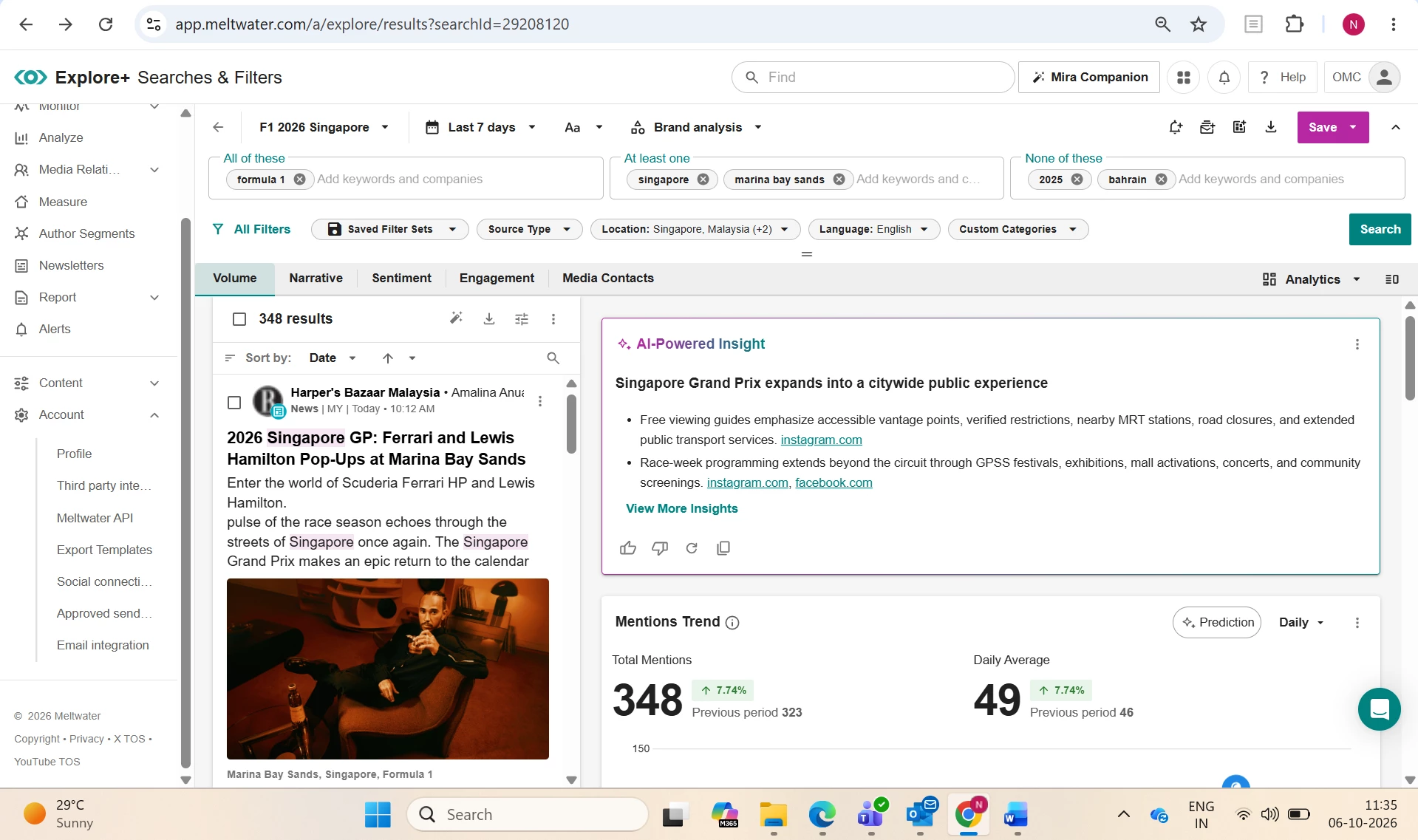
I built and saved a search on F1 Singapore 2026 event. I used the Basic Search, add keywords in ‘All of these’ (broad search), ‘At least one’ (to refine), and None of these (Exclusions) to create and refine my search. Then location, language and source filters were explored and applied. Once results were meeting expectations, I saved the search by clicking ‘Save As’ - F1 Singapore 2026. Advanced Search can also be created, and using AI assistant for more related keywords suggestions to create a new topic.
 

3 replies

kelly.bebenek
mEmployee
mEmployee
October 6, 2026

Great first mission! ​@nidhi.gupta 

Building a search, refining it until the results look right, and then saving it is exactly how you'd set up monitoring for a real event. Using exclusions so early is a smart move too.
 

Here are a few ways to get more out of your F1 Singapore 2026 search:

  • Catch the nicknames: Fans rarely type the full event name. Try adding variations like "Singapore GP," "Marina Bay," and hashtags such as #SingaporeGP to your "At least one" field.
  • Clear out the noise: "F1" has other meanings, like student visas, the F1 key, and seed varieties. Adding those to "None of these" keeps your results focused.
Sr. Director of Customer Ed @ Meltwater (DM me to discuss: Academy, Community & Help Center)
Zach_Lepard
mEmployee
October 6, 2026

Congratulations on being the very first to complete a mission for the October Launch Cohort ​@nidhi.gupta way to jump right in! 🚀 

Love your note about the AI assistant being a resource for reining your search or helping brainstorm new keywords or directions to go with your search!  

Zachary Lepard
mChampion Level 1
October 6, 2026

The A1 search is such a help when with the Boolean!  Thanks for sharing your search.