

Solved
I need to know how to amend a search so that it does not track certain websites
i have a number of websites that I do not want tracked on a search already created for a client, how do I set this up?

i have a number of websites that I do not want tracked on a search already created for a client, how do I set this up?
Hi
Here’s how to set it up:
Open your existing search in Explore
Click the Source Type dropdown
Select the checkbox next to News
Click the arrow/dropdown next to News to expand more options
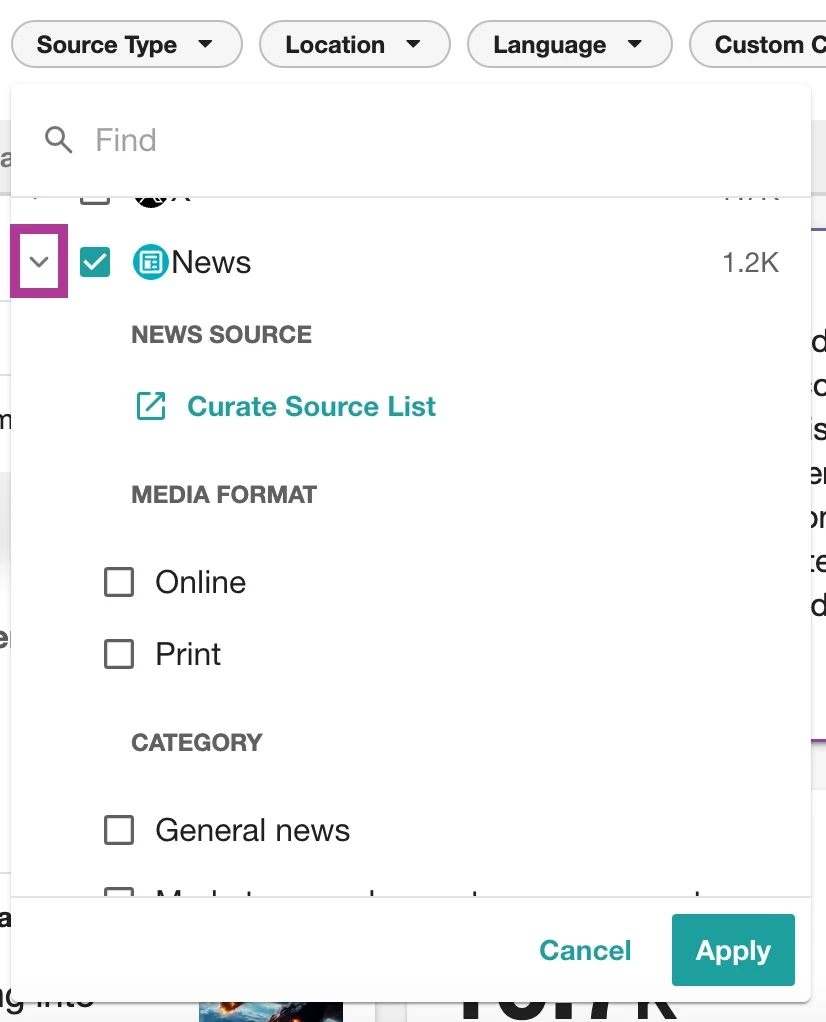
Select Curate Source List
Enter the website name or URL(s) you want to filter
Click the “X” next to a source to exclude it (or check the box to include)
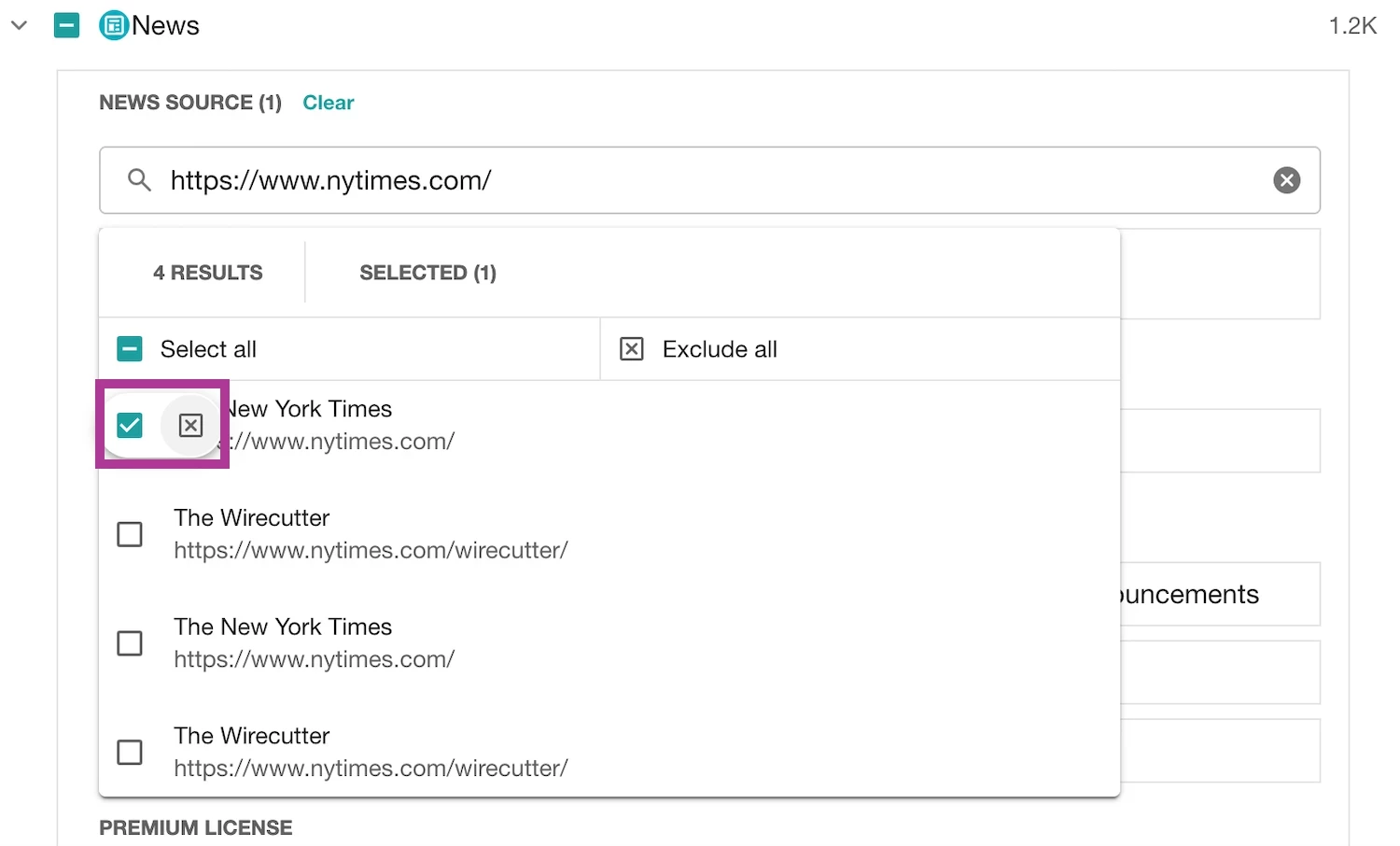
Click Apply, then Save your search
💡 Tip: You can paste a list of URLs (comma-separated) to exclude multiple sites at once.
If you’d like to reuse this setup across searches or dashboards:
Click Saved Filter Sets → Save → Name your filter
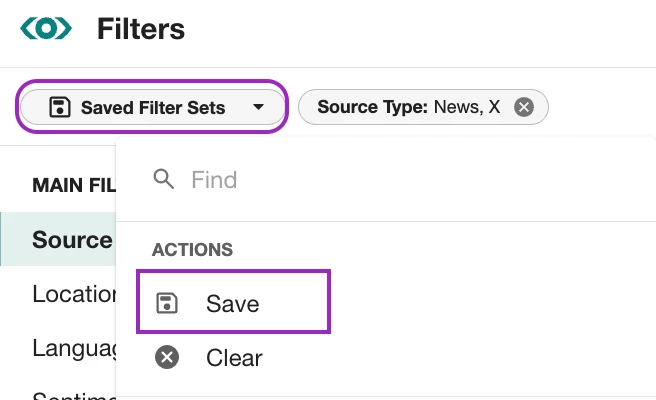
This will ensure those sources are consistently excluded moving forward. For more details, you can also refer to this guide.
Enter your E-mail address. We'll send you an e-mail with instructions to reset your password.