



For Creators: Linking Content in YouTube
To ensure brands can measure your performance and understand your audience, there are two ways to share data:
- Link your content to campaigns (required for campaign reporting)
- Enable channel insights sharing on your account (optional, for deeper audience insights in profiles)
Linking Your Content to Campaigns
As a creator, you must link your content when uploading to YouTube. To do so, follow these steps:
- In YouTube Studio, when uploading a video, go to Add Details
- Select Paid promotion & brands
- Click Yes in the Paid promotion section
- In the Brand Partnerships section, select Find your brand partner and search for the brand.
Note: If you are working on more than one campaign with the brand, you’ll need to select and assign the correct campaign using the provided code.
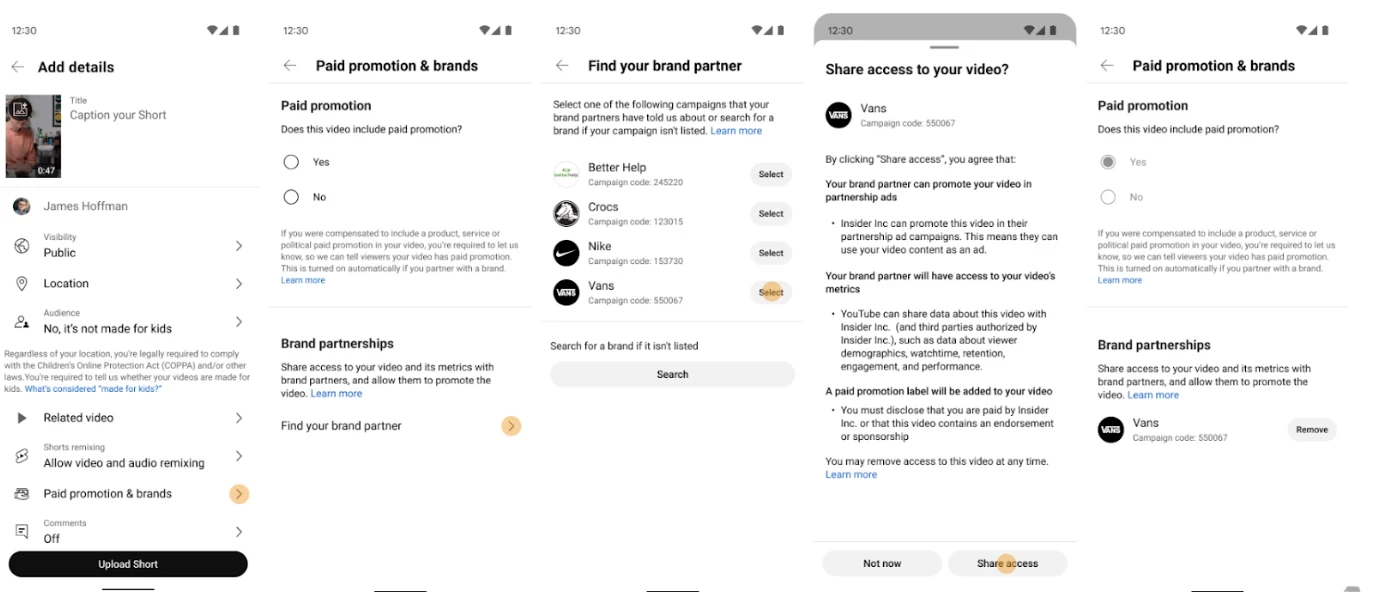
- Select Share access to ensure their post is properly linked and performance data is shared back to Klear.
Note: You can also apply this to videos that have already been published by editing the video in YouTube Studio and adding the brand partnership details.
Learn more about Sharing Brand Partner Access to Your Video.
Sharing Channel Insights (Recommended)
Enabling channel insights sharing allows brands to see deeper audience and performance data in your profile.
This feature is only available for creators who are part of the YouTube Partner Program (YPP) and Creator Partnerships program.
For eligible creators, this may include:
- Audience demographics (age, gender, location)
- Watch interests
- Shopping interests
- Additional engagement insights
This helps brands better understand your audience and can increase your chances of being selected for partnerships.
Verify Metrics for Live Campaign Posts
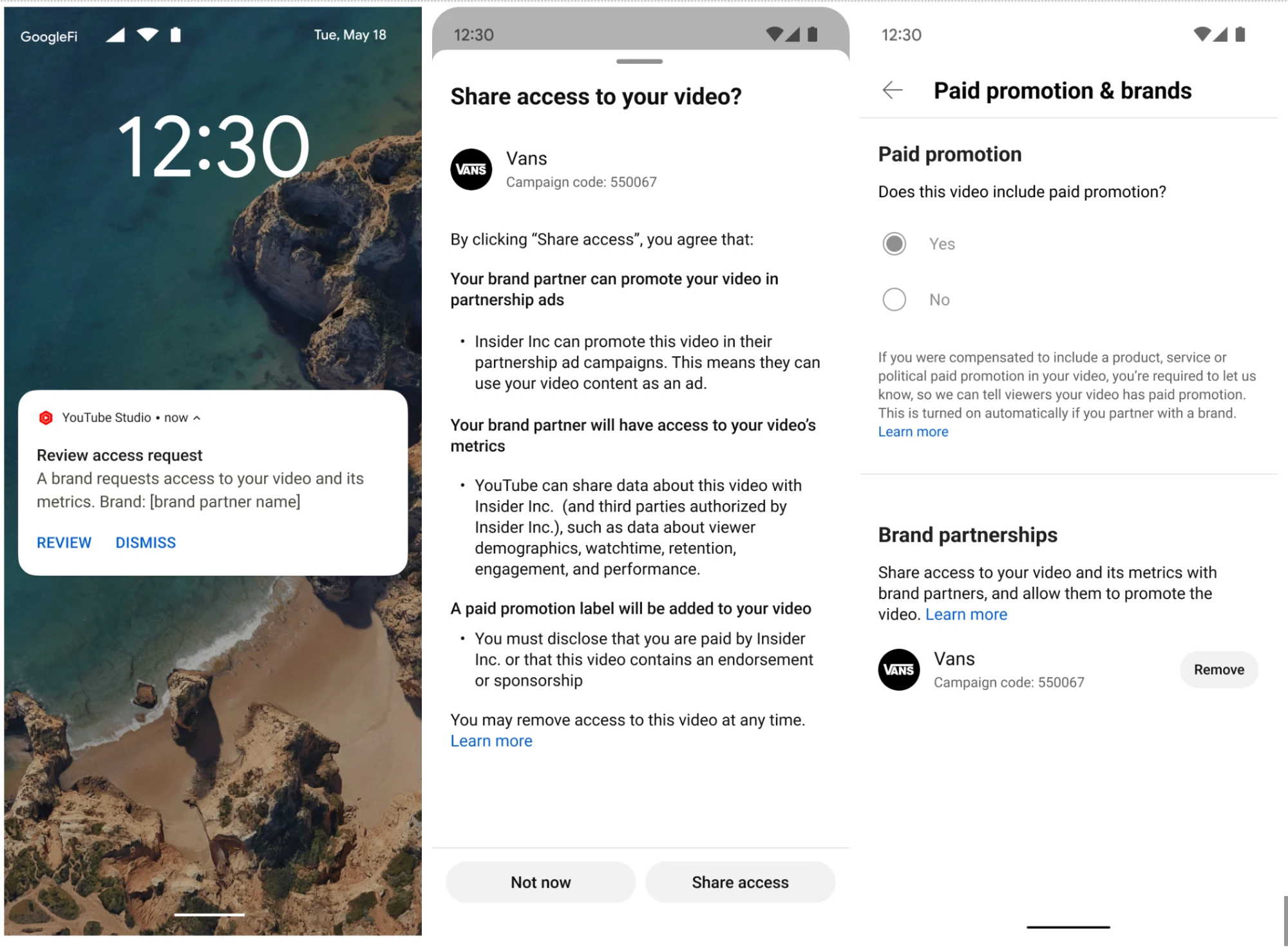
When a brand requests metrics from a post you will receive a push notification like the below:
Enabling Channel Insights Sharing
If you are eligible:
- Go to YouTube Studio
- Click Settings
- Select Advanced settings
- Turn on Channel Insights Sharing
- Confirm your selection
Note:
- This setting is off by default
- It is only available for creators who are part of the YouTube Partner Program and Creator Partnerships program
- If you do not see this option, your channel may not yet be eligible
- For more information on turning this setting on, visit YouTube’s help center here or update directly in YouTube here.