



Chrome Extension: Behind-Paywall Access for Australian Publications
You can now get past the paywall on Australia's Tier 1 publications straight from the Meltwater Chrome extension, and share that full article with stakeholders who don't have a Meltwater login. No more hopping into the platform to fetch a link first.
Here's what it does and how to use it.
🔓 Paywall Access in the Chrome Extension
What it is: When you land on a paywalled article from a supported Australian publication, the Chrome extension unlocks the full version for you. You can read it there and then, or copy the link and send it on.
It works on Tier 1 paywalled titles under NewsCorp and Nine, including The Australian, The Sydney Morning Herald, The Age, Herald Sun, The Courier-Mail and The West Australian.
Publications this won’t work on: The Australian Financial Review, News24.com.au and paywalled Industry/Trade publications.
Why it matters:
- Read the full article during your normal news scan, without switching to the Meltwater platform
- Send your exec or client a link that opens the full story, even if they've never logged into Meltwater
How to use it:
- Download the Meltwater Chrome Extension
- Open a paywalled article from a supported publication in Chrome
- Click the Meltwater extension in the top right-hand corner of your browser
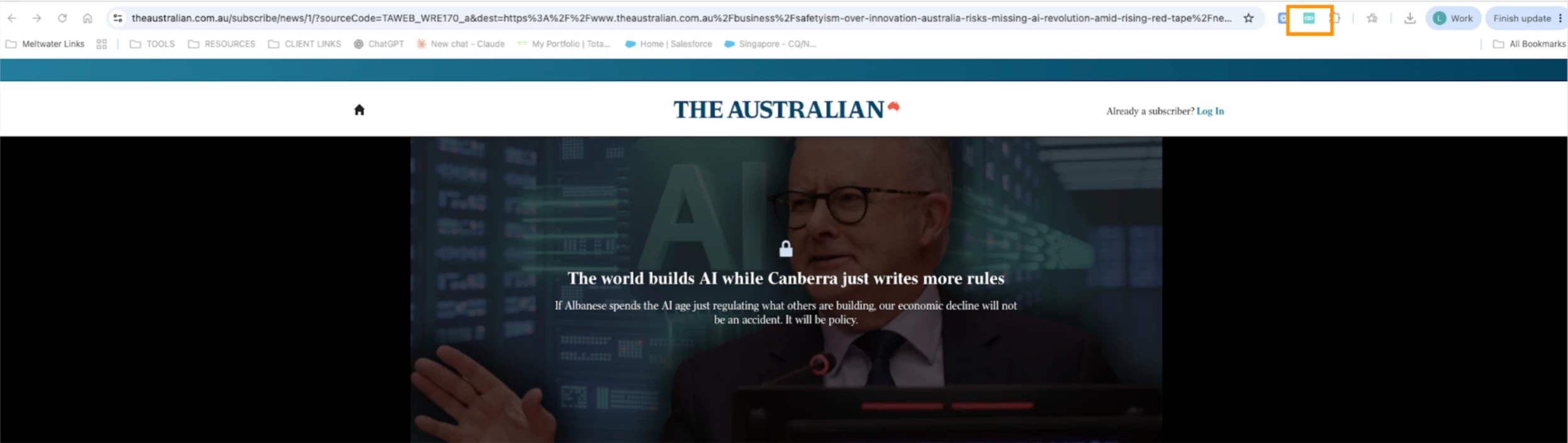
- The extension will tell you the article is already in Meltwater
- Press Click Here to open the full article behind the paywall

To share it with a stakeholder:
- Right-click Click here in the extension
- Select Copy link address
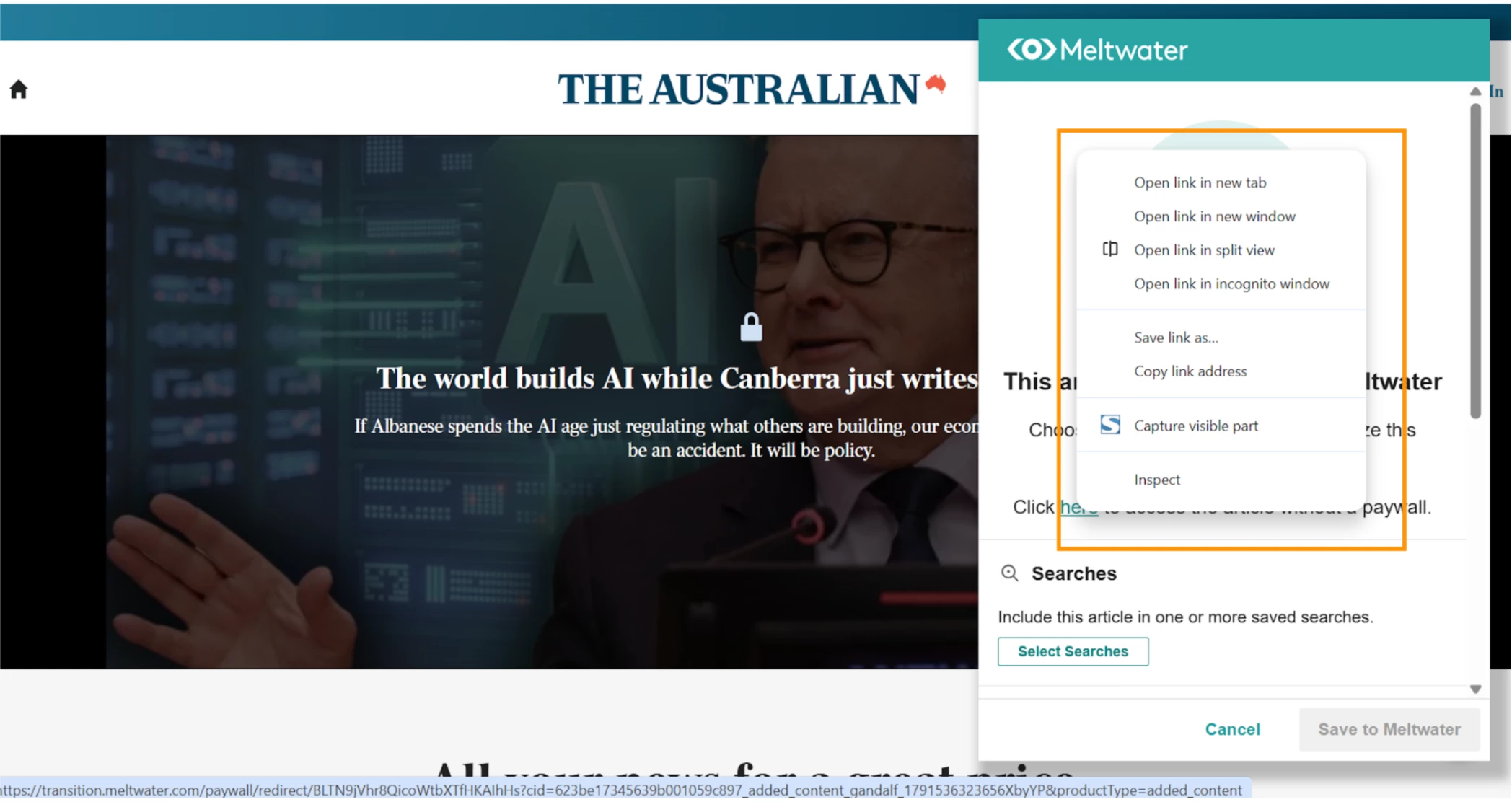
- Paste the link into your email, Teams or Slack message
Whoever opens that link gets the full article, with no Meltwater login needed.
Good to know:
This upgrade covers Australian Tier 1 paywalled publications only. Everything else the extension does, like tagging, adding content and adding to newsletters, works as before. See Using the Meltwater Chrome Extension for the full guide.
Give it a go and tell us how you get on, either in the comments below or with your Customer Success Manager.